Post-Event Report Template: Metrics, Sections, and Examples
-1690817315934-652794559.png&w=96&q=75)
Benjamin Dell
Founder, HeySummit
The event is over, but the useful work is not. Your team still needs to explain what happened, what worked, what did not, what sponsors or partners received, and what should change before the next event.
A good post-event report turns scattered data into a clear story. It should give stakeholders enough proof to make decisions without forcing them to dig through every registration export, payment report, session log, survey response, and email dashboard.
This guide gives you a copyable post-event report template for online, hybrid, in-person, and on-demand events. Use it to summarize registration, attendance, revenue, replay, sponsor, feedback, and next-step metrics in a format people can actually read.
What is a post-event report?
A post-event report is a structured summary of event performance against goals. It explains what happened before, during, and after the event, then turns the numbers into useful decisions for leadership, marketing, sponsors, speakers, operations, finance, or community stakeholders.
The Events.com post-event report guide describes a post-event report as a way to review performance against goals and carry lessons into future planning, while the Cvent post-event report guide frames it as the collection of event data stakeholders need to evaluate ROI, goal achievement, and improvements for next time.
The best version is part proof pack, part lessons-learned document, and part planning input. It should not be a data dump. Lead with conclusions, show the numbers that support those conclusions, and keep the raw exports in an appendix or source folder.
Free post-event report template
Copy this structure into a doc, deck, spreadsheet, or project tracker. Keep the executive version short, then add detail in the appendix for people who need to inspect the raw numbers.
| Section | What to include | Useful data sources | Decision it supports |
|---|---|---|---|
| Executive summary | Goals, headline results, biggest wins, biggest misses, and recommended next actions. | Event brief, KPI tracker, team notes, stakeholder priorities. | Whether the event met its purpose and what should happen next. |
| Event snapshot | Date, format, audience, sessions, speakers, sponsors, ticket types, and access model. | Event platform, agenda, ticket setup, sponsor tracker. | Context for interpreting every metric that follows. |
| Goals and KPIs | Goal vs actual for attendance, revenue, leads, community growth, education, sponsor value, or retention. | Planning docs, analytics, CRM, payment tools, survey results. | Which outcomes were achieved, missed, or under-measured. |
| Registration and attendance | Registrations, attendance, no-show rate, check-ins, session participation, and attendee segments. | Registration dashboard, check-in data, webinar or room attendance logs. | Whether the event reached the right audience and held attention. |
| Revenue and ticket performance | Ticket revenue, add-ons, donations, sponsorship revenue, refunds, and net revenue notes. | Ticketing platform, payment provider, finance tracker, sponsor contracts. | Whether the event made financial sense and where revenue came from. |
| Audience and acquisition | Traffic sources, referral partners, speaker promotion, email performance, affiliate contribution, and campaign notes. | UTMs, email platform, affiliate dashboard, analytics, CRM. | Which channels created useful demand. |
| Session, content, and replay engagement | Top sessions, replay views, content downloads, chat or question themes, and on-demand access. | Event platform, video provider, replay analytics, attendee survey. | Which content should be repeated, repurposed, or retired. |
| Sponsor and partner results | Delivered benefits, sponsor visibility, booth or page activity, clicks, offer claims, meetings, and renewal notes. | Sponsor tracker, sponsor pages, email logs, CRM, sponsor feedback. | Whether sponsors received credible proof of value. |
| Feedback and lessons learned | Attendee survey themes, speaker feedback, sponsor feedback, support issues, and team retrospective notes. | Surveys, support inbox, chat logs, internal retro, stakeholder interviews. | What to improve before the next event. |
| Recommendations and next actions | What to repeat, cut, fix, test, follow up on, or turn into evergreen content. | All previous sections. | The practical plan after the report is read. |
If the goals, denominators, sources, or reporting windows are still undefined, build the event measurement plan before filling in the report. That keeps the template tied to decisions instead of becoming a collection of unrelated totals.
For a small workshop, this might be a two-page report. For a multi-day summit, sponsor-heavy conference, or hybrid event, it may become a longer deck with separate stakeholder versions. The structure should flex; the discipline should not.
Registration, attendance, revenue, replay, and sponsor metrics
Start with the metrics that match the event goal. A lead-generation webinar, paid summit, nonprofit fundraiser, sponsor-supported conference, and member education event should not all be judged by the same scoreboard.
The Whova post-event report guide lists common report areas such as attendance, registration, logistics, sponsor and exhibitor insights, budget, ROI, statistics, takeaways, and improvements. Use that broad pattern, then narrow it to the numbers that answer your actual stakeholder questions.
| Metric group | Examples to include | How to interpret it |
|---|---|---|
| Registration | Total registrations, source, registration timeline, ticket type, segment, and conversion path. | Shows demand and acquisition quality, especially when paired with source and attendance data. |
| Attendance | Live attendees, check-ins, peak attendance, session attendance, attendance by ticket or access type. | Shows who actually showed up and which sessions earned attention. |
| Revenue | Ticket revenue, add-ons, donations, sponsor revenue, refunds, payment fees if available, and net notes. | Shows the event's financial outcome and which offers or access levels worked. |
| Engagement | Session views, chat themes, questions, polls, content downloads, offer claims, and replay views. | Shows where attendees found value beyond registering. |
| Marketing | Email sends, open and click data, referral links, affiliate activity, partner or speaker promotion, and campaign notes. | Shows which channels deserve more attention next time. |
| Sponsors and partners | Delivered benefits, sponsor page views, sponsor clicks, meetings, lead forms, offer claims, and sponsor feedback. | Shows proof of delivery and gives sponsors a concrete renewal conversation. |
| Feedback | Survey responses, NPS or satisfaction score if used, testimonials, support themes, speaker feedback, and sponsor feedback. | Shows the qualitative story behind the numbers. |
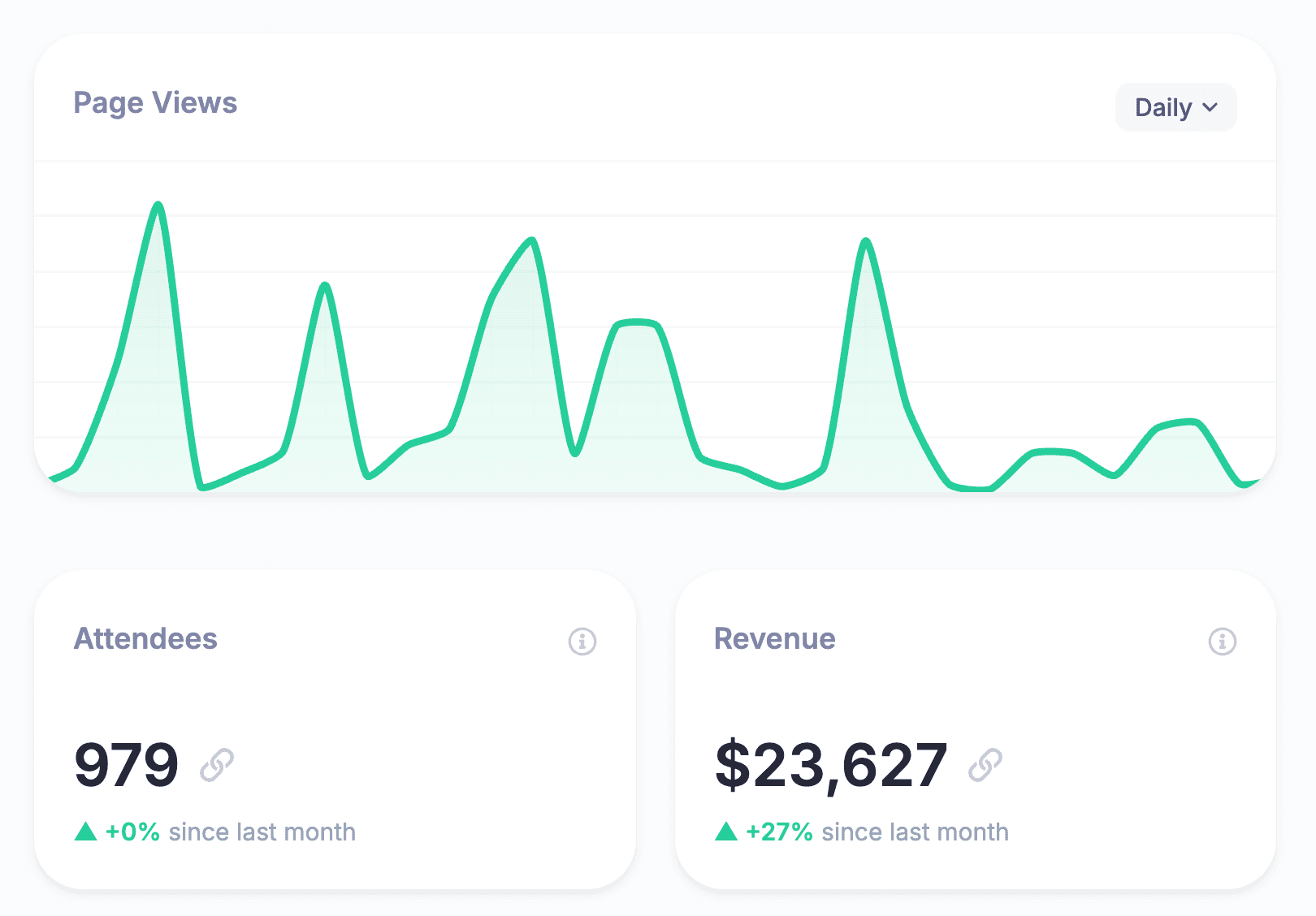
If you are running your event in HeySummit, Reporting and Analytics can help you review registrations, revenue, attendance, audience insights, and content performance. Treat those numbers as report inputs, then add context from surveys, sponsor notes, payment providers, video tools, CRM records, and your team's retrospective.
How to write the report without drowning people in data
The report should make decisions easier. That means most sections need a takeaway, not just a table.
- Lead with conclusions: start each section with what the data means, then show the supporting numbers.
- Separate summary from appendix: put raw exports, long survey responses, and detailed charts behind the main story.
- Show goal vs actual: a total is more useful when readers can see whether it beat, met, or missed the target.
- Explain the denominator: make clear whether percentages are based on registrants, attendees, purchasers, sessions, or survey respondents.
- Flag missing tracking: say when a number is unavailable instead of filling the gap with a confident guess.
- Keep sponsor versions focused: sponsors need proof of their deliverables and audience value, not every internal operations issue.
Do not turn missing tracking into confident ROI language. If you cannot connect a metric to revenue, pipeline, retention, sponsor outcomes, or another defined goal, describe what the metric does prove: reach, visibility, attendance, engagement, feedback, or follow-up interest.
Example post-event report outline
Here is a condensed example for an online summit or paid workshop. Replace the placeholder text with your real numbers and notes.
Executive summary
- Goal: Grow the audience, generate ticket revenue, activate sponsors, or educate a community.
- Result: Summarize the headline outcome in one or two sentences.
- Interpretation: Explain why the result happened and what affected it.
- Next action: Name the decision, follow-up campaign, or operational fix.
Event snapshot
- Event name, date, format, and audience.
- Number of sessions, speakers, sponsors, ticket types, and replay access rules.
- Main promotion channels and important timeline notes.
Performance summary
- Registration goal vs actual.
- Attendance goal vs actual.
- Revenue or fundraising goal vs actual, if relevant.
- Top sessions, replay activity, sponsor outcomes, and feedback themes.
Interpretation and next actions
- What to repeat because it worked.
- What to fix because it created friction.
- What to stop because it did not support the goal.
- What to test next time.
Use placeholders, not invented numbers. A report with honest blanks is more useful than one with polished guesses. If you did not track a metric this time, add the tracking requirement to the next event plan.
The report starts before the event ends
The easiest post-event report is the one you planned before launch. If you wait until the event is over, you may discover that the most important data was never collected.
| Timing | Reporting work to do | Why it matters |
|---|---|---|
| Before the event | Define KPIs, ticket/access types, UTM or referral structure, sponsor deliverables, survey questions, and report owner. | Creates clean data instead of post-event detective work. |
| During the event | Capture attendance, screenshots, sponsor proof, session notes, attendee questions, support issues, and live changes. | Preserves details while the team still remembers what happened. |
| First few days after | Draft the executive summary, verify numbers, collect team notes, and send urgent sponsor or stakeholder updates. | Keeps momentum and gives stakeholders timely visibility. |
| Two to four weeks after | Update replay, lead, sponsor, sales, renewal, or community outcomes that need more time to mature. | Prevents long-tail impact from being ignored. |
Build this into your event timeline. If your event includes tickets, add-ons, sponsors, affiliates, and replays, the reporting plan should be part of setup, not a cleanup task. HeySummit's event platform workflow is designed to keep event pages, registration, ticketing, speakers, sponsors, emails, analytics, and replays connected so the report has fewer loose ends.
Reporting revenue, tickets, and replay access
For paid events, the report should show more than gross revenue. Stakeholders need to understand which access levels, offers, and post-event content actually contributed to the outcome.
- Ticket mix: free, paid, VIP, early bird, group, member, scholarship, or sponsor-invited access.
- Revenue sources: tickets, add-ons, donations, replay access, sponsor packages, partner offers, subscriptions, or installments.
- Refunds and adjustments: refund volume, discount usage, failed payments, chargebacks, or comped access.
- Replay value: replay views, replay purchases, all-access-pass upgrades, and long-tail content engagement.
- Follow-up revenue: sales conversations, qualified leads, renewals, donations, or product purchases that can be responsibly attributed.
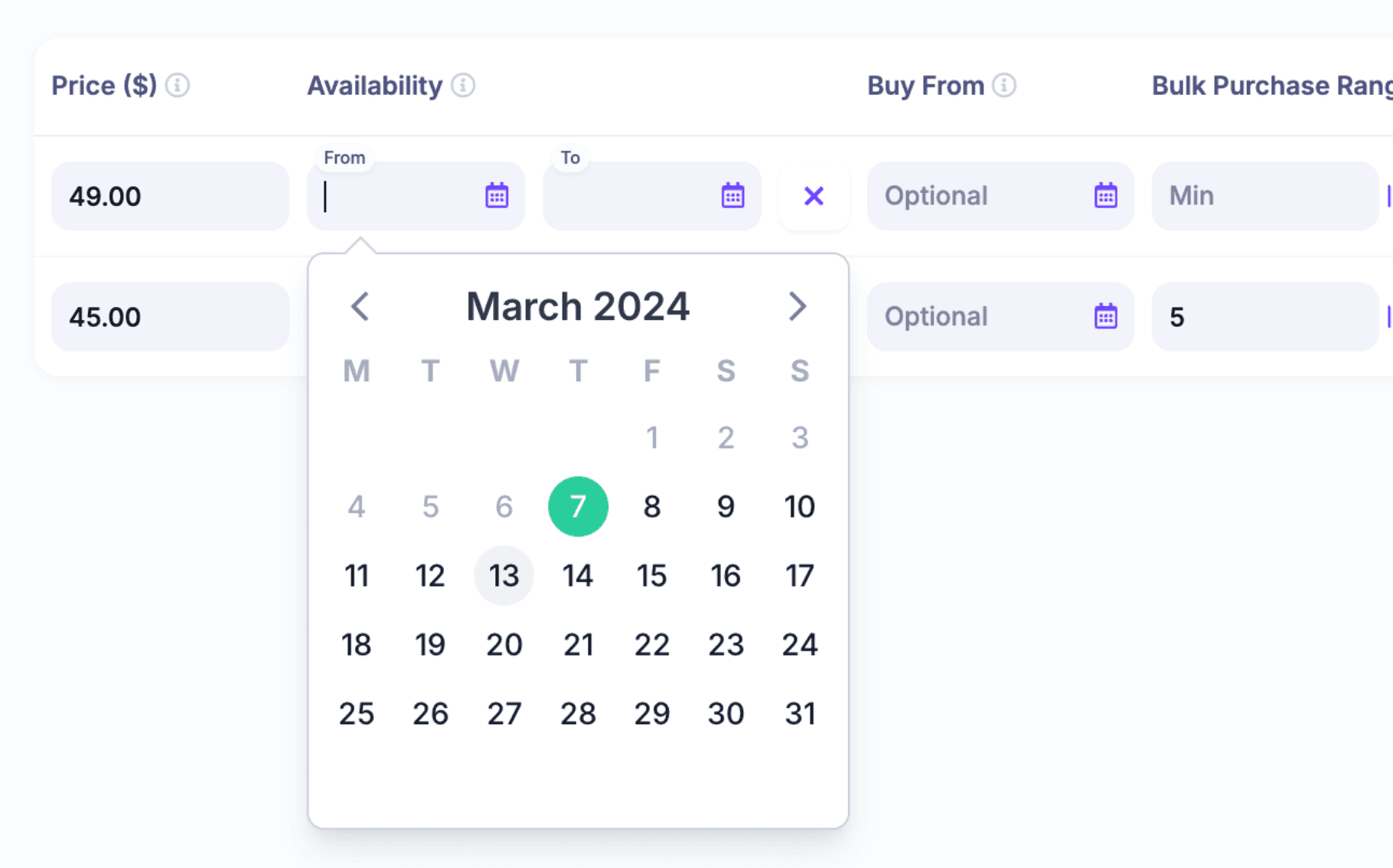
If monetization matters, set up event ticketing, access rules, and replay options before promotion starts. That makes the post-event revenue section easier to explain and helps you compare what actually sold against the original plan.
Reporting sponsor and partner value
Sponsor reporting deserves its own section because sponsor value is usually a mix of visibility, audience fit, engagement, proof, and follow-up. A sponsor-facing report should be narrower than your full internal report.
For each sponsor or partner, include:
- What was promised in the package.
- What was delivered, changed, missed, or over-delivered.
- Where the sponsor appeared during the event.
- Which screenshots, links, email examples, or session placements prove delivery.
- Which metrics belong to the whole event and which are sponsor-specific.
- What follow-up should happen next.
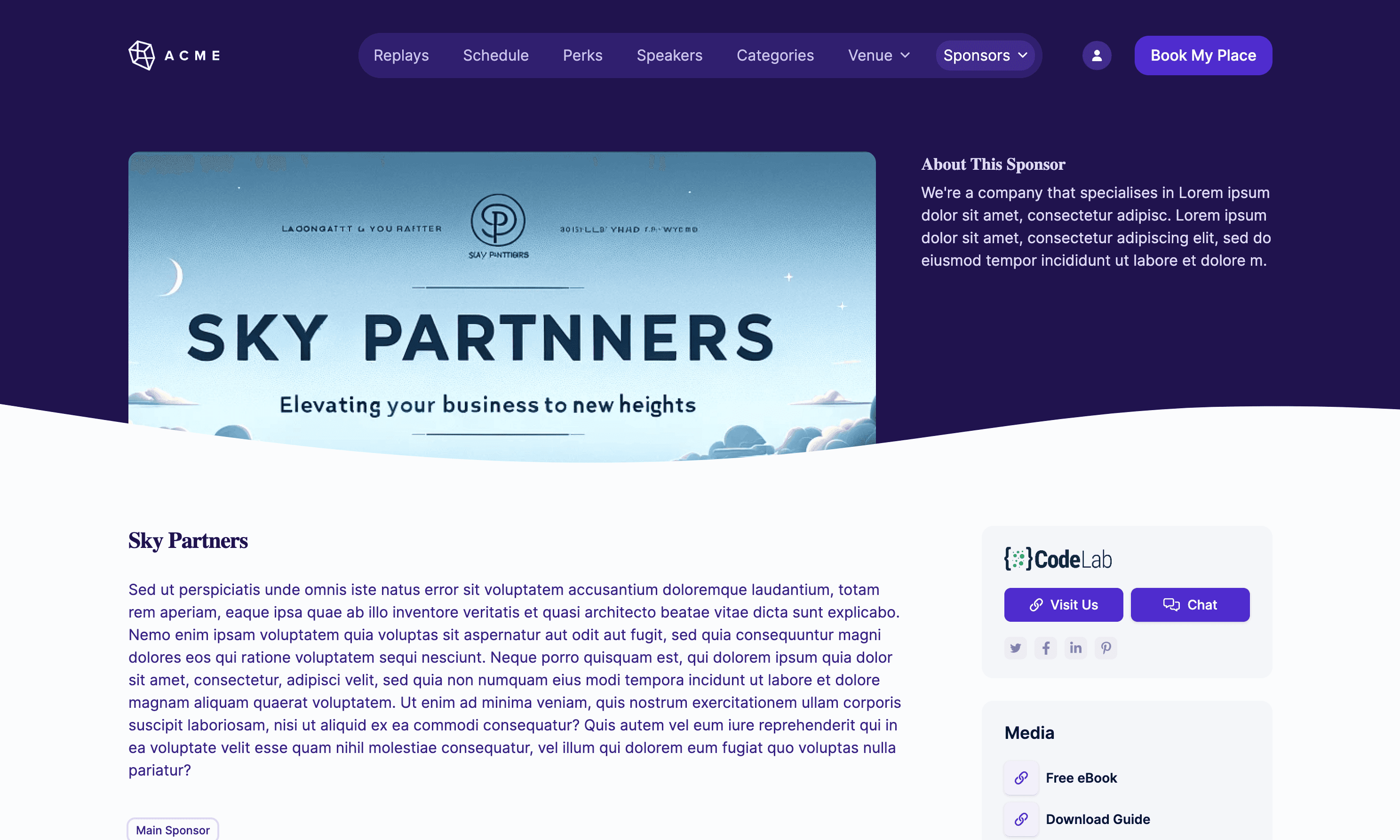
HeySummit's Sponsor Booth feature can help you create dedicated sponsor pages with rich media, downloads, placement options, and attendee interaction surfaces. Capture screenshots and performance notes while the event is still fresh so the sponsor report does not rely on memory.
Common post-event reporting mistakes
Most weak reports fail for one of two reasons: they are too vague to support a decision, or they are too detailed for anyone to read.
- Reporting totals without goals: "500 registrations" means less if nobody knows whether the goal was 200 or 2,000.
- Mixing audiences: leadership, sponsors, speakers, and operations may need different versions of the same report.
- Hiding data limitations: missing UTMs, incomplete sponsor tracking, or low survey response rates should be stated clearly.
- Overclaiming ROI: do not imply revenue impact when the event only measured attendance or page views.
- Ignoring replay and follow-up: online events often continue creating value after the live session ends.
- Skipping recommendations: a report without next actions becomes an archive, not a planning tool.
The point is not to make the event look perfect. The point is to make the next decision better.
Turn the report into the next event plan
End the report with clear recommendations. These should be specific enough that someone can turn them into tasks, experiments, or a next-event brief.
- Repeat the highest-performing promotion channel and set a new registration target.
- Move the strongest session into an evergreen replay, paid workshop, or lead magnet.
- Change the ticket mix if one access level drove most revenue or support issues.
- Improve sponsor tracking before selling the next package.
- Rewrite attendee reminders if attendance lagged despite strong registration.
- Add a survey or attribution step where the report had an important blank.
A post-event report should not sit in a folder until the next event is already in trouble. Use it to decide what to repeat, what to cut, and what to test next.
If you want your next event report to be easier to write, start with the operating system behind the event. HeySummit brings registration, ticketing, speakers, sponsors, affiliates, emails, analytics, and replay access into one workflow, so you can spend less time stitching together reports and more time improving the event itself. Explore the HeySummit product tour or review pricing when you are ready to plan the next event.
Frequently asked questions
Table of Contents
What is a post-event report?Free post-event report templateRegistration, attendance, revenue, replay, and sponsor metricsHow to write the report without drowning people in dataExample post-event report outlineThe report starts before the event endsReporting revenue, tickets, and replay accessReporting sponsor and partner valueCommon post-event reporting mistakesTurn the report into the next event planFrequently Asked QuestionsTry HeySummit free
HeySummit is the easiest way for creators and educators to grow their audience, authority and revenue with professional online events created in minutes, not weeks.
Share this article on:
Recent Posts
Loading feed...