Best Virtual Summit Platforms for Content-Led Online Events
-1690817315934-652794559.png&w=96&q=75)
Benjamin Dell
Founder, HeySummit
The best virtual summit platform is the one that matches how your event actually works: the audience you are building, the speakers you need to coordinate, the sessions you will deliver, the tickets or replay access you want to sell, and the follow-up you need after the live dates are over.
For a simple one-session webinar, a webinar tool may be enough. For a content-led summit with multiple speakers, sponsors, ticket tiers, video sessions, replays, emails, partner promotion, and reporting, you usually need more than a live room. You need the operating layer around the room.
This guide compares virtual summit platforms by fit rather than pretending there is one universal winner. Use it to choose a platform for a creator, educator, community, B2B, nonprofit, or enterprise summit without buying more software than your event needs.
Best virtual summit platforms: quick comparison
| Platform | Best for | Summit strengths | Check before choosing |
|---|---|---|---|
| HeySummit | Content-led online summits for creators, educators, communities, nonprofits, and event-driven businesses | Event pages, registration, ticketing, speaker workflows, sponsors, affiliates, video integrations, emails, replays, and analytics in one event workflow | Best when the event workflow matters more than only hosting a video room |
| Zoom Events and Webinars | Teams that already trust Zoom and need familiar webinar or event delivery | Webinar delivery, Q&A, polling, recording, transcripts, and event plans from a widely adopted video provider | You may still need separate tooling for summit-specific pages, speaker operations, affiliates, ticket logic, and content monetization |
| RingCentral Events | Marketing and event teams running repeatable virtual or hybrid event programs | Per-organizer event plans, unlimited events and registrations on listed plans, and a broader virtual/hybrid event environment | Make sure the event-program model fits a summit that may need speaker, sponsor, replay, and sales workflows |
| Airmeet | Branded virtual and hybrid events with attendee engagement and community-style interaction | Virtual and hybrid event formats, engagement features, and quote-based plans for larger event needs | Confirm which event format, registration, support, and analytics features are included in your plan |
| vFairs | Enterprise virtual events, expos, job fairs, trade shows, and programs needing hands-on event support | Event websites, registration, virtual environments, onsite tools, mobile apps, badge printing, lead capture, and event support | May be heavier than a creator-led or educator-led summit needs |
| BigMarker | Webinar-heavy demand generation, customer education, and content programs | Webinars, virtual events, on-demand hubs, custom audience experiences, and CRM-oriented data capture | Review whether the summit needs deeper speaker, sponsor, affiliate, ticketing, or replay-access workflows |
| Livestorm | Marketing teams running branded webinars and video engagement programs | Registration pages, branded events, engagement insights, CRM sync, and a browser-based webinar experience | Better for webinar programs than complex multi-speaker summit operations |
| EventMobi | Associations, conferences, and hybrid programs that need an event app and broader event infrastructure | Virtual event platform, registration, mobile event app, networking, sponsors, analytics, and published per-event or annual pricing options | The event-app and conference suite may be more than a small online summit requires |
| Whova | Conferences that need attendee networking, event apps, agendas, and hybrid participation | Event app, registration, event management, marketing, lead retrieval, hybrid event, and virtual conference tooling | Ask for a current quote and check whether the app-led conference model fits your summit |
| WebinarNinja | Creators and educators running teaching-led webinars, live courses, and on-demand learning offers | Webinars plus CourseNinja for live and on-demand learning experiences | May not cover the full event operations layer for a larger multi-speaker summit |
The right shortlist depends on your operating model. A creator-led summit, a B2B demand-generation event, an association conference, and a virtual job fair can all be called virtual summits, but they need different software.
Virtual summit platform definition
A virtual summit platform helps organizers run a multi-session online event with speakers, registration, attendee access, live or pre-recorded sessions, reminders, replays, and reporting. Depending on the event, it may also need ticketing, sponsor visibility, partner referrals, CRM handoff, attendee emails, and post-event content access.
Guidebook's virtual summit glossary frames a virtual summit as an online event that brings speakers and participants together around focused topics. That broad definition is useful, but the software decision should be more specific: what jobs does your summit need the platform to own?
How to choose a virtual summit platform
Before comparing logos, write down what the summit must do. The most expensive mistake is buying a platform for a generic "virtual event" when the real job is more precise.
1. Start with the summit format
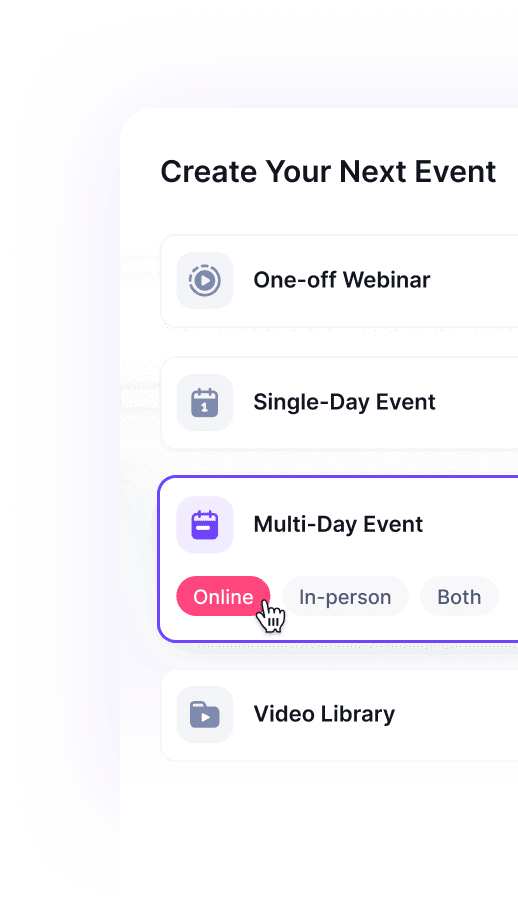
A live one-day summit has different needs from a week-long pre-recorded summit, a paid workshop series, a hybrid conference, or an evergreen replay library. Decide whether sessions are live, pre-recorded, simulive, on demand, in person, hybrid, or a mix.
HeySummit supports online events, hybrid and in-person formats, and on-demand content, which matters when a summit needs to keep working after the live dates.
2. Decide whether registration is only a form or a revenue workflow
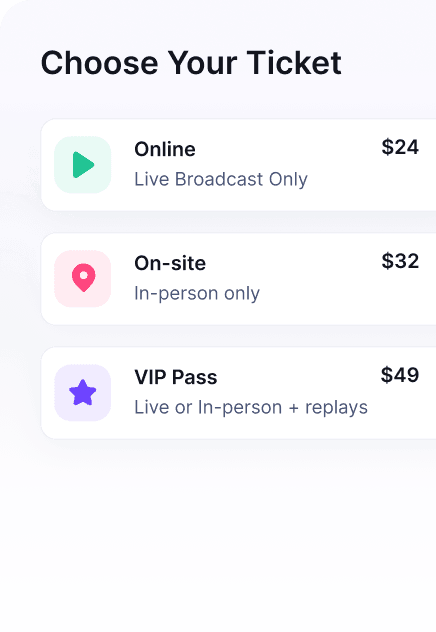
If registration is free and simple, most webinar and event tools can handle it. If the summit includes paid tickets, VIP passes, early-bird pricing, replay upgrades, add-ons, donations, or sponsor-access rules, registration becomes a monetization and access-control workflow.
In that case, look closely at event ticketing, checkout, access rules, payment providers, coupon support, replay windows, and revenue reporting. A cheap registration form can become expensive if your team has to manually reconcile payments, tickets, access, and replays.
3. Treat speakers as an operating workflow
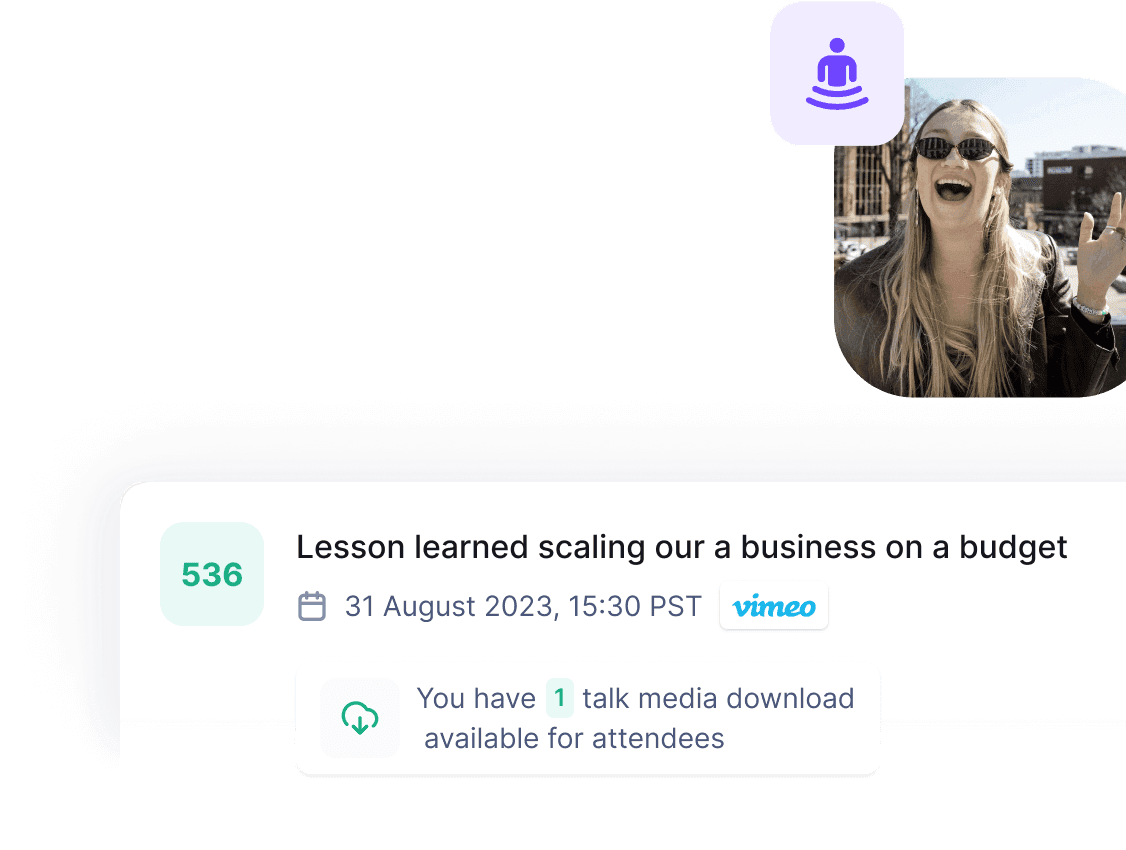
Speaker coordination is where many DIY summits start to creak. Speakers need bios, headshots, talk titles, session links, calendars, promotional materials, deadline reminders, and sometimes affiliate or referral visibility.
For a summit with more than a few contributors, a speaker dashboard or dedicated speaker workflow can reduce back-and-forth email and keep session details from drifting across spreadsheets.
4. Separate the video layer from the event layer
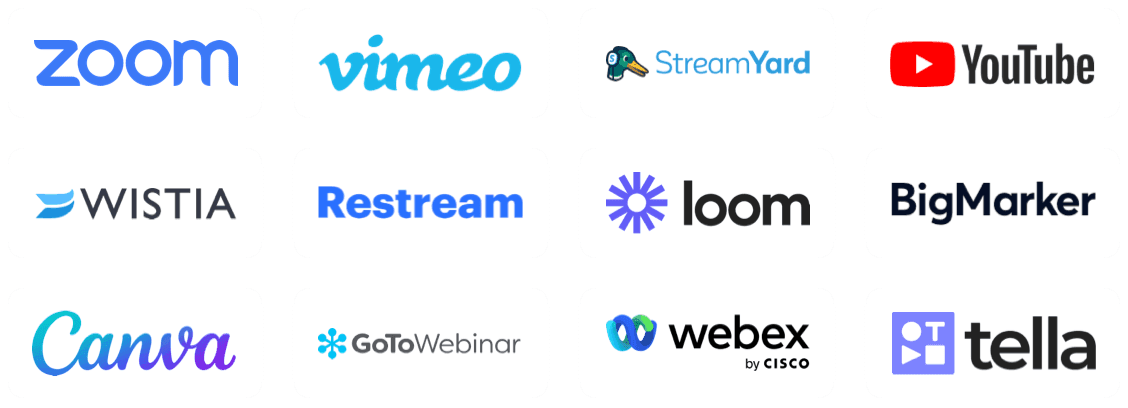
Video delivery is important, but it is not the whole summit. Zoom, BigMarker, Livestorm, and similar webinar tools can be strong live-room choices. The question is whether they also cover the event business layer: pages, tickets, speakers, sponsors, partner promotion, replays, emails, and reporting.
If you already like your video provider, consider a platform that can sit around it. HeySummit's video and streaming integrations help organizers connect the delivery provider to the event workflow instead of forcing every link and reminder to be managed manually.
5. Check sponsor, affiliate, and partner needs early
Summits often grow through speakers, sponsors, partners, affiliates, and community hosts. If those people are part of your distribution or revenue model, do not leave tracking and visibility until the last week.
Look for sponsor pages or booths, partner tracking, referral links, commission visibility, and reporting. HeySummit includes a sponsor booth workflow and an event affiliate platform for organizers who want speakers or partners to help drive registrations or sales.
6. Plan replays before the event starts
Replay access is not just a post-event email. It can be part of the offer, a paid upgrade, a membership asset, a sponsor deliverable, or an evergreen content library. Decide who gets replays, when access opens, when it expires, and whether recordings should become an on-demand product.
If the summit has post-event value, choose software that can support replay access and measurement without turning your recordings into a folder of untracked links.
7. Make reporting useful for the next action
Summit reporting should help you answer practical questions: which page converted, which speaker drove registrations, which sessions held attention, which tickets sold, which sponsors received visibility, and which follow-up segments deserve a different message.
HeySummit's reporting and analytics are useful when the event team needs registration, revenue, source, attendee, and content-performance signals in the same operating context.
Platform-by-platform guidance
HeySummit: best for content-led summits
HeySummit is the strongest fit when the summit is meant to grow an audience, build authority, sell access, coordinate speakers, support sponsors or affiliates, and turn recordings into ongoing value. It is especially relevant for creators, educators, coaches, communities, nonprofits, and event-driven businesses that need more than a video room.
Use HeySummit when the summit needs event pages, registration, ticketing, speaker management, sponsor visibility, affiliate or referral tracking, attendee emails, webinar/video integrations, replays, and reporting in a connected workflow. If you are comparing tools at the decision stage, use the HeySummit product tour and current pricing page rather than relying on old plan screenshots or third-party summaries.
Zoom Events and Webinars: best when the live room is the center
Zoom is a natural shortlist option when your team already uses Zoom and the biggest requirement is reliable webinar or event delivery. Zoom's Events and Webinars pricing page describes webinar and event plans with features such as polling, live Q&A, recording, and transcripts.
Zoom can be enough for a simple webinar-style summit. For a monetized, multi-speaker, replay-heavy, or partner-supported summit, check whether you also need a separate event operating layer around Zoom.
RingCentral Events: best for repeatable virtual and hybrid programs
RingCentral Events can fit teams running repeatable virtual or hybrid programs. Its events pricing page describes per-organizer plans with unlimited events and registrations, which may be attractive when your team runs frequent event programming.
It is worth comparing when you need a broader event environment rather than a lightweight webinar setup. For creator-led summits, also check whether the platform's workflow and pricing shape match your ticketing, speaker, replay, sponsor, and partner needs.
Airmeet: best for branded engagement-led events
Airmeet is a strong candidate for branded virtual and hybrid events that need engagement, networking, and a more conference-like attendee experience. Its event-format documentation describes webinar, virtual event, hybrid event, and in-person event formats.
Use Airmeet when attendee interaction is central. Before committing, confirm the exact registration, support, analytics, and event-format features included in the plan you are considering.
vFairs: best for enterprise virtual fairs and expos
vFairs is built for larger virtual, hybrid, and onsite event programs. Its site describes event websites and registration, virtual environments, onsite tools, mobile event apps, badge printing, lead capture, and event support.
That depth can be valuable for job fairs, trade shows, expos, and enterprise programs. For a lean creator or educator summit, it may be more platform than the team needs.
BigMarker: best for webinar-heavy demand generation
BigMarker positions itself around webinars, virtual events, on-demand hubs, eLearning platforms, branded audience experiences, and CRM-friendly data capture. It is a good comparison point when the summit is really part of a broader video or demand-generation program.
Check whether the event needs deeper summit operations, such as speaker dashboards, ticket access, sponsor workflows, and partner promotion, or whether a webinar-centered platform covers enough of the job.
Livestorm: best for marketing webinars and CRM handoff
Livestorm is a good fit for marketing teams that want branded webinars, registration, engagement insights, and CRM sync. Its site describes an all-in-one webinar platform for marketing teams rather than a summit-specific operating system.
Choose it when the event is closer to a webinar program. For a complex multi-speaker summit, compare how much speaker, ticketing, replay, sponsor, and affiliate work would still happen elsewhere.
EventMobi: best for event app and hybrid conference needs
EventMobi is relevant when the summit looks more like a conference, association program, or hybrid event that needs a mobile app, attendee networking, sponsor support, and broader event infrastructure. Its pricing page lists per-event and annual pricing options and says the platform can cover virtual and hybrid event needs.
It may be a better fit for conference teams than for solo creators or educators who want a smaller summit workflow.
Whova: best for conference app and attendee networking
Whova belongs on the shortlist for conferences where the app, agenda, attendee networking, registration, and hybrid experience matter. Its pricing page routes buyers toward a demo and quote, so check current pricing directly.
Use Whova when attendee networking and conference operations are central. If your summit is primarily content-led and monetization-focused, compare it with a platform that puts speaker, ticketing, affiliate, and replay workflows closer to the event setup.
WebinarNinja: best for teaching-led webinars and courses
WebinarNinja can work well for creators and educators whose summit is closer to a live teaching, course, or on-demand learning experience. Its pricing page also highlights CourseNinja, which is relevant when the event is part of a teaching offer.
For larger summits, check whether you need additional tools for speaker management, sponsors, partner promotion, ticket access, and post-event reporting.
When a webinar tool is enough
A webinar tool may be enough when the event has one or a few sessions, registration is simple, speakers are easy to coordinate manually, the event is free, sponsor obligations are light, and replay delivery can be handled with a simple follow-up email.
In that case, prioritize the live experience: video reliability, presenter controls, audience interaction, recording, accessibility, and basic registration. Avoid buying an enterprise event suite just because your webinar has the word "summit" in the title.
When a dedicated summit platform is worth it
A dedicated summit platform becomes worth it when the event has many moving parts around the sessions. Choose a broader platform when you need:
- Multiple speakers, sessions, tracks, or event days.
- Paid tickets, VIP passes, replay upgrades, coupons, or add-ons.
- Speaker dashboards, promotional assets, or contributor workflows.
- Sponsor pages, partner visibility, or sponsor reporting.
- Affiliate or referral tracking for speakers and partners.
- Live, pre-recorded, hybrid, or on-demand content in one event experience.
- Attendee emails, reminders, replay access, and segmented follow-up.
- Reporting across registrations, revenue, source, attendance, and content performance.
Those jobs are where a platform like HeySummit can reduce tool sprawl. The value is not that every summit must use one product for everything. The value is that the organizer, attendee, speaker, and sponsor journeys stay connected instead of being stitched together by hand.
A simple decision framework
| If your summit looks like this... | Start with... | Why |
|---|---|---|
| One or two free sessions with one host | A webinar tool | The live room is the main job, and the surrounding workflow is simple. |
| Creator or educator summit with speakers, ticketing, affiliates, and replays | HeySummit | The event workflow, monetization, and content lifecycle matter as much as video delivery. |
| B2B webinar series or demand-generation event | BigMarker, Livestorm, Zoom, or RingCentral Events | Marketing operations, CRM handoff, and webinar delivery may be the core requirements. |
| Enterprise virtual fair, expo, or conference | vFairs, EventMobi, Whova, RingCentral Events, or Airmeet | The event may need app, expo, networking, onsite, lead, or conference-infrastructure depth. |
| Evergreen summit or paid replay library | HeySummit or another platform with strong replay/access controls | Post-event access is part of the product, not just a recording link. |
Final recommendation
If your summit is mostly a live presentation, choose the webinar or virtual event tool that gives you the best presenter and attendee experience.
If your summit is a content-led growth channel with speakers, paid access, sponsors, affiliates, replays, emails, and reporting, choose a platform that owns the event workflow around the sessions. That is where HeySummit is strongest: helping organizers launch a professional summit, sell or gate access, coordinate contributors, connect video delivery, and turn the event into ongoing audience, authority, and revenue.
For a closer look at that full workflow, start with the HeySummit product tour, compare related event platform comparisons, then check current HeySummit pricing once you know which event model you are building.
Frequently asked questions
Table of Contents
Best virtual summit platforms: quick comparisonVirtual summit platform definitionHow to choose a virtual summit platformPlatform-by-platform guidanceWhen a webinar tool is enoughWhen a dedicated summit platform is worth itA simple decision frameworkFinal recommendationFrequently Asked QuestionsTry HeySummit free
HeySummit is the easiest way for creators and educators to grow their audience, authority and revenue with professional online events created in minutes, not weeks.
Share this article on:
Recent Posts
Loading feed...