Conference Speaker Bio Examples and Template for Event Organizers
-1690817315934-652794559.png&w=96&q=75)
Benjamin Dell
Founder, HeySummit
Speaker material often arrives as a long résumé, an old website paragraph, or two sentences that say little about the session. An organizer has to make it useful for attendees without changing what the speaker meant or publishing a claim nobody has checked.
Start with the worksheet below. Then use the fictional examples to make a standard bio, a short promotion, and a spoken introduction from the same verified facts. The examples are writing models, not real people or endorsements.
Use this conference speaker bio worksheet first
Copy the fields into your speaker intake document. Ask for source material before editing, and record approval on the final version you publish. Personal details and pronouns are optional; use only what the speaker supplies and approves.
| Group | Field to collect | What the editor records |
|---|---|---|
| Source facts | Preferred public name; current role and affiliation; relevant experience; optional approved personal detail | Exact spelling and the speaker's source document or URL. Ask for pronouns only if the speaker wants them used. |
| Event relevance | Session title, topic, audience, and the experience that connects this speaker to it | One clear reason the attendee will find this speaker relevant. Keep the session promise in the separate session description. |
| Destination | Event page, agenda card, email, social post, or host script | The actual word or character limit and style requested for each destination. |
| Verification | Source for names, qualifications, employer and client names, awards, numbers, books, and links | Mark each claim checked or remove it. Do not publish a superlative or metric because it sounds persuasive. |
| Approval | Editor, speaker or approval owner, and final approval date | Save the approved wording, including edits made after the first review. |
| Reuse | Where the bio may be reused and when it should be reviewed | Permission for future events and a review date for roles, links, and session details. |
On a phone, swipe sideways within the worksheet to see the final columns. Treat an unsupported award, number, employer name, qualification, book title, or "first" claim as a stop sign until someone checks it.
What a conference speaker bio needs to do
A conference speaker bio is short profile copy that tells an attendee who is speaking, why their experience fits this session, and what perspective they will bring. The general speaker bio definition is useful if you are starting from scratch; here, the job is to edit a specific speaker's material for a specific event.
The bio is different from a résumé or a session description. A résumé records a career. A session description explains the content and attendee takeaway. A bio selects the speaker facts that make that session credible. Keep those jobs distinct when you write conference session descriptions, so the bio does not repeat the agenda.
Oxford Abstracts' conference bio guide recommends matching the copy to the audience and the organizer's instructions. That is a better editing rule than a universal word count. If the program gives you a limit, follow it; if it does not, keep only the facts that help this audience understand the speaker's connection to the topic.
Four fictional speaker bio examples, annotated
Every person, organization, role, and session below is fictional. Replace the invented details with speaker-supplied, checked facts before using any example in a real event.
1. Creator and educator leading a practical workshop
Source-material problem. The speaker sends a founder paragraph about a business launch, a podcast, and a broad mission. It never says why they can teach this workshop.
Before: "Avery Lane is a visionary founder passionate about transforming learning for everyone. Avery has launched several projects and loves helping people reach their potential."
Edited event-page bio: "Avery Lane designs short online courses for independent educators. In the workshop Plan a useful 60-minute lesson, Avery will show how they turn one learning goal into a practice exercise and a clear follow-up task."
Short promo: "Join Avery Lane to turn one learning goal into a practical online lesson."
Spoken introduction: "Avery Lane designs online courses for educators and will help us plan a lesson around one clear learning goal."
Why the edit works: It cuts untestable praise and connects the stated work to the session. Verify before publishing: Avery's current role, course-design experience, session title, and approval of all three versions.
2. Community panelist whose experience is operational
Source-material problem. The intake form asks for awards and formal credentials. The panelist's useful experience is running a local volunteer program.
Edited event-page bio: "Sam Rivera coordinates a fictional neighborhood reading program, where volunteers arrange sessions, communicate with families, and adapt plans when attendance changes. On the panel Keeping community programs workable, Sam will discuss the routines their team uses to make handoffs clear."
Short promo: "Sam Rivera shares how a volunteer reading program organizes its weekly handoffs."
Spoken introduction: "Sam Rivera coordinates a neighborhood reading program and is here to discuss the small routines that keep its volunteer work running."
Why the edit works: Direct experience is relevant without inventing an award or prestige cue. Verify before publishing: the program name, Sam's role, whether families or volunteers may be described publicly, and the final session framing.
3. Technical keynote with too many claims
Source-material problem. The submitted bio lists certifications, client names, and several large numbers, but provides no sources. It also buries the keynote topic.
Edited event-page bio: "Dr. Noor Patel works on accessibility reviews for digital services. In Testing the path a participant actually takes, Noor will use a fictional registration flow to show how a team can find and document access barriers before an event opens."
Short promo: "Dr. Noor Patel will walk through an accessibility review of an event registration flow."
Spoken introduction: "Dr. Noor Patel works on digital accessibility reviews. Today Noor will show us how to inspect a participant's registration path."
Why the edit works: It preserves the useful expertise and removes numbers and clients that the organizer cannot verify. Verify before publishing: the doctoral title, current work, keynote scope, and whether any omitted credential should return once evidenced.
4. First-time speaker with a short source profile
Source-material problem. The speaker has no public speaking history. The organizer is tempted to pad the bio with claims about leadership or impact.
Edited event-page bio: "Leah Okafor organizes the fictional Eastbank makers' monthly project exchange. For What we learned from a shared supply table, Leah will describe how the group records requests and decides what to bring to the next meeting."
Short promo: "Leah Okafor shares a simple way her makers' group plans its next project exchange."
Spoken introduction: "Leah Okafor organizes Eastbank makers' monthly exchange and will tell us what their shared supply table taught the group."
Why the edit works: A first-time speaker can be introduced through relevant work, with no invented speaking résumé. Verify before publishing: the role, group and session names, what actually happened, and Leah's approval.
Turn one source profile into four destination variants
Keep a source profile with the facts and links you have checked. Write an event variant from that record for each destination. The variant should match this event's audience and session; changing the source profile later should trigger a review, not an assumption that every published version changed.
| Destination | Reader need | Include | Constraint source | Approval |
|---|---|---|---|---|
| Event detail page | Understand speaker relevance | Current role, topic fit, session connection | Event page or CMS limit | Speaker approves final page copy |
| Agenda card | Scan the program | Name, role, one specific reason to listen | Card layout and character limit | Check shortened facts with speaker |
| Email or social promo | See why the session matters now | One relevant fact and a clear session link | Channel format and campaign brief | Approve any new claim or quote |
| Spoken introduction | Meet the speaker as the session begins | Pronounceable name, relevant context, handoff | Host script and allotted time | Speaker checks wording and pronunciation |
On a phone, swipe sideways within the matrix. The actual destination limit takes priority over a generic recommendation about bio length.
How to edit a long or weak speaker bio
- Choose the destination and read its length and style rules.
- Remove career history that does not explain this session.
- Check the current role, organization, titles, names, and links against the speaker's source material.
- Keep one or two relevant experiences you can verify. Replace unsupported superlatives with concrete facts.
- Connect the experience to the session without repeating the session description.
- Shorten the copy, read it aloud, and check what a new attendee could misunderstand.
- Send the edited version to the speaker and save the approved text and date.
Third person often fits an event page because the organizer is introducing someone. First person can fit a speaker-authored profile or a destination that asks for it. Follow that destination's voice and keep the underlying facts consistent.
Speaker bio approval workflow for organizers
Assign an editor and an approval owner before the page deadline. Save the source, make the edit, check claims, request the speaker's review, record approval, publish, and set a review date. This is an editorial process your team owns.
| If this happens | Editor action | Who confirms |
|---|---|---|
| Bio arrives late | Draft from confirmed facts only and mark the page copy pending. | Speaker or named approval owner |
| Website and submitted role differ | Ask which role is current. Do not guess from the newest-looking page. | Speaker |
| Award or number has no source | Remove it until evidence is supplied. | Speaker and editor |
| Speaker requests a substantive change | Update every approved destination variant affected by the change. | Editor and speaker |
| Bio exceeds the destination limit | Cut less relevant history; keep identity and session connection. | Speaker checks the shortened version |
| Headshot or text alternative is unclear | Check image rights, crop, and whether the image conveys information. | Asset owner and editor |
On a phone, swipe sideways within the exception table. Put the bio review in your wider speaker onboarding checklist so copy, links, and images are checked before the event page goes live.
Use a reusable profile without making every event bio generic
A reusable source profile saves the speaker from sending the same facts repeatedly. The published event bio still needs its own edit and approval. HeySummit's guide to adding speakers describes a Speaker Library profile that can be copied into an event and customized there. Updating a linked library profile is an explicit organizer choice; an event-specific edit does not silently rewrite every other event.
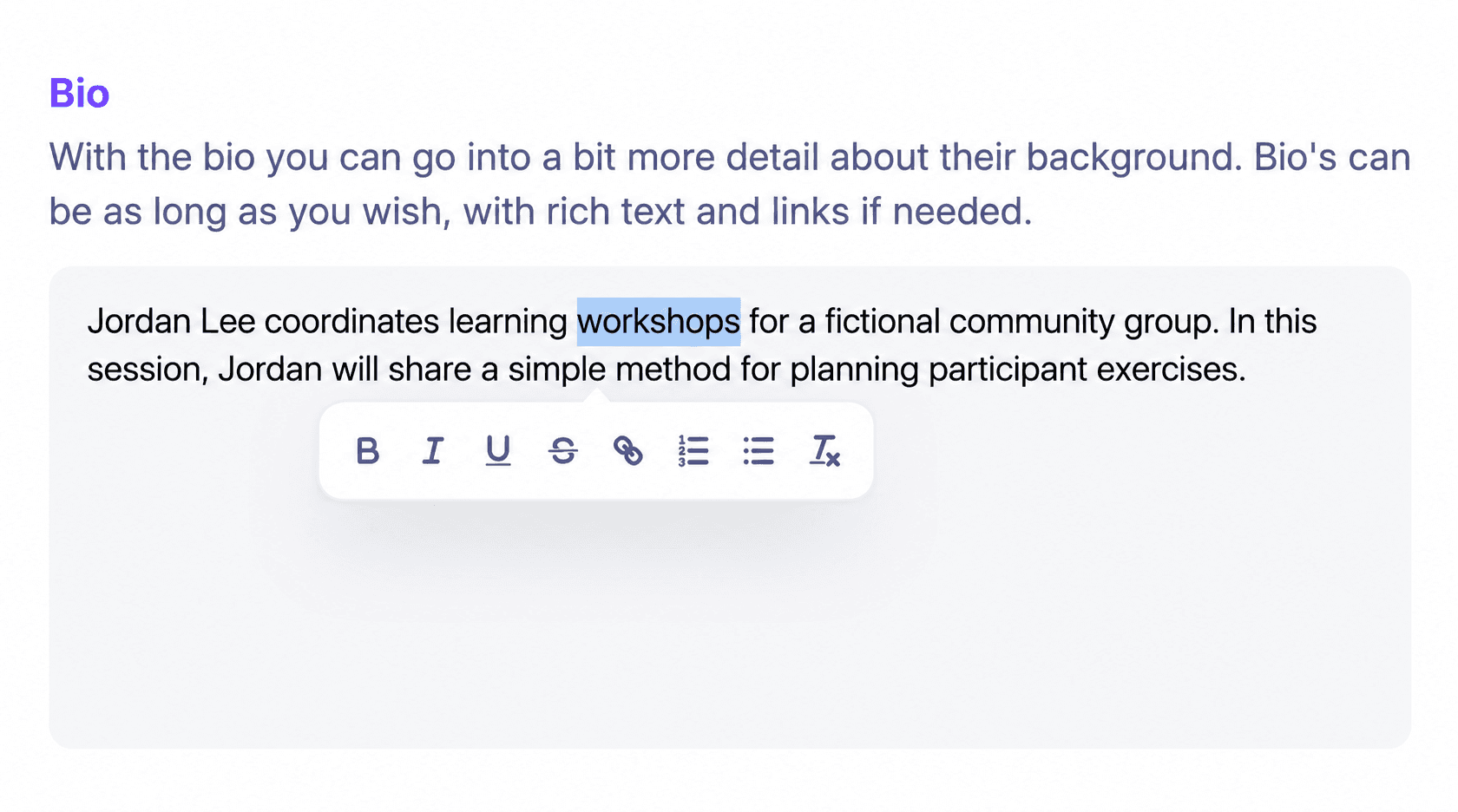
The HeySummit bio editor guide explains how organizers edit the event bio and how speakers can edit their own details when speaker editing is enabled. The editor supports formatting and links. Neither the editor nor the library checks credentials or records the editorial approval workflow for you.
Final organizer QA checklist
- Read the event page as an attendee: does the bio explain this speaker's connection to this session?
- Check names, current role, qualifications, client or employer references, awards, numbers, book titles, and links against recorded sources.
- Check the destination's length and voice rules. Keep the session promise in the session description.
- Confirm the speaker approved this exact variant and that you have permission for each planned reuse.
- Preview the bio beside the headshot and on a phone. Check image permission, crop, readable text, and a useful text alternative. W3C's guidance on informative images says the alternative should convey the image's meaning, not merely list pixels.
- Check all variant links and set a date to review roles and details before the next event.
Keep the worksheet and approved source profile together. The next event then begins with facts you can check, while its audience and session still get copy written for them. If you want to manage that event-specific speaker work in one place, see how HeySummit's speaker dashboard works. The product tour shows how it connects with the rest of an event.
Frequently asked questions
Table of Contents
Use this conference speaker bio worksheet firstWhat a conference speaker bio needs to doFour fictional speaker bio examples, annotatedTurn one source profile into four destination variantsHow to edit a long or weak speaker bioSpeaker bio approval workflow for organizersUse a reusable profile without making every event bio genericFinal organizer QA checklistFrequently Asked QuestionsTry HeySummit free
HeySummit is the easiest way for creators and educators to grow their audience, authority and revenue with professional online events created in minutes, not weeks.
Share this article on:
Recent Posts
Loading feed...