Event Contingency Plan Template for Virtual Events and Online Summits
-1690817315934-652794559.png&w=96&q=75)
Benjamin Dell
Founder, HeySummit
An event contingency plan is the backup operating system for your event. It tells your team what to do when a speaker drops, a webinar link breaks, an attendee cannot access the right session, a reminder email needs to change, or a replay is delayed.
For virtual events and online summits, that plan needs to be more specific than a generic risk list. Your failure points are tied to live sessions, video providers, speakers, tickets, emails, sponsor deliverables, replay access, and post-event reporting. If those details live in separate docs, inboxes, spreadsheets, and webinar tools, the team loses time right when clarity matters most.
Use this event contingency plan template before your event goes live. It is not legal, safety, insurance, medical, cybersecurity, or contract advice. It is a practical planning framework for the common online-event problems that can derail the attendee experience.
What is an event contingency plan?
An event contingency plan is a documented set of backup actions, owners, triggers, and communications for likely event disruptions. A strong plan answers four questions before the problem happens: what could go wrong, who decides that the backup plan is active, what changes for attendees or speakers, and how the team will prove the issue was handled afterward.
That makes it different from a run of show. A run of show explains what should happen and when. A contingency plan explains what the team should do if part of that schedule breaks.
For online events, the distinction matters because one broken dependency can touch several surfaces at once. A session-link problem might require a technical owner to switch the provider, a communications owner to update attendees, a producer to brief the speaker, a sponsor owner to protect a deliverable, and a reporting owner to record what changed.
The event contingency plan template
Start with a simple matrix. Copy this into your planning doc, then replace the examples with your event's real owners, links, message templates, and escalation rules.
| Failure mode | Trigger | Owner | Backup action | Attendee message | Platform or access update | Follow-up proof |
|---|---|---|---|---|---|---|
| Speaker no-show | Speaker is not present 10 minutes before live start. | Speaker coordinator | Move to backup presenter, panel format, replay, or rescheduled session. | Tell attendees whether the session is delayed, replaced, or rescheduled. | Update the session page, speaker notes, and reminder copy if timing changes. | Record final session status, replacement speaker, and replay plan. |
| Video provider or webinar link failure | Host, speaker, or attendees cannot join the live room. | Technical producer | Switch to the backup room, alternate provider, embed, or external URL. | Send the new join instructions and state whether the start time changed. | Update session link, event page instructions, and any scheduled reminders. | Confirm attendance path, recording status, and provider incident note. |
| Ticket or access mismatch | Attendees with the right pass cannot access a session, replay, or bonus. | Registration or support lead | Check ticket restrictions, unlock the right content, or issue a corrected pass. | Acknowledge the issue and tell affected attendees what changed. | Update ticket rules, access restrictions, confirmation copy, or support macros. | Log affected tickets, support replies, and any refund or upgrade decisions. |
| Reminder email needs to change | Link, time, speaker, or access information changes after emails are scheduled. | Communications owner | Pause, edit, resend, or supplement the scheduled event email. | Use a short correction message with the current link and time zone. | Update event email copy, session descriptions, and public page notes. | Save the final sent message and delivery/engagement notes. |
| Replay delay | Recording is missing, processing slowly, or needs editing before release. | Replay owner | Publish a delay notice, upload the backup recording, or set a new release time. | Tell registrants when the replay will be available and what they can watch now. | Update replay access, on-demand page copy, and paid access expectations. | Record final replay URL, release time, and any sponsor or paid-ticket impact. |
| Sponsor deliverable affected | Sponsored session, booth, offer, link, or visibility placement changes. | Sponsor lead | Move the placement, extend visibility, add a make-good, or notify the sponsor. | Only message attendees if their experience or promised access changes. | Update sponsor booth, session page, offer link, or reporting notes. | Capture delivery proof, sponsor communication, and post-event report notes. |
Decide who owns each backup plan
A contingency plan fails when everyone agrees there is a problem but no one is clearly allowed to act. Assign owners by function, not by seniority. A producer can own the whole plan, but each failure mode should have a named person for the live decision, the attendee message, the product or platform update, and the post-event note.
A virtual event contingency planning guide from Ten Events separates responsibilities across technical experts, communications, support, and logistics roles. You do not need a large team to use that idea. In a small team, the same person may hold more than one role, but the role still needs to be named before the event starts.
For a creator-led or educator-led summit, a practical owner map often looks like this:
- Producer: owns the master contingency plan and decides when a fallback is active.
- Technical lead: owns video providers, session links, recording checks, and backup rooms.
- Speaker coordinator: owns speaker arrival, backup presenters, session changes, and prep messages.
- Attendee support: owns access issues, ticket questions, support replies, and correction emails.
- Sponsor lead: owns sponsor impact, make-good decisions, and sponsor reporting notes.
- Reporting owner: records what changed so the post-event review is based on facts, not memory.
Plan for speaker no-shows before the live day
Speaker issues are rarely fixed by a single emergency message. They need a pre-event escalation path. Decide when the speaker is considered late, who contacts them, who can replace or reschedule the session, and what the attendee-facing message says.
For a historically labelled example, see one organiser's live speaker no-show recovery: PositiveHire shifted the slot into a facilitated audience discussion when the planned speaker did not appear. The underlying 2020 interview was unavailable during the 2026 refresh, so treat this as a contingency pattern rather than evidence of a specific attendance result.
Smart Meetings describes speaker backup planning across one week, one day, and one hour before a session. That cadence is useful for online summits too: confirm availability well before the event, reconfirm close to go-live, and have a clear one-hour fallback for the producer.
Your speaker fallback options can be simple:
- Move to a backup presenter from the same topic area.
- Turn the slot into a moderated panel or live Q&A with another expert.
- Publish a pre-recorded version if one exists and tell attendees when live follow-up will happen.
- Reschedule the session and update the event page, email reminders, and replay plan.
If your event depends on multiple contributors, keep speaker details, session ownership, prep tasks, and public session information connected. A dedicated speaker dashboard can make it easier to see which speakers are ready, which assets are missing, and who needs a last reminder.
Prepare a backup path for session links and video providers
Video and webinar issues are the online-event version of a venue door not opening. The backup plan should say which provider is primary, which room or provider is secondary, who has host permissions, who can edit the public session link, and when attendees should be redirected.
If Zoom is part of your plan, read the provider-specific rules before event day. Zoom Support's alternative host documentation notes that alternative hosts must be set before the scheduled start time and that users must be licensed and on the same account. That kind of caveat belongs in your contingency plan because it cannot always be fixed after the session has already started.
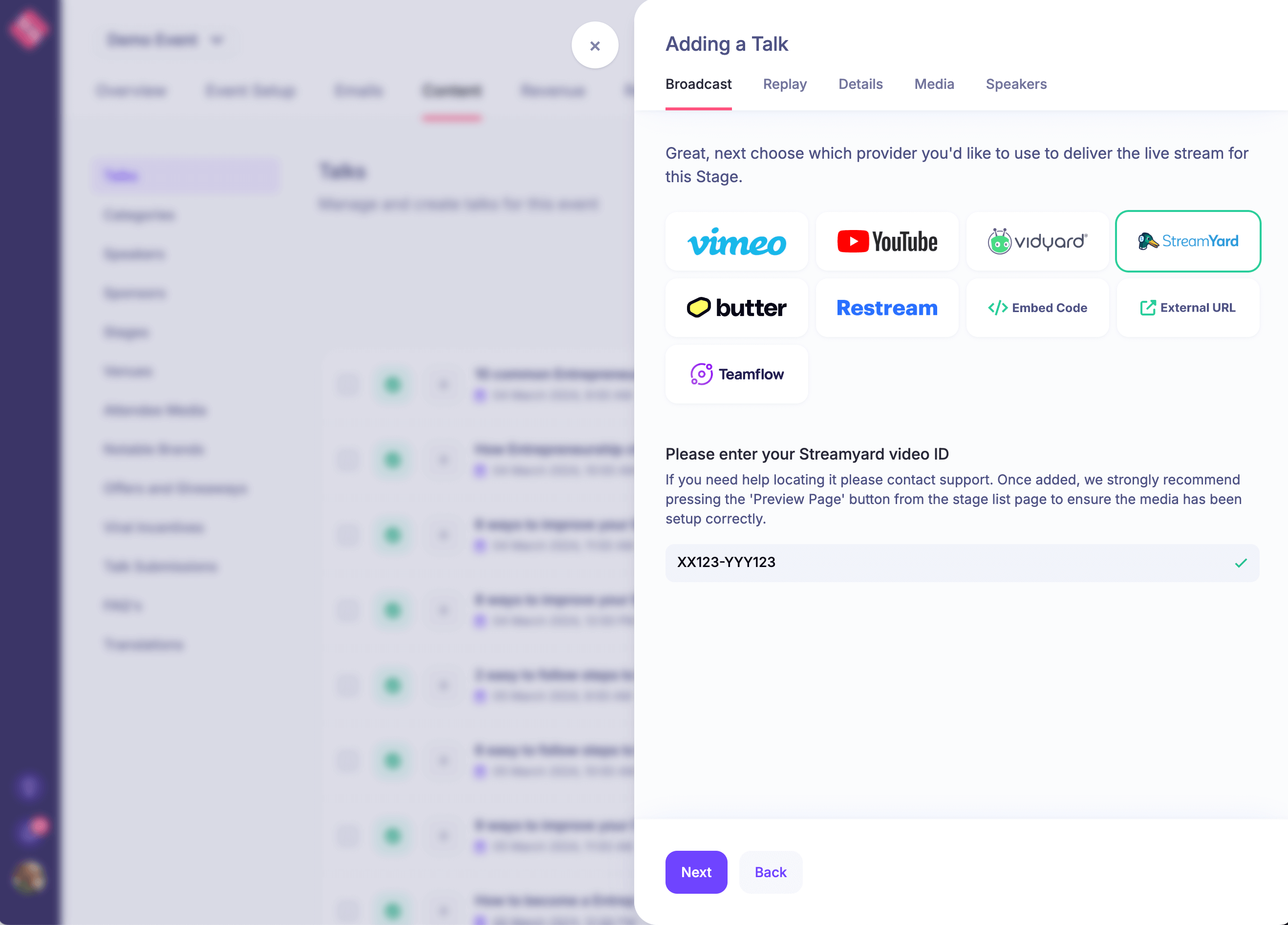
For events with many sessions, centralize the provider decision where the session is managed. HeySummit's video and streaming integrations are useful in this kind of plan because the producer can think in event sessions rather than scattered webinar-room links.
Write the attendee messages before you need them
The fastest way to make a problem feel bigger is to go silent while the team debates what to say. Your contingency plan should include short message templates for the most likely scenarios: delayed start, new join link, changed speaker, access correction, replay delay, and post-event follow-up.
Whova's event contingency planning guidance emphasizes identifying risks, running a pre-mortem, assigning owners, rehearsing technology, and communicating with attendees in real time. For an online event, that communication should be tied to the same event system that sends reminders, confirmations, and replay updates.
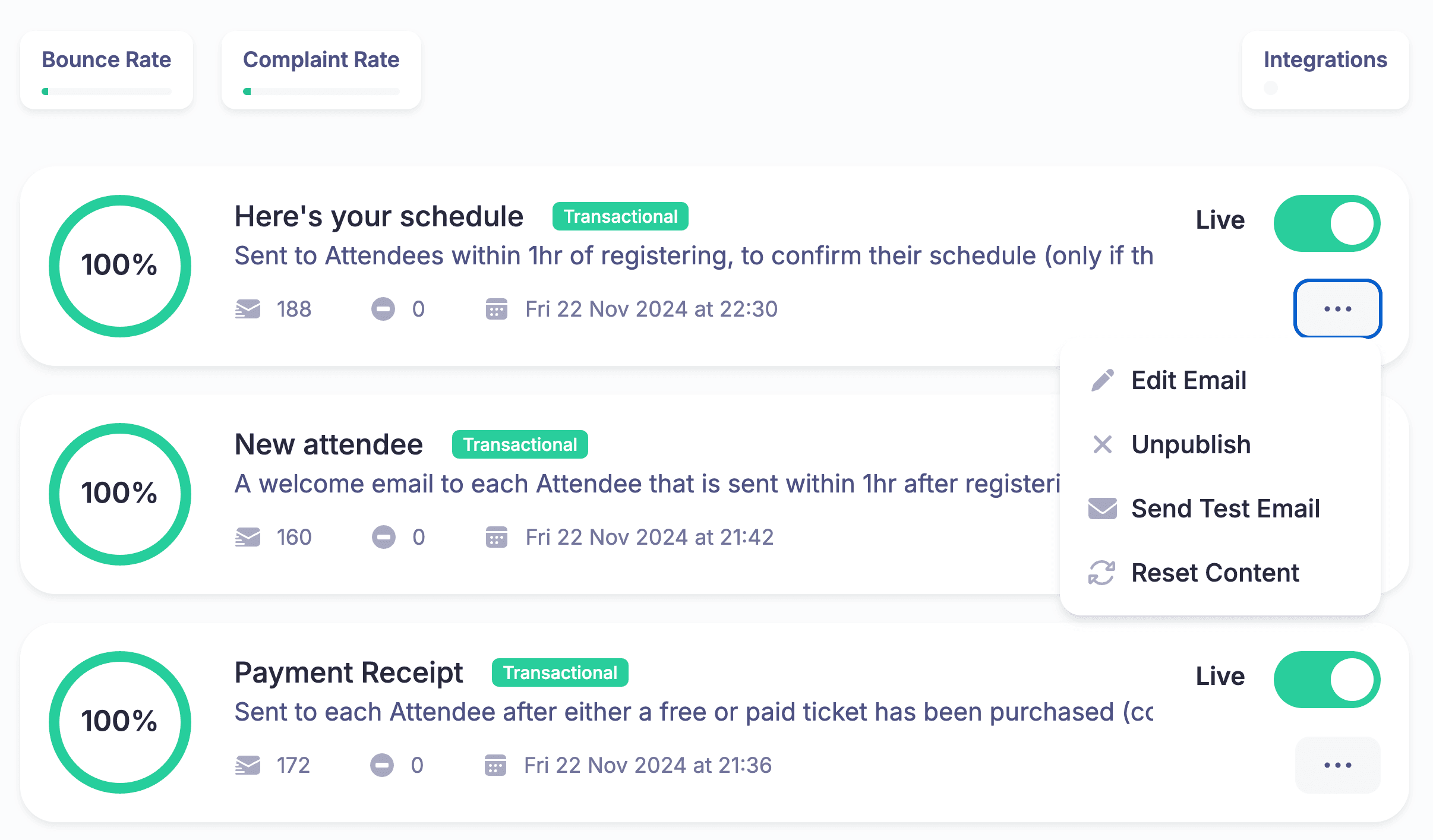
A practical correction email can be short:
Subject: Updated link for today's session
Hi there, we have updated the join link for the 2:00 PM session. Please use the button on the event page or this updated link to join. The session will begin five minutes later than planned so everyone has time to switch over.
If you run attendee communication through custom event emails, include the email owner in the contingency matrix. That person should know which scheduled messages need to be paused, edited, duplicated, or replaced.
Check ticket and access rules before the event opens
Access problems are especially frustrating because attendees often discover them minutes before a session begins. Your plan should define who can inspect tickets, change restrictions, grant access, and explain what happened to attendees.
For paid events, write separate fallback rules for live access, replay access, bonuses, VIP sessions, workshops, and sponsor content. A person with a free pass may need one set of sessions, a VIP attendee may need another, and a replay buyer may need access after the live event is over.
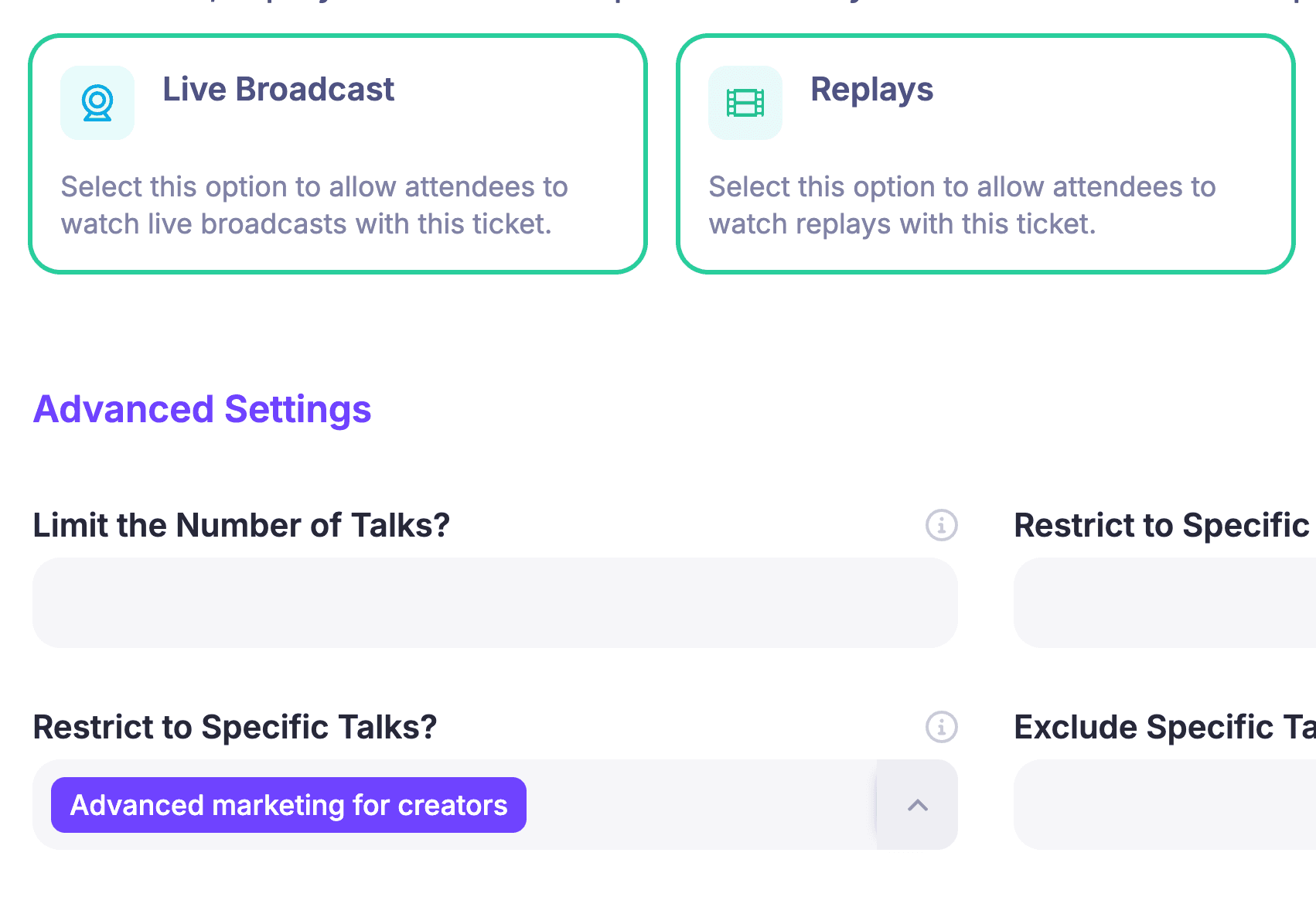
Use your event ticketing setup as the source of truth for who should see what. If the backup action changes access, record the change so support, sponsors, and reporting all tell the same story afterward.
Protect replay, sponsor, and reporting promises
Many online events continue after the live sessions end. Replays, sponsor reports, attendee follow-up, paid access, and sales conversations often matter as much as the live moment. Your contingency plan should therefore include what happens after the disruption is resolved.
For replays, decide who checks the recording, who edits or uploads a backup, who updates the replay page, and what message goes to attendees if the replay is delayed. If replay access is a paid or promised benefit, record the final decision and timing in the same place as your ticket or access notes.
For sponsors, decide what proof you owe if a sponsored session, booth, offer, or placement was affected. Link the contingency note to your sponsor booth or sponsor deliverable record so the post-event report can explain what actually happened.
For reporting, avoid relying on memory. The incident note should include the trigger, time, owner, final action, attendee message, affected sessions, affected tickets or sponsors, replay status, and any follow-up promised. That makes your event reporting and analytics more useful for the next event because the numbers are paired with context.
Run a 30-minute contingency rehearsal
You do not need a dramatic all-day drill. A focused rehearsal is usually enough to reveal missing owners and unclear instructions.
- Pick the five most likely failure modes for this event.
- Ask the named owner to explain the trigger and backup action in one minute.
- Open the actual place where the update would happen: session link, event page, ticket restriction, email, replay page, sponsor note, or support macro.
- Read the attendee message out loud.
- Write down the gap, owner, and deadline before moving to the next scenario.
The goal is not to eliminate every possible surprise. The goal is to make the first response obvious enough that your team can protect the attendee experience while the details are being fixed.
Build the plan into your event platform
A contingency plan is easier to use when it lives close to the work. If your event page, speaker workflow, video integrations, ticketing, emails, sponsors, replays, and reporting are all disconnected, every fallback takes more coordination than it should.
HeySummit is built for organizers who need those pieces to work together across online summits, workshops, hybrid events, and on-demand content. If you want a connected view of event pages, registration, speakers, video providers, attendee emails, ticket access, sponsor visibility, replays, and reporting, the HeySummit product tour is the best next step.
You can also start with the online events solution if you are planning a virtual summit and want to see how the workflow fits together from registration through replay.
Frequently asked questions
Table of Contents
What is an event contingency plan?The event contingency plan templateDecide who owns each backup planPlan for speaker no-shows before the live dayPrepare a backup path for session links and video providersWrite the attendee messages before you need themCheck ticket and access rules before the event opensProtect replay, sponsor, and reporting promisesRun a 30-minute contingency rehearsalBuild the plan into your event platformFrequently Asked QuestionsTry HeySummit free
HeySummit is the easiest way for creators and educators to grow their audience, authority and revenue with professional online events created in minutes, not weeks.
Share this article on:
Recent Posts
Loading feed...