Event Registration Software: Ticketing vs Event Platform
-1690817315934-652794559.png&w=96&q=75)
Benjamin Dell
Founder, HeySummit
Event registration software is the system that turns interest in your event into confirmed attendees, paid tickets, useful attendee data, and a reliable next step. For a simple event, that might mean a fast ticketing page and confirmation email. For a paid online summit, workshop, hybrid event, or replay-based offer, registration usually needs to do more: connect tickets to sessions, access rules, reminders, speakers, sponsors, affiliates, checkout, replays, integrations, and reporting.
That is why the real decision is not just "which registration tool looks easiest?" It is whether you need a ticketing tool, event registration software, or a fuller event platform. Choose too little workflow coverage and you end up stitching payments, access, webinar links, emails, and reports together by hand. Choose too much enterprise software and you may pay for complexity your event does not need.
This guide gives you a practical way to choose the right layer for a paid online event, with a focus on registration, ticketing, checkout, event access, and post-registration operations.
What event registration software should actually handle
Event registration software helps organizers collect attendee signups, ticket choices, payments, confirmations, attendee details, and registration data before an event. For paid online events, it should also connect registration to the experience attendees paid for: sessions, reminders, access rules, replays, and reporting.
The basic job is simple: make it easy for the right person to register, pay if needed, receive clear confirmation, and arrive at the event without confusion. The operational job is larger. Your registration workflow may also need to answer:
- Which ticket or pass did this attendee buy?
- What sessions, stages, or replay content can they access?
- Which checkout questions or attendee details do you need?
- Which payment provider, currency, taxes, coupons, refunds, or add-ons apply?
- Which emails should go out before, during, and after the event?
- Which speaker, sponsor, affiliate, CRM, or analytics workflows need the registration data?
If your event is free and simple, a lightweight form or ticketing page can be enough. If registration is part of a paid content, audience-growth, or event-revenue workflow, it is worth evaluating the full system around registration instead of only the form.
Ticketing tool, registration software, or event platform?
These categories overlap, but they are not the same. A ticketing tool helps people reserve or buy access. Registration software adds attendee data, forms, confirmations, payments, and reporting. A full event platform connects registration to the event site, sessions, speakers, sponsors, affiliates, emails, replays, integrations, and analytics.
| Software layer | Best fit | Usually handles | Watch out for |
|---|---|---|---|
| Ticketing tool | Simple public events, one-session events, local meetups, quick paid access | Ticket pages, payments, order confirmations, basic attendee lists | May not manage sessions, replays, speakers, sponsors, affiliates, or event-level emails well |
| Event registration software | Events that need forms, ticket tiers, attendee data, check-in, integrations, and reporting | Registration forms, custom questions, confirmations, payments, attendee records, reports | Can still leave webinar delivery, speaker workflows, replays, and monetization in separate tools |
| Event platform | Paid online events, summits, workshops, hybrid events, speaker-led programs, replay offers | Registration, ticketing, checkout, event pages, sessions, access rules, speakers, sponsors, affiliates, email, analytics, replays | Can be more platform than you need for a one-page RSVP or very small event |
For straightforward public ticket sales, platforms such as Eventbrite's event registration tools are built around fast event setup, ticketing, and attendee registration. At the enterprise end, Cvent frames event registration software around flexible registration experiences across the event journey. Whova's registration software page shows how registration can extend into tickets, attendee data, payouts, check-in, and badges.
Those examples are useful because they show the category range. The right choice depends less on brand size and more on the workflow your event needs.
Start with the attendee journey, not the feature list
Feature lists can make every platform sound similar. A better way to evaluate event registration software is to map the attendee journey from first click to post-event access.
- Discovery: How does someone find the event page, understand the promise, and decide whether it is worth registering?
- Registration: What ticket, pass, or access level do they choose?
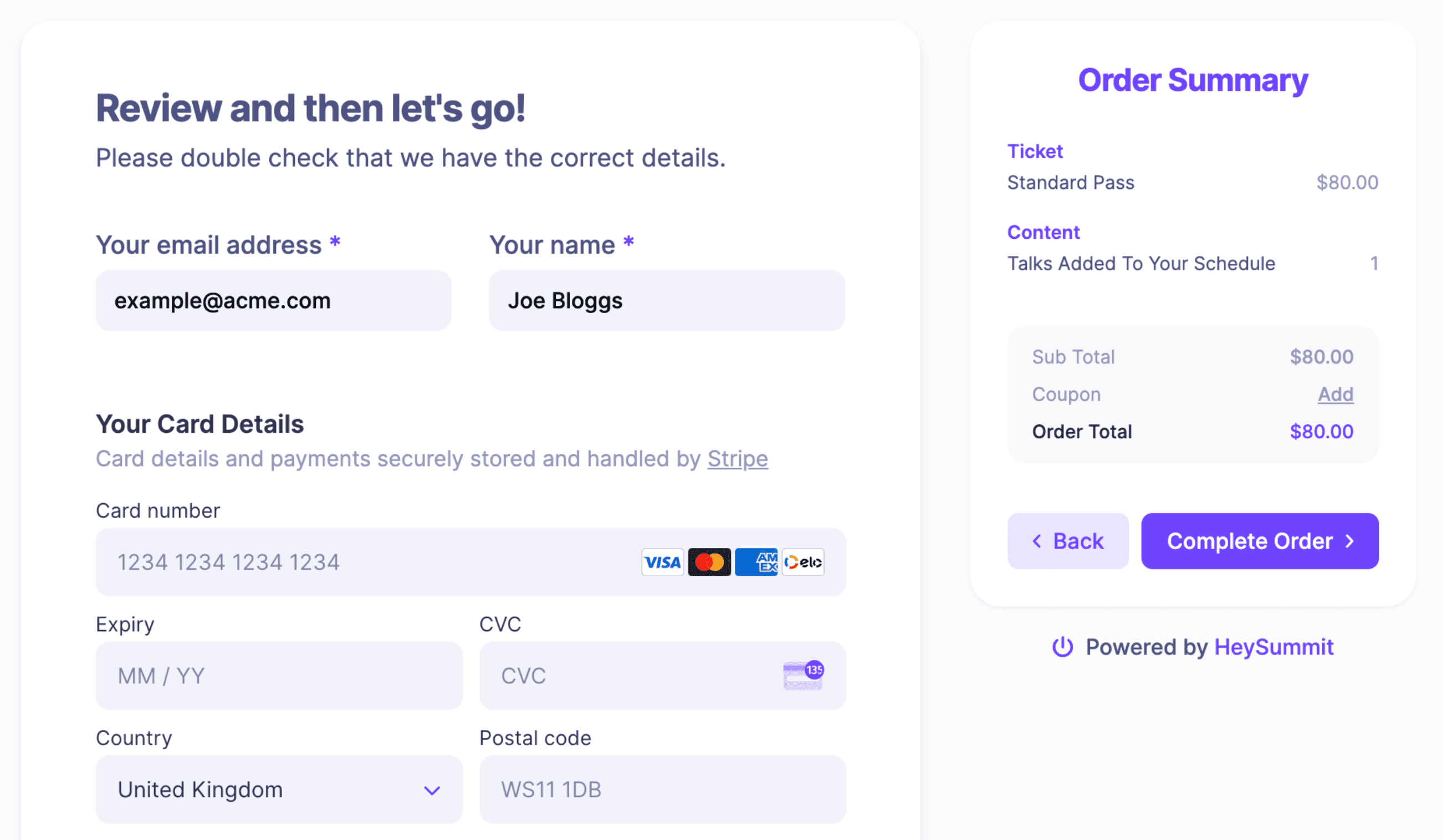
- Checkout: What payment, coupon, add-on, tax, refund, or invoice flow is needed?
- Confirmation: What should they receive immediately after registering?
- Access: How do ticket tiers control sessions, stages, replays, VIP content, or workshops?
- Communication: Which reminder, update, and follow-up emails should happen automatically?
- Reporting: What do you need to know about registrations, revenue, attendance, sources, and engagement?
If a tool only covers steps two and three, you may still need separate tools for everything around the registration. That is fine for a simple event. It becomes fragile when the event has multiple sessions, speakers, access levels, replays, partners, or a meaningful revenue goal.
What matters most for paid online events
Paid online events create a few requirements that simple ticketing pages can miss. The registration flow is not only a purchase form. It is the beginning of a paid attendee relationship.
Use this checklist when comparing tools:
- Ticket tiers: Can you sell free, paid, VIP, replay, workshop, or bundled access?
- Access rules: Can each ticket control what attendees can see before, during, and after the event?
- Checkout customization: Can you collect the right details without making the form feel bloated?
- Payments and refunds: Does the tool support your payment provider, currency, tax, coupon, refund, and reporting needs?
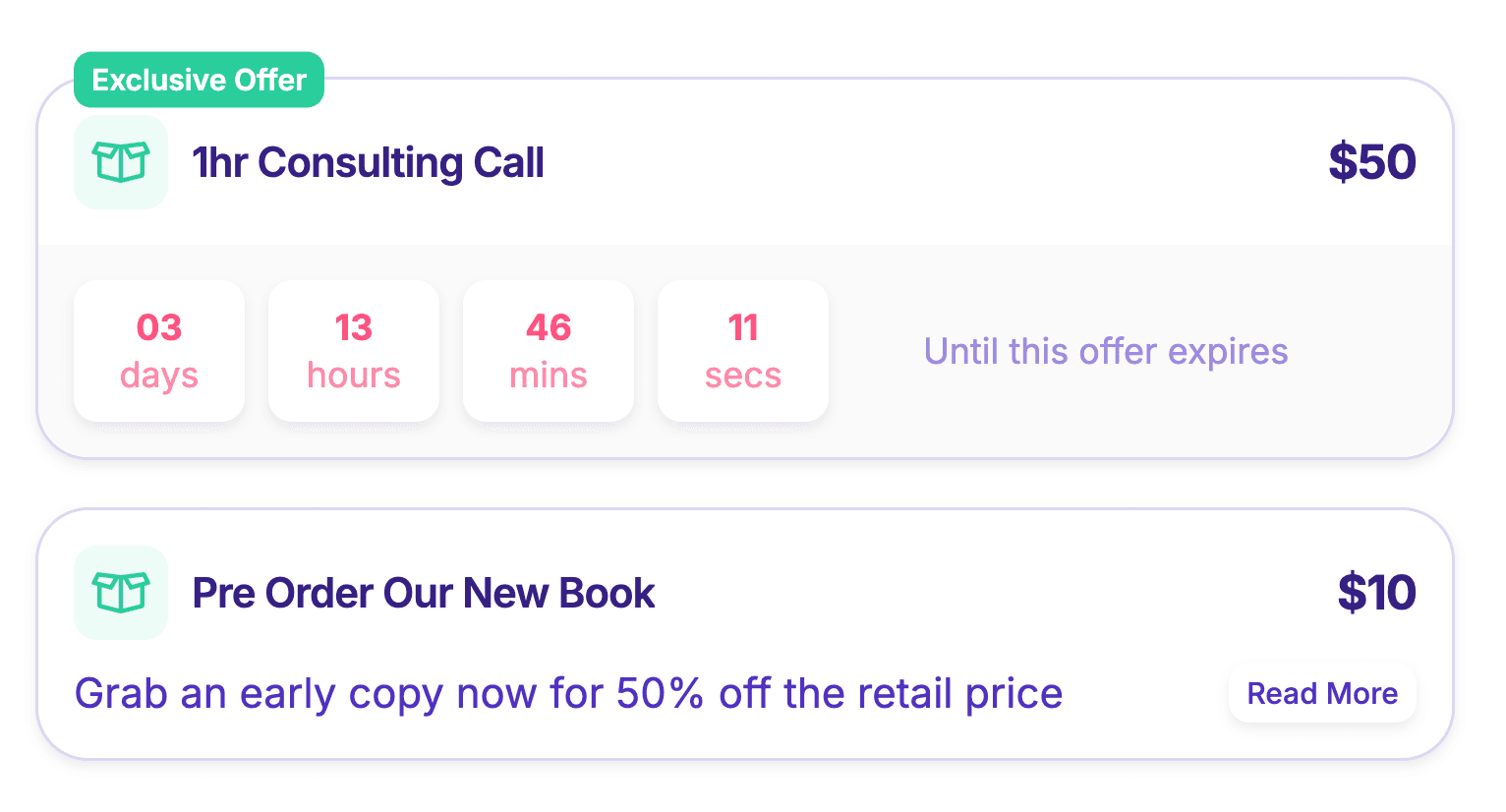
- Add-ons and upgrades: Can you sell replays, consulting, bonuses, subscriptions, donations, or other offers during checkout?
- Event pages: Can registration connect to branded event pages, speaker pages, schedules, and session detail pages?
- Webinar or video integrations: Can the event platform connect registration to the delivery tool without manual list exports?
- Speaker and partner workflows: Can speakers, sponsors, and affiliates support promotion and delivery without separate spreadsheets?
- CRM and automation: Can registration data move into Stripe, CRM, email, Zapier, or revenue workflows cleanly?
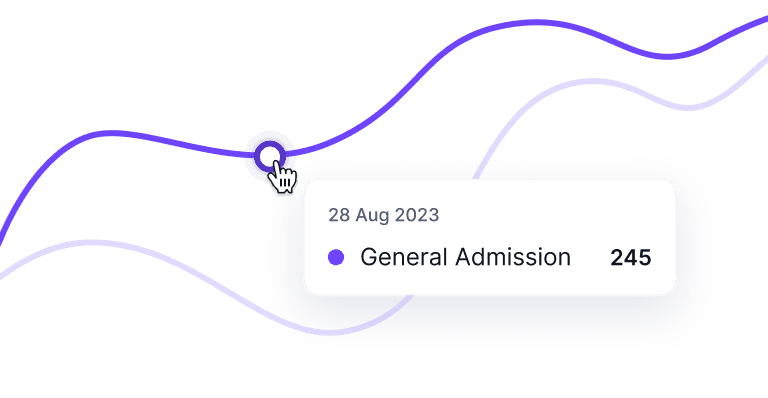
- Analytics: Can you see registrations, sources, revenue, attendance, and post-event content performance?
Checkout also deserves special attention. Checkout friction is not just a cosmetic issue; Baymard Institute's checkout research identifies long or complicated checkout flows as one reason shoppers abandon purchases. That research is ecommerce-focused rather than event-specific, so it should not be treated as a direct event-registration benchmark. But the practical lesson still applies: paid event registration should collect what you need without adding avoidable confusion.
When a ticketing platform is enough
A ticketing platform may be enough when the event is simple, public, and mostly about selling or issuing access. Think one-session workshops, local events, small meetups, simple paid webinars, basic RSVP flows, or events where marketplace discovery matters more than a custom event workflow.
Ticketing-first software can be the right choice when:
- You only need one or two ticket types.
- Registration does not need to control session or replay access.
- You do not need speaker, sponsor, affiliate, or partner workflows.
- Post-event content access is not part of the offer.
- You are comfortable managing emails, webinar links, CRM handoff, and reporting elsewhere.
The tradeoff is tool sprawl. A ticketing page can sell access, but you may still need a landing page builder, webinar platform, email tool, replay host, spreadsheet, CRM, and reporting process. For a small event, that may be acceptable. For a paid online event you want to repeat, it can create hidden operating work.
When you need a fuller event platform
A full event platform becomes more useful when registration is tied to the business model of the event. That is common for online summits, paid workshops, cohort-style events, hybrid events, speaker-led conferences, sponsor-supported programs, affiliate-driven launches, and replay or on-demand offers.
You are probably in event-platform territory when you need registration to connect to:
- Multi-session schedules or tracks.
- Free, paid, VIP, replay, or workshop access levels.
- Speaker dashboards, speaker promotion, or speaker content management.
- Sponsor pages, booths, offers, or partner visibility.
- Affiliate links or referral tracking for speakers and partners.
- Replay packages, bonus content, or post-event monetization.
- Automated attendee emails and reminders.
- CRM, Zapier, Stripe, analytics, and revenue reporting.
This is where HeySummit's event ticketing fits best. It is designed for organizers who need ticket tiers, paid access, and registration to sit inside a broader event workflow rather than in a standalone checkout tool. If your registration flow also needs event pages, checkout offers, speakers, sponsors, affiliates, integrations, replays, and analytics, it is worth looking at the event platform workflow as a whole.
How to evaluate event registration software
Once you know which layer you need, evaluate tools against your actual event model. A generic "best event registration software" list can be helpful for discovery, but your decision should come back to fit.
| Evaluation question | Why it matters | What to verify |
|---|---|---|
| What event formats do you support? | Online, hybrid, in-person, evergreen, and replay-based events need different workflows. | Whether the tool supports your format now, not only on a roadmap. |
| How do tickets control access? | Paid attendees expect the right sessions, links, and replays without support tickets. | Ticket tiers, restrictions, expiry, replay access, and upgrade paths. |
| How flexible is checkout? | Checkout affects payment, data quality, attendee trust, and conversion. | Required fields, custom questions, coupons, payments, taxes, refunds, and add-ons. |
| What happens after someone registers? | Confirmation is only the start of the attendee experience. | Email reminders, calendar links, access instructions, webinar integrations, and CRM handoff. |
| How does the tool support promotion? | Speakers, sponsors, partners, and affiliates can materially affect registrations. | Speaker dashboards, sponsor pages, referral links, affiliate reporting, and promo assets. |
| What reporting do you get? | You need to learn what drove registrations, revenue, attendance, and replay demand. | Registration analytics, revenue, attendance, source tracking, exports, and integrations. |
Be careful with pricing comparisons. Registration and ticketing tools may charge subscription fees, per-ticket fees, payment processing fees, attendee limits, feature-gated plans, or enterprise pricing. Validate the current pricing page directly before making a final decision, and compare the total workflow cost, not just the cheapest visible plan.
Common mistakes when choosing registration software
The biggest mistake is buying for the first event task you see instead of the full event workflow. Registration sits near the beginning of the attendee journey, so a narrow choice can create downstream problems.
- Choosing a ticketing page when you need an event workflow: This often creates manual work around sessions, links, replays, emails, and reporting.
- Overbuying enterprise complexity: Heavy event software can slow small teams if the setup, procurement, or feature depth does not match the event.
- Ignoring checkout experience: Extra fields, unclear order summaries, and confusing payment steps can make registration harder than it needs to be.
- Forgetting post-event access: Replays, bonus sessions, and on-demand content can be part of the offer, not an afterthought.
- Separating data too early: If registration data, payment data, webinar attendance, and CRM records live in disconnected places, reporting becomes harder.
- Assuming every attendee needs the same path: VIPs, free attendees, sponsors, speakers, affiliates, and replay buyers may need different access and messaging.
Where HeySummit fits
HeySummit is a fit when event registration is part of a larger growth, revenue, or content workflow. That includes paid online events, summits, workshops, hybrid events, speaker-led events, sponsor or affiliate programs, replay access, and post-event content monetization.
The product is built around professional events created in minutes, not weeks, with registration, ticketing, pages, checkout, speakers, sponsors, affiliates, email, integrations, analytics, and replays in one workflow. For example, organizers can use event checkout for add-ons and paid offers, the registration page builder for branded event pages, and HeySummit pricing to compare the plan that fits their event model.
It is not the right answer for every registration job. If you only need a bare RSVP page, a simple ticket sale, or a highly bespoke enterprise event app, a narrower or more specialized tool may be better. But if registration needs to connect to sessions, speakers, sponsors, affiliates, replays, checkout, and analytics, choosing an event platform can reduce the amount of stitching your team has to do.
The simple decision rule
Choose the simplest tool that covers the full attendee and organizer workflow without creating hidden manual work.
- Use a ticketing tool when the event is simple, public, and mainly needs tickets or RSVPs.
- Use event registration software when you need stronger forms, attendee data, payment, check-in, and reporting.
- Use a full event platform when registration needs to connect to the event website, ticket tiers, sessions, speakers, sponsors, affiliates, emails, integrations, replays, and revenue reporting.
For paid online events, that last category is often where the real leverage is. The registration form is only one moment. The better question is what the registration unlocks for the attendee, the organizer, and the business after the payment or signup is complete.
Frequently asked questions
Table of Contents
What event registration software should actually handleTicketing tool, registration software, or event platform?Start with the attendee journey, not the feature listWhat matters most for paid online eventsWhen a ticketing platform is enoughWhen you need a fuller event platformHow to evaluate event registration softwareCommon mistakes when choosing registration softwareWhere HeySummit fitsThe simple decision ruleFrequently Asked QuestionsTry HeySummit free
HeySummit is the easiest way for creators and educators to grow their audience, authority and revenue with professional online events created in minutes, not weeks.
Share this article on:
Recent Posts
Loading feed...