Best Event Management Software for Nonprofits: 10 Tools Compared

Astley Cervania
Content Contributor, HeySummit
Nonprofit event management software helps your team plan, promote, register, run, and measure events without stitching every task together by hand. The best choice depends on what your event is meant to do: raise donations, sell tickets, manage donors, coordinate volunteers, host a virtual or hybrid program, support sponsors, or report results back to your board.
If you need donor CRM, auctions, peer-to-peer fundraising, or pledge management as the center of the workflow, choose a fundraising-first platform. If you need a polished online, hybrid, in-person, or on-demand event with registration, ticketing, speaker workflows, sponsors, emails, integrations, and reporting, an event-first platform such as HeySummit may be a better fit.
Best nonprofit event management software: fast answer
For most nonprofits, the right shortlist starts with your primary event job. A gala with auctions has different software needs than a virtual summit, donor briefing, annual conference, volunteer training, or paid workshop.
Vendor capabilities and pricing descriptions below were reviewed on 13 October 2026. Confirm the package and required workflows in a trial; the table is a shortlist, not a guarantee of every feature in every plan.
On a small screen, swipe sideways to read all columns. You can select and copy the table into a spreadsheet.
| Software | Best for | Nonprofit strengths | Fundraising/donation support | Event format support | Pricing caveat | Tradeoff |
|---|---|---|---|---|---|---|
| HeySummit | Online, hybrid, in-person, and on-demand events that need a complete event workflow | Event pages, ticketing, speakers, sponsors, emails, affiliates, integrations, analytics, and replays | Supports paid registration, donations during checkout, sponsor visibility, and revenue integrations | Online, hybrid, in-person, and replay/on-demand programs | Check the current HeySummit pricing page rather than relying on old plan numbers | Confirm the donor-system handoff and any auction or pledge requirements separately |
| Givebutter | Fundraising campaigns and donor-friendly event pages | Fundraising pages, event ticketing, donations, auctions, donor tools, and supporter engagement | Donation collection and auctions | In-person, virtual, and hybrid fundraising events | Confirm optional-tip settings and conditional fee coverage on the Givebutter pricing page | Test your required session, speaker and replay workflow alongside fundraising |
| Bloomerang | Nonprofits that want fundraising, CRM, and volunteer management together | Donor CRM, fundraising tools, volunteer management, and supporter relationship tracking | Fundraising linked to donor records | Best when events are part of a broader donor lifecycle | Confirm current package and fundraising module details with Bloomerang | Confirm the CRM, fundraising and volunteer products included in your package |
| RSVPify | Branded invitations, guest lists, check-in, and donor events | Custom registration, guest management, check-in, seating, and donor event workflows | Supports donation collection for nonprofit events | In-person, hybrid, and invite-led events | Confirm the current package, registration allowance and billing terms | Test the donor-system export and any auction or complex agenda requirements |
| Eventleaf | Registration, check-in, badges, and event operations | Registration, donations, sponsors, attendee engagement, mobile apps, check-in, and reporting | Good for event-level donations and sponsorships | In-person, virtual, and hybrid events | Review current nonprofit and pay-as-you-go terms before choosing | Confirm donor-record mapping and any required auction or pledge workflow |
| Cvent | Larger nonprofit event programs with complex event operations | Event marketing, registration, donor/event data, campaigns, reporting, and enterprise event operations | Can support donations, ticket sales, and donor/event insight | In-person, virtual, and hybrid programs at scale | Request a scoped quote through the current Cvent pricing page | Confirm licensed modules, setup work and team training for your program |
| Bonterra | Fundraising events, auctions, sponsorships, and donor follow-up | OneCause event fundraising, auctions, mobile bidding, sponsorships, guest management, check-in, and reporting | Auctions, bidding and donations | Online and in-person fundraising events | Confirm the required fundraising modules and current quote | Confirm the fundraising package and donor-system handoff you will use |
| GoFundMe Pro | Registration-driven fundraising events | Custom event fundraising pages, tailored ticket types, reporting, and personal or team fundraising pages | Event registration and supporter fundraising | Fundraising events with registration and supporter activation | Confirm current GoFundMe Pro package details before planning around a feature | Test required agenda, access and replay workflows in the selected package |
| WildApricot | Membership organizations, associations, clubs, and small nonprofits | Membership management, website, event registration, payments, emails, and member database workflows | Good for member payments and event registration | In-person, virtual, hybrid, and member/community events | Review current member/contact limits and plan tiers | Test any auction, fundraising or multi-session delivery requirements |
| DonorPerfect | Nonprofits that want events connected to donor records | Event invitations, registrations, mobile donations, attendee tracking, and donor-facing reporting | Event fundraising linked to donor records | Fundraising and donor engagement events | Confirm whether events management is included in your package | Confirm integration scope if your donor CRM will remain elsewhere |
What is nonprofit event management software?
Nonprofit event management software is a set of tools for running events that support a mission, donor relationship, membership program, campaign, or community. It usually covers some combination of registration, ticketing, payments, donation collection, invitations, guest lists, check-in, sponsor management, volunteer coordination, email reminders, event pages, virtual or hybrid delivery, reporting, and donor or CRM handoff.
The key phrase is "some combination." A donor CRM with an events module, a fundraising platform with auctions, and an online event platform with speakers and replays can all be valid nonprofit event software, but they solve different jobs.
How to choose nonprofit event management software
Before comparing logos, write down the event outcome you are trying to protect. Nonprofits usually need software for one of six reasons:
- Fundraising: donations, ticket sales, auctions, sponsorships, paddle raises, peer-to-peer pages, or campaign attribution.
- Donor and CRM workflows: donor records, segmentation, follow-up tasks, gift history, and supporter journeys.
- Registration and ticketing: paid or free registration, ticket tiers, discount codes, access control, attendee lists, and check-in.
- Online, hybrid, or in-person delivery: virtual sessions, video integrations, speaker sessions, replays, in-person access, and hybrid attendee experiences.
- Promotion and communication: landing pages, email reminders, partner promotion, affiliate tracking, and social or viral sharing.
- Reporting: attendance, revenue, donations, conversion, sponsor results, content performance, and post-event follow-up data.
Use those jobs as your scorecard. A platform can be popular and still be wrong for your event if it does not support the workflow that makes your event successful.
Copyable nonprofit purchasing scorecard
Copy this table into your team's spreadsheet and add a row for each must-have workflow and vendor. The two completed rows are hypothetical planning examples, not customer results or verified vendor configurations. Replace their assumptions with your event's requirements and trial evidence.
The must-have workflow column should describe something you can test, such as a replay-only buyer receiving the right access. Use the nonprofit software requirements checklist to turn feature names into pass-or-fail checks. Keep the donor CRM, event platform, payment provider and any manual work visible in the responsible-system column.
On a small screen, swipe sideways to read all columns. You can select and copy the table into a spreadsheet.
| Event outcome | Must-have workflow | Responsible platform/system | Donor versus attendee fields required | Export/integration route and owner | Total-cost assumption | Implementation/volunteer owner | Official evidence URL/date | Must-pass trial check | Decision/tradeoff |
|---|---|---|---|---|---|---|---|---|---|
| Hypothetical donor-education summit: deliver sessions and eligible replays | Free registration; speaker sessions; optional donation; correct replay access | Candidate event platform for access; existing donor CRM for giving history; payment provider for transactions | Attendee: name, email, ticket and topic choice. Donor: existing supporter ID, gift reference and preferences held in CRM | Proposed attendee export or supported integration, still to verify. Data owner maps identifiers and imports test records | One event; existing CRM retained. Enter quoted subscription, processing, connector costs and staff hours | Event lead sets access; volunteer coordinator rehearses attendee support; data owner checks the handoff | To complete: official ticketing, replay and export documentation URLs; review date; quote and trial receipts | Test live/replay access and a donor/non-donor export. Match a repeat registrant without creating a duplicate donor | Proceed only if access and CRM handoff pass. Record any manual import and its owner |
| Hypothetical fundraising-first gala: reconcile tickets, gifts and auction purchases | Guest registration; bidding; checkout; itemized gift and payment records | Candidate fundraising platform for gifts and auction; donor CRM for stewardship; finance system for reconciliation | Attendee: guest and ticket details. Donor: supporter ID, gift and transaction references; bidder/item identifiers where needed | Proposed fundraising export or CRM connector, still to verify. Finance and CRM owners review the mapping | One gala; auction module required. Enter package, processing, tip/fee-coverage settings, setup and volunteer-training costs | Fundraising lead configures bidding; finance owner reconciles payments; volunteer lead rehearses check-in | To complete: official auction, checkout, CRM and fee documentation URLs; review date; written package confirmation | Use a test guest, gift and auction transaction. Trace each to the correct supporter; check a refund or correction | Proceed only if fundraising records reconcile. A polished event page alone does not pass this buying test |
| Your event outcome | Your testable must-have | Named system for each job | Required fields by record type | Verified route and named data owner | Editable volume, fees and time assumptions | Named setup and volunteer owners | Official URL, review date and evidence receipt | Pass / fail / untested; test record | Decision, workaround cost and unresolved question |
Do not average away a failed must-have with an overall vendor score. Record the failure, the cost of a workable alternative, and who approves the tradeoff before committing.
Check the full cost under the same assumptions
Use the event software total-cost worksheet for the calculation. Give every vendor the same event count, registration estimate, paid-ticket and donation assumptions, currency, contract period and required workflows. These are editable organizer inputs, not benchmarks.
- Separate the subscription or license from per-event, per-registration or transaction charges.
- Record payment-processing fees and whether optional donor tips or fee coverage are enabled. Note who pays if a supporter declines an optional contribution.
- Confirm the cost of required auction, CRM, reporting, onsite or other modules rather than assuming the headline package includes them.
- Include connector subscriptions, data migration, setup, training, staff time and volunteer support. Record estimated hours and the rate or internal costing method you choose.
- Check renewal, cancellation, refund and data-export terms. Recalculate if registration volume or the number of events changes.
Givebutter's pricing explanation distinguishes enabled optional tips, backed by its fee guarantee for nonprofits, from disabled tips with platform and processing fees. Cvent's current pricing page offers tailored quotes and different product licenses. Confirm your exact settings, package and written quote; neither model establishes a universal cheapest option.
Test the donor and attendee data handoff
Keep your donor CRM as the agreed source for giving history and stewardship unless your organization deliberately chooses a replacement. An attendee registration, a donation and a payment are different records. Specify which system collects each field before configuring a connection.
- Map the minimum attendee details needed for access and communication, then identify any donor or transaction references needed for reconciliation. Use useful event registration questions to keep collection purposeful. Do not collect giving history in an event form merely because a field is available.
- Confirm the actual export columns or supported integration for your selected package. Name the operator, destination and import schedule. Save a sample file or trial receipt that shows the required identifiers arrived.
- Have the data owner test donor and non-donor registrants, repeat registrations, separate ticket purchasers and attendees, and a refund or corrected gift. Reconcile registrations and gifts with the payment records without treating every attendee as a donor.
- Assign deduplication, consent/preference mapping and error recovery to a named owner. Keep event-service messages and optional fundraising or marketing preferences distinct in the agreed field map.
- Assign event-access follow-up to the event team and donor stewardship to the donor-system owner. Use event follow-up email examples for the event message, then confirm the sender, eligible recipient and real access link. The templates do not replace donor CRM tasks.
HeySummit's CRM and revenue integrations provide routes to connected systems, but a published integration name does not prove your donor fields or reconciliation rules transfer automatically. Verify the exact mapping in a trial. This guide does not treat HeySummit as a native donor CRM, auction, pledge, wealth-screening or tax-receipt system.
A simple nonprofit event workflow
Most nonprofit events move through the same operating loop. Your software should reduce handoffs at each step, not create more hidden spreadsheets.
On a small screen, swipe sideways to read all columns. You can select and copy the table into a spreadsheet.
| Step | What the team needs to do | Software support to look for |
|---|---|---|
| 1. Plan | Define the event goal, audience, format, budget, and success metric | Templates, roles, budget or campaign tracking, and reusable event setup |
| 2. Promote | Build the event page, invite supporters, recruit partners, and explain the mission | Landing pages, email, referral links, sponsor pages, and marketing integrations |
| 3. Register | Collect registrations, sell tickets, accept donations, and capture useful attendee details | Ticket tiers, checkout, donation options, custom questions, payment integrations, and CRM sync |
| 4. Run | Check people in, manage speakers or sessions, support sponsors, and deliver the event experience | Check-in, speaker tools, sponsor tools, virtual sessions, attendee support, and mobile access |
| 5. Follow up | Thank donors, share replays, report sponsor value, and move supporters into the next relationship step | Replay access, reporting, segmented emails, CRM handoff, and donation or revenue reports |
1. HeySummit
HeySummit is a strong fit for nonprofits that want an event-first platform for online, hybrid, in-person, or on-demand programs. It is especially useful when your event includes speakers, sessions, sponsors, partner promotion, paid registration, replay access, or a post-event content experience.
For example, a nonprofit could use HeySummit for a multi-speaker donor education summit, a paid virtual conference, a hybrid community training day, a sponsor-supported webinar series, or an on-demand replay library after a campaign launch.
Why nonprofits choose HeySummit
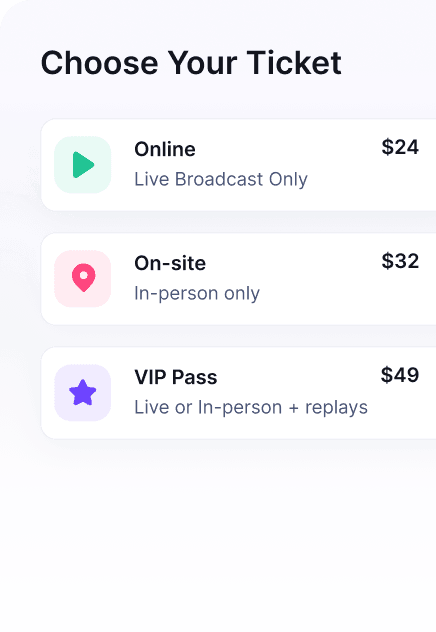
- Event ticketing for paid registration, ticket tiers, donations during checkout, and attendee access control.
- Branded event pages for registration and event conversion.
- Custom event emails for reminders, follow-up, and attendee communication.
- Speaker management for multi-speaker webinars, summits, conferences, and training events.
- Sponsor visibility for partner-funded events or sponsor packages.
- Speaker referral tracking and affiliate-style promotion for partners, speakers, and ambassadors.
- CRM and revenue integrations for payments, CRM handoff, and revenue workflows.
- Marketing integrations for promotion, tracking, and audience growth.
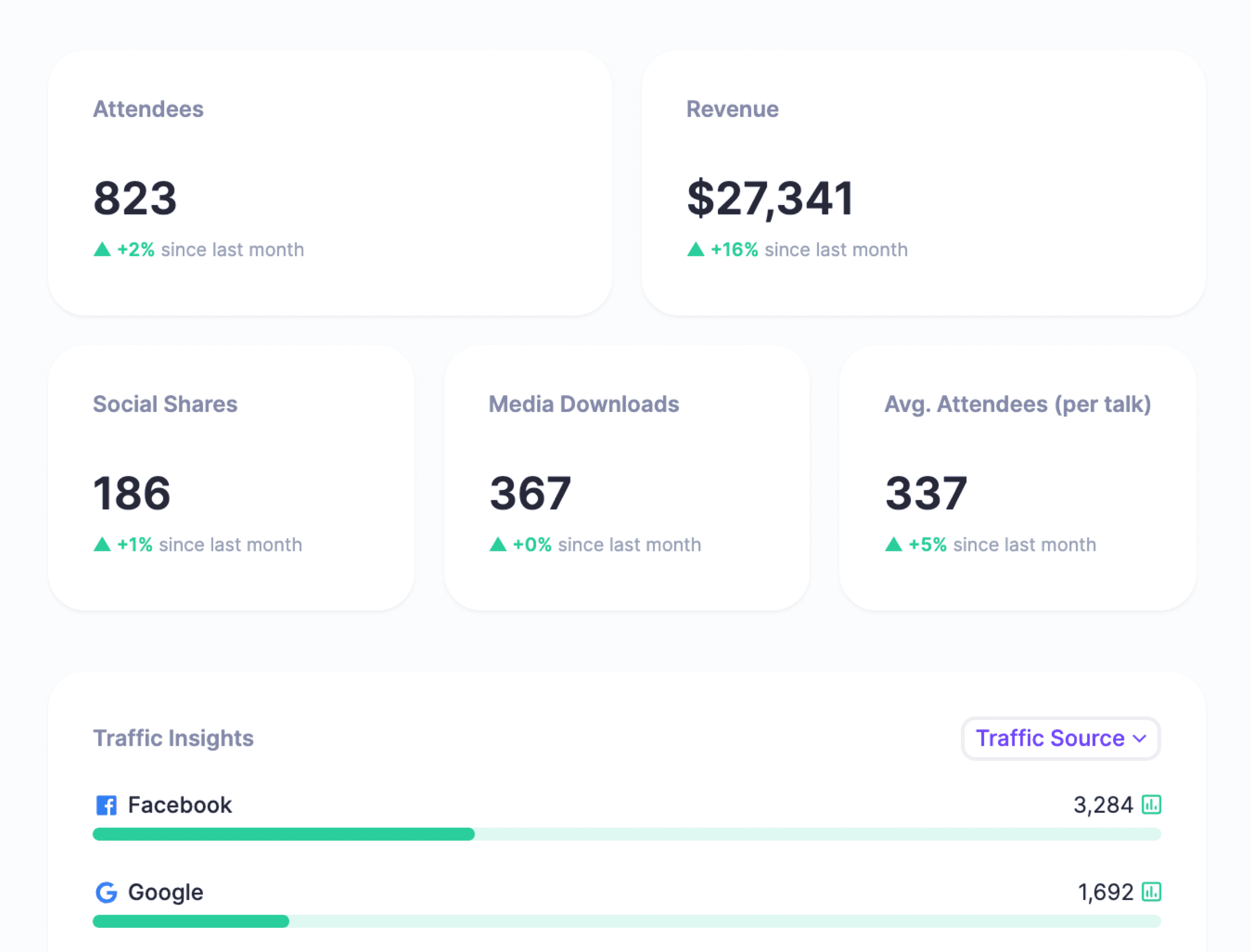
- Event analytics for registrations, event revenue, attendee insight, and live/replay attendance. Agree separate evidence sources for donor stewardship or sponsor outcomes.
- Online event platform support for multi-session virtual programs, replays, and event content.
HeySummit tradeoffs for nonprofits
HeySummit should not be positioned as a donor CRM, auction system, or native nonprofit database. If your event is mainly a gala with auction checkout, pledge cards, donor wealth screening, or CRM-first stewardship, compare fundraising-native tools such as Givebutter, Bonterra, GoFundMe Pro, DonorPerfect, Bloomerang, or CharityEngine.
HeySummit is strongest when the event experience itself matters: the page, registration flow, ticketing, sessions, speakers, sponsors, replay access, emails, and event reporting.
2. Givebutter
Givebutter is a fundraising-first platform for nonprofits that want campaign pages, event ticketing, donation collection, auctions, donor tools, and supporter engagement in one place. It is a natural option for donor-centered events where the fundraising mechanism is the primary job.
Best for
Choose Givebutter for fundraising campaigns, ticketed fundraisers, auctions, donor engagement, and peer-to-peer event promotion where the donation experience matters more than complex event production.
Tradeoffs
If your nonprofit also needs multi-session programming, speaker tasks, sponsor access or replay libraries, ask Givebutter to demonstrate those exact workflows. Verify them in the package you would buy rather than inferring a limitation from a fundraising feature list.
3. Bloomerang
Bloomerang is built around nonprofit fundraising, CRM, and volunteer management. It is a good fit when events are part of a broader donor relationship system and your team wants supporter data, giving history, volunteer activity, and outreach in one nonprofit-focused platform.
Best for
Choose Bloomerang when the event is one touchpoint in a donor lifecycle: cultivation, stewardship, volunteer engagement, recurring giving, or campaign follow-up.
Tradeoffs
Confirm which CRM, fundraising and volunteer products are included in the proposed package, and how their records connect. If donor CRM is already solved elsewhere, compare the migration and integration work with retaining it alongside an event tool.
4. RSVPify
RSVPify is useful for nonprofits that care about branded invites, RSVP flows, guest lists, check-in, seating, donor events, and custom registration experiences. Its nonprofit page highlights donor events, donation collection, guest-list management, and check-in.
Best for
Choose RSVPify for donor dinners, galas, VIP events, alumni events, member events, and branded registrations where guest management is central.
Tradeoffs
Confirm how guest and donation records connect to your donor system. Ask for a trial of any required auction, donor-history or multi-session delivery workflow instead of assuming registration features cover it.
5. Eventleaf
Eventleaf positions its nonprofit platform around registration, donations, sponsorships, attendee engagement, mobile apps, check-in, and reporting. It can work well when the team needs a practical event operations layer without turning the project into an enterprise implementation.
Best for
Choose Eventleaf for nonprofit events where registration, check-in, attendee engagement, mobile access, and event operations matter more than donor CRM depth.
Tradeoffs
Eventleaf lists CRM integrations as well as event operations. Confirm the connection to your particular donor system and test any auction or pledge requirement before choosing a package.
6. Cvent
Cvent for nonprofits describes event management, donor and volunteer engagement, ticket sales, donations, and campaign insight. Its current pricing page offers tailored quotes and product licenses. Ask which modules, usage terms and services are included in your quote.
Best for
Choose Cvent when your nonprofit runs larger conferences, complex event portfolios, or enterprise-style programs that need advanced event management, registration, onsite workflows, reporting, and cross-event processes.
Tradeoffs
Ask for a quote covering the exact modules, setup and training your program needs. Compare that scope with the requirements of a smaller event before committing; the product list alone does not establish cost or implementation effort.
7. Bonterra
Bonterra fundraising event software includes OneCause capabilities for auctions, ticketing, mobile bidding, guest management, sponsorships, QR check-in, checkout, donation tools and reporting. Confirm the required fundraising package and current quote with Bonterra.
Best for
Choose Bonterra for fundraising events where auctions, mobile bidding, sponsorship packages, paddle raises, donation tools, and event revenue reporting are central to success.
Tradeoffs
Confirm the fundraising modules and donor-system connection included in your quote. If education sessions or replays are also required, test their delivery and access alongside the fundraising workflow.
8. GoFundMe Pro
GoFundMe Pro event registration supports nonprofit event fundraising pages with registration, ticketing, reporting, and personal or team fundraising pages. It is built for organizations that want the event registration flow tied closely to supporter fundraising and campaign momentum.
Best for
Choose GoFundMe Pro when your nonprofit wants supporter fundraising, event registration, ticketing, and campaign reporting in a fundraising-first workflow.
Tradeoffs
Confirm which event and fundraising products your package includes. Test any required speaker agenda, sponsor experience and replay access rather than assuming the registration product covers the entire program.
9. WildApricot
WildApricot is a membership management platform with online event registration. It can be a strong choice for associations, clubs, chambers, member-led nonprofits, and community organizations that want membership, website, event registration, email, and payments in one admin system.
Best for
Choose WildApricot for member events, chapter events, community gatherings, association programs, classes, and recurring events where membership records matter.
Tradeoffs
Confirm how event registration fits your membership records and payments. If auctions, peer-to-peer fundraising or multi-session delivery are must-haves, require evidence and a trial of those workflows.
10. DonorPerfect
DonorPerfect event management is designed for nonprofits that want event work connected to donor data. Its event management materials emphasize invitations, registrations, mobile donations, attendee tracking, donations, and results in one place.
Best for
Choose DonorPerfect if your nonprofit already uses DonorPerfect, or if donor records and event fundraising results need to live close together.
Tradeoffs
Confirm which event functions use DonorPerfect directly and which require a connected product. If your donor CRM will remain elsewhere, test the data handoff and account for maintaining both systems.
Other nonprofit event tools worth comparing
The right shortlist may include tools beyond the 10 above, especially if your event has a narrow operating need.
- GoodUnited is worth checking for nonprofits focused on social media fundraising and supporter-to-donor relationships.
- CharityEngine is worth checking when you want event management inside a broader all-in-one nonprofit CRM and fundraising platform.
- PheedLoop is worth checking for conferences that need registration, onsite, hybrid, virtual, floor-plan, and attendee engagement workflows.
- SignUpGenius offers volunteer signups, scheduling, tickets and fundraising tools. Test the specific combination your event needs.
When HeySummit is a strong fit for nonprofits
HeySummit is a strong fit when a nonprofit event needs to feel polished and organized without requiring a large event team. It can support event pages, registration, ticketing, online and hybrid sessions, speaker workflows, sponsors, email reminders, partner promotion, reporting, and replays in one event workflow.
Use on-demand content when the program needs a continuing replay library. Event reporting supports the event review; donor history and stewardship remain in your donor system. Name a reporting owner and reporting window, and reconcile gifts and payment records separately from registrations and content attendance.
Use HeySummit when your event looks like a donor education summit, virtual conference, expert panel series, paid workshop, hybrid community event, sponsor-supported content program, or replay/on-demand library.
Choose a donor CRM or fundraising-native platform instead when the event is mainly a donor database workflow, auction, pledge drive, gift-processing process, wealth-screening workflow, or pure fundraising campaign.
Which nonprofit event software should you choose?
If fundraising mechanics are the center of the event, start with Givebutter, Bonterra, GoFundMe Pro, DonorPerfect, Bloomerang, or CharityEngine. If membership operations are the center, look at WildApricot. If guest-list polish and check-in are the center, compare RSVPify and Eventleaf. If large-scale enterprise event management is the center, compare Cvent and PheedLoop.
If the event experience itself is the center, especially for online, hybrid, in-person, multi-speaker, sponsor-supported, paid, or replay-driven events, walk through HeySummit and compare it against your event workflow.
Choose the system that passes your must-have tests within your full cost assumptions. Before committing, save the evidence, name the implementation and data owners, and make the remaining tradeoffs explicit.
Frequently asked questions
Table of Contents
Best nonprofit event management software: fast answerWhat is nonprofit event management software?How to choose nonprofit event management softwareA simple nonprofit event workflow1. HeySummit2. Givebutter3. Bloomerang4. RSVPify5. Eventleaf6. Cvent7. Bonterra8. GoFundMe Pro9. WildApricot10. DonorPerfectOther nonprofit event tools worth comparingWhen HeySummit is a strong fit for nonprofitsWhich nonprofit event software should you choose?Frequently Asked QuestionsTry HeySummit free
HeySummit is the easiest way for creators and educators to grow their audience, authority and revenue with professional online events created in minutes, not weeks.
Share this article on:
Recent Posts
Loading feed...