10 Best Event Management Software Tools for Small Businesses in 2026

Astley Cervania
Content Contributor, HeySummit
Small businesses should choose event management software by event format first, then by budget, setup effort, and how much of the attendee journey the tool needs to manage.
If you only need RSVPs or basic ticketing, a lightweight registration tool may be enough. If you are running a paid workshop, webinar series, summit, or repeatable community event, look for a platform that connects your event page, registration, tickets, speakers, reminders, video delivery, replays, and reporting. If you are running a large trade show or enterprise conference, you may need a heavier event suite with onsite, mobile app, exhibitor, and lead-retrieval workflows.
This guide compares ten event management software tools for small businesses in 2026, with a practical view of who each tool fits, where it is strong, and what to check before you buy.
Quick decision summary
| Choose this type of tool | Best when | Tools to consider | Watch out for |
|---|---|---|---|
| Event growth and content-led event platform | You are running an online summit, workshop, course launch, webinar series, paid event, or on-demand event and need the whole event workflow connected. | HeySummit | Do not buy a broader platform if you only need a one-page RSVP form. |
| RSVP, registration, or ticketing tool | You need event pages, forms, check-in, ticket sales, invitations, or guest management without a complex speaker or content program. | RSVPify, EventCreate, Ticket Tailor, RegFox, Eventbrite | Check per-ticket fees, payment processing, email limits, attendee limits, and whether virtual sessions are handled well. |
| Conference and event suite | You need mobile apps, expo tools, exhibitor workflows, onsite check-in, badges, sponsor operations, or enterprise reporting. | PheedLoop, Whova, Cvent | Sales-led pricing and setup complexity can be more than a small team needs. |
| Virtual and hybrid event platform | You need branded virtual venues, networking, live sessions, webinars, and interactive attendee experiences. | Airmeet, plus tools such as BigMarker or RingCentral Events for specific webinar or virtual-event needs | Virtual-event features can be expensive if you only need simple registration or ticketing. |
HeySummit is first in this list because this article is for small businesses that want event software to help them grow an audience, sell access, manage speakers, and keep the event workflow connected. If your event is primarily a local meetup, simple RSVP, or ticketed in-person event, the best answer may be a lighter tool lower in the list.
What small businesses should look for in event management software
The best event management software for a small business is not always the product with the most features. It is the product that reduces coordination work without adding a bigger operating burden than the event itself.
Before comparing demos, write down the event you are actually running:
- Event format: online, hybrid, in-person, on-demand, one-off workshop, multi-day summit, conference, expo, community meetup, or recurring webinar.
- Registration model: free RSVP, paid tickets, multiple ticket tiers, donations, add-ons, replay access, subscriptions, or sponsor-driven access.
- Audience journey: event page, checkout, reminders, calendar invites, webinar or venue access, replays, follow-up, and CRM handoff.
- Operational complexity: speakers, sponsors, exhibitors, affiliates, session scheduling, mobile app, onsite check-in, or badge printing.
- Reporting needs: registrations, attendance, revenue, traffic sources, content engagement, sponsor proof, lead handoff, and post-event performance.
- Budget shape: monthly subscription, annual license, per-ticket fee, per-registrant fee, payment processing, event-day support, or implementation cost.
A simple rule: buy the smallest platform that can reliably run the event you are planning and support the next event you are likely to run. Buying too little creates manual work. Buying too much creates complexity your team may not use.
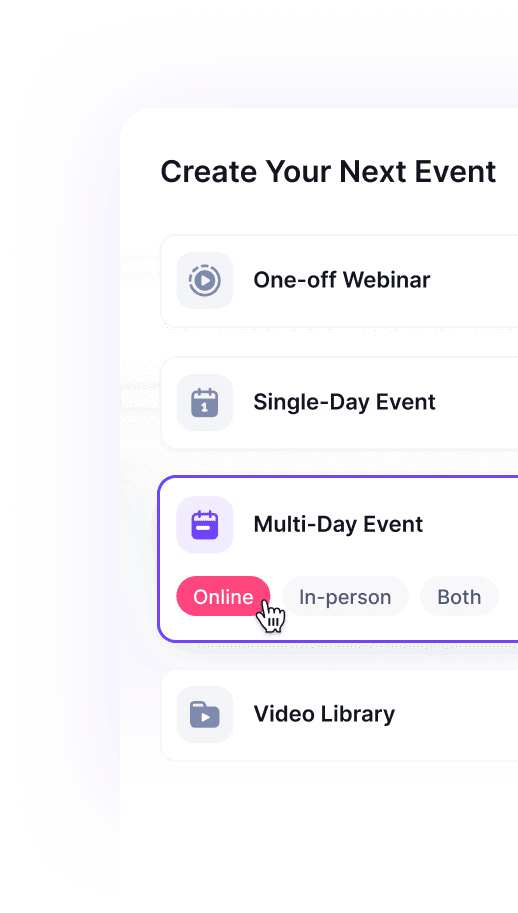
Comparison table: 10 event management tools for small businesses
| Tool | Best for | Event formats | Pricing model to verify | Small-business strengths | Tradeoffs |
|---|---|---|---|---|---|
| HeySummit | Content-led events, online summits, paid workshops, webinars, courses, and on-demand event programs. | Online, hybrid, in-person, and on-demand. | Self-serve plans with free trial, attendee/event/team allowances, transaction fees, and enterprise options. Verify current live pricing. | Connects pages, registration, ticketing, speakers, sponsors, affiliates, video integrations, emails, replays, and reporting. | More than you need if the event is only a simple RSVP or single ticket page. |
| RSVPify | Custom RSVP, invitations, guest management, and business or nonprofit registrations. | In-person, private, corporate, nonprofit, and ticketed events. | Free small-event option and paid business plans from $39/month according to its public pricing page. | Approachable setup, custom forms, guest lists, seating, invitations, and registration workflows. | Not a full content-led summit or speaker-management platform. |
| EventCreate | Affordable event websites, registration pages, basic CRM, and attendee management. | In-person, virtual, and hybrid events. | Free and paid monthly plans; verify current plan limits on EventCreate before publishing exact amounts. | Fast event-site setup, registration, email/text tools, and a friendly entry point for smaller teams. | May feel limited for complex multi-speaker programs, sponsors, affiliates, or advanced virtual venues. |
| Ticket Tailor | Low-cost ticketing, checkout, check-in, and event sales. | Primarily in-person and ticketed events, with useful online-event ticketing support. | Per-ticket pricing; Ticket Tailor says fees start at $0.30 per ticket in the US and the first five tickets are free. | Simple ticketing, low fees, event pages, checkout, promotions, and check-in app. | Ticketing-first, so you may still need separate tools for speakers, content, video, sponsors, and replays. |
| RegFox | Custom registration forms, paid registration, add-ons, and affordable attendee management. | Conferences, camps, classes, associations, virtual events, and in-person registrations. | RegFox publishes 99 cents plus 1% per paid registrant, capped at $4.99, plus payment processing. | Transparent paid-registration fees, flexible forms, conditional logic, add-ons, CRM, and reporting. | Registration-first rather than a full virtual venue or event-content management layer. |
| Eventbrite | Public event discovery, ticketing, local events, and simple paid or free events. | In-person, online, and hybrid events. | Eventbrite's US organizer pricing currently lists no fees for free events, plus service and payment-processing fees on paid tickets. | Large marketplace, familiar attendee checkout, quick event publishing, promotional tools, and straightforward ticketing. | Less specialized for multi-speaker virtual summits, sponsor workflows, replays, or custom event business operations. |
| PheedLoop | Small teams running bigger conferences, trade shows, onsite events, and hybrid programs. | In-person, hybrid, and virtual. | Modular pricing; PheedLoop publishes module and user-based pricing details for event management solutions. | Registration, ticketing, check-in, badges, mobile app, onsite tools, exhibitors, and analytics. | Modular pricing and feature selection require more planning than simple self-serve tools. |
| Whova | Conference apps, attendee engagement, agenda management, and professional events. | In-person, hybrid, and virtual. | Quote-based platform pricing; Whova publishes registration-fee guidance in some resources, but buyers should request a current quote. | Strong event app, agenda, networking, attendee engagement, check-in, and event-management features. | Can be more event-app and conference infrastructure than a small webinar or workshop needs. |
| Airmeet | Virtual and hybrid events with branded venues, networking, webinars, and audience engagement. | Virtual, hybrid, webinars, and online communities. | Airmeet pricing varies by plan, attendee volume, and event type. Verify current pricing directly before quoting. | Virtual venue, networking, booths, stages, webinars, engagement tools, and attendee experience. | May be expensive or too virtual-venue-heavy for a simple ticketed event or small RSVP program. |
| Cvent | Enterprise event programs, conferences, corporate events, sourcing, and complex reporting. | In-person, virtual, and hybrid. | Quote-based; Cvent says pricing has annual license and per-registrant components. | Broad event lifecycle platform, attendee insights, integrations, reporting, surveys, and enterprise operations. | Usually too heavy for small businesses that do not need enterprise procurement, implementation, or complex event operations. |
1. HeySummit
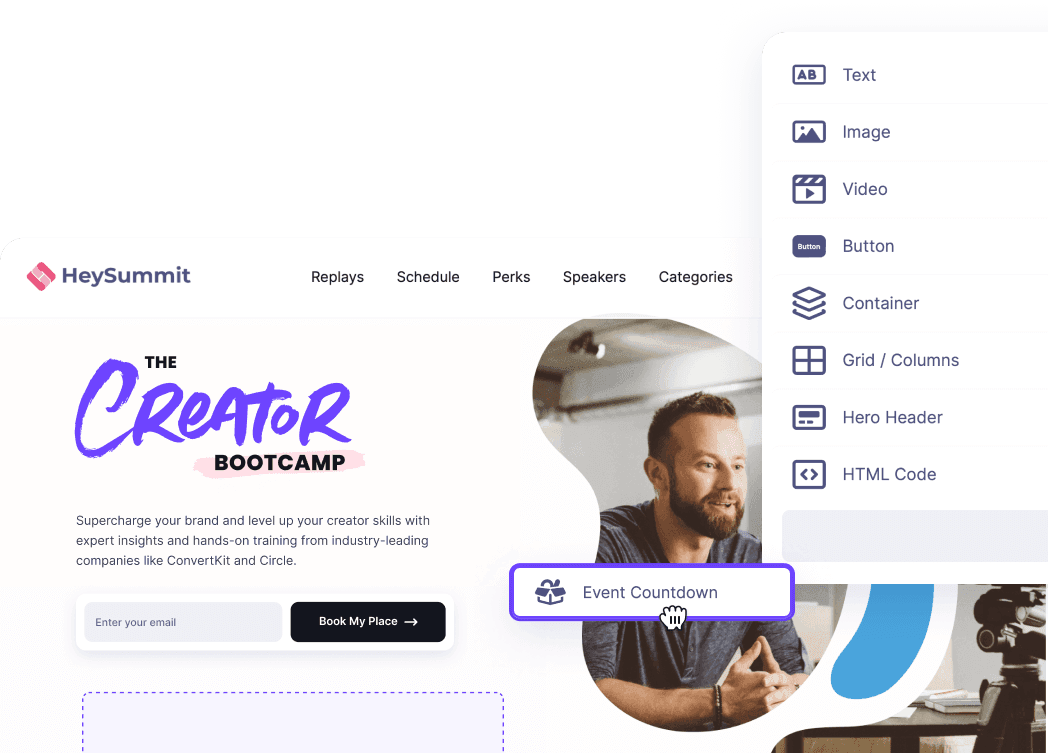
HeySummit is best for small businesses that use events to grow audience, authority, leads, community, or revenue. It is especially useful for online summits, paid workshops, multi-speaker webinars, creator-led events, educational programs, and on-demand content libraries.
HeySummit is the best fit when your event is content-led. Instead of forcing you to stitch together a landing page builder, checkout tool, speaker spreadsheet, webinar registration page, email tool, sponsor page, affiliate tracker, and analytics dashboard, HeySummit brings the event workflow into one place.
Use HeySummit when you need:
- An event landing page builder for branded event pages and registration paths.
- Event ticketing, paid access, add-ons, donations, and replay monetization.
- Speaker and session workflows for multi-presenter events.
- Sponsor, affiliate, and partner promotion tools.
- Video and streaming integrations for the live or replay layer.
- Reporting and analytics for registrations, revenue, attendance, and content performance.
- Support for online, hybrid, and in-person events without changing your whole event stack.
The pricing conversation should happen against the current HeySummit pricing page, because plan limits and transaction fees can change. For this refresh, exact plan prices were intentionally not copied from the older article because the current pricing page needs browser-level verification before exact monthly amounts are safe to publish.
2. RSVPify
RSVPify is a strong fit for small businesses, nonprofits, and teams that need polished RSVP and registration workflows without buying a full conference platform. It focuses on custom event pages, RSVP tracking, guest management, invitations, seating, forms, and business or nonprofit registration.
RSVPify is most useful when the event depends on getting the invitation, registration, guest list, and attendee communication right. Its pricing page lists a free option and business plans starting at $39/month, with higher tiers for more registrations and advanced features. Always check the live pricing page for current limits before budgeting.
Choose RSVPify for private events, nonprofit events, corporate gatherings, recurring registrations, and small paid events where registration quality matters more than speaker, sponsor, or replay workflows.
3. EventCreate
EventCreate is built around event websites, registration, attendee management, and event communication. Its public pricing and product pages emphasize affordable event setup, rich attendee profiles, sponsor or exhibitor portals, check-in, mobile attendee tools, and custom registration workflows.
For small businesses, EventCreate is appealing when you need a professional-looking event site and registration flow quickly. It is a better fit for straightforward events than for complicated speaker-led programs with replays, affiliates, deep monetization, or integrated webinar workflows.
Use EventCreate if your main problem is event-page and registration setup. Compare it more carefully if you need the event to become a repeatable content, partner, or revenue engine.
4. Ticket Tailor
Ticket Tailor is one of the clearest choices when ticketing is the main job. It helps organizers sell tickets, build event pages, manage checkout, create promotions, scan attendees at the door, and keep fees predictable.
Ticket Tailor says its US fees start at $0.30 per ticket and that organizers can sell their first five tickets for free. Its pricing page also highlights free events, discounts for low-price tickets, and a free check-in app.
Choose Ticket Tailor when you want low-cost ticketing without a full event suite. Do not expect it to replace a platform for speaker management, virtual session delivery, sponsor workflows, affiliate tracking, or post-event content access.
5. RegFox
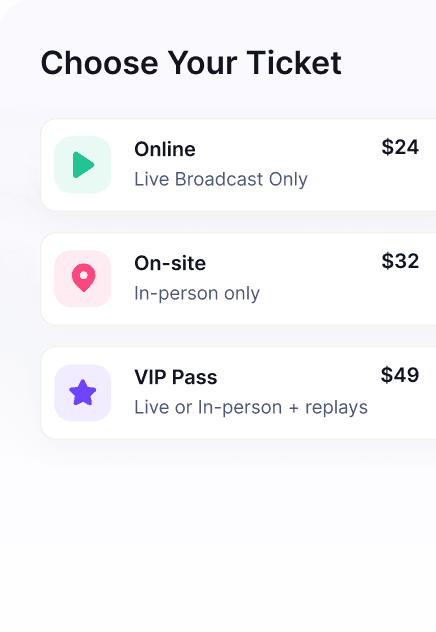
RegFox is a registration and ticketing platform that appeals to teams looking for transparent paid-registration costs. Its current public pricing says RegFox starts at 99 cents plus 1% per paid registrant, capped at $4.99, plus payment processing through Webconnex Payments.
RegFox is useful for custom registration forms, conditional logic, paid registrations, add-ons, discounts, inventory, event CRM, and reporting. It is a practical option for small businesses running classes, camps, conferences, associations, and events where registration flexibility matters.
The tradeoff is category fit. RegFox is strong for registration and payment workflows, but it is not trying to be a complete summit platform, webinar delivery layer, virtual venue, or sponsor and speaker operations hub.
6. Eventbrite
Eventbrite remains a familiar option for public event discovery and ticketing. It is easy to publish a free or paid event, reach people through the Eventbrite marketplace, manage ticket types, and use a checkout flow many attendees already recognize.
Eventbrite's US organizer pricing currently says free events have no fees, while paid tickets include a service fee and payment-processing fee. Because fees vary by location, ticket type, and product plan, check the pricing page for your country before comparing costs.
Eventbrite is a good choice for simple public events, local events, and ticketing-led promotion. It is less specialized for multi-speaker virtual summits, replay access, sponsor operations, affiliate programs, and custom event marketing funnels.
7. PheedLoop
PheedLoop positions itself as event management software for small teams running bigger events. It covers registration, ticketing, check-in, badges, mobile apps, onsite services, exhibitors, live support, and analytics across in-person, hybrid, and virtual events.
PheedLoop's event management pricing table shows a modular model with core event dashboard pricing and add-on modules by user or attendee bands. That transparency is useful, but it also means small teams should map their required modules before assuming the cheapest path will cover the whole event.
Choose PheedLoop if your event is growing into a conference or trade-show operation with onsite and exhibitor needs. If you mainly need a fast online event workflow with speakers, tickets, video integrations, replays, and audience growth, compare the setup effort against a more focused event platform.
8. Whova
Whova is known for event apps, attendee engagement, agenda management, networking, registration, check-in, and conference operations. It is especially relevant for professional conferences, associations, expos, and events where the mobile attendee experience is central.
Whova's public site asks buyers to request pricing, and its pricing page routes prospects toward a demo and quote. Third-party review sites such as Capterra list Whova as contact-vendor pricing, so small businesses should treat it as a quote-based event suite rather than a lightweight self-serve registration tool.
Choose Whova when your event needs an app, agenda, networking, attendee engagement, and conference management. It may be more infrastructure than needed for a one-off workshop, a small online summit, or a simple paid webinar.
9. Airmeet
Airmeet is strongest for virtual and hybrid events where the attendee experience needs more than a webinar link. It focuses on branded virtual venues, webinars, live sessions, networking, expo booths, engagement tools, and audience interaction.
Airmeet can be a good fit for online conferences, virtual communities, webinars, and hybrid programs where the live virtual experience is central. It may be more platform than you need if the core job is simply selling tickets, collecting RSVPs, or hosting a small workshop through an existing webinar provider.
Verify current Airmeet pricing directly before publishing exact amounts. Public pricing references vary across regions, plans, attendee volume, and whether the use case is webinar, virtual event, or hybrid event.
10. Cvent
Cvent is a broad event management platform for in-person, virtual, and hybrid events. It covers many parts of the event lifecycle, including registration, venue sourcing, attendee insights, integrations, surveys, budgeting, webinars, and enterprise reporting.
Cvent's pricing page says pricing has two core components: an annual license fee and a per-registrant fee. That makes it a better fit for organizations with recurring event programs, larger teams, and complex procurement or reporting requirements.
For many small businesses, Cvent will be too heavy. It belongs on the shortlist when the event has enterprise-level operational needs, not when the team simply wants to launch a paid webinar, workshop, or small summit quickly.
Best affordable event management software for small businesses
Affordable does not always mean the lowest monthly price. It means the total cost makes sense for the type of event you are running.
For basic registration, RSVPify, EventCreate, Ticket Tailor, RegFox, and Eventbrite are often the most affordable places to start. Compare the full cost of tickets, payment processing, email limits, attendee limits, check-in, forms, and any monthly or annual plan fees.
For paid content-led events, HeySummit may be more cost-effective than a cheaper registration tool plus separate landing page, payment, webinar, email, affiliate, sponsor, replay, and analytics tools. The right comparison is the whole stack, not just the headline subscription price.
For conference-style events, PheedLoop and Whova may be affordable relative to enterprise event suites, but they still require more planning. Cvent is usually a larger-budget option. Airmeet can be worth it when the virtual venue and engagement layer is central to the event experience.
Best virtual event software for small business
The best virtual event software depends on whether you need a video venue, a content-led event business workflow, or simple registration for an online session.
- Choose HeySummit when you need event pages, registration, tickets, speakers, sponsors, affiliates, email, video provider integrations, replay access, and analytics around the virtual event.
- Choose Airmeet when the virtual venue itself is the product: networking, live rooms, booths, community interaction, and a branded attendee environment.
- Choose Eventbrite, RSVPify, Ticket Tailor, or RegFox when the online event is operationally simple and registration or ticketing is the main need.
- Consider BigMarker or RingCentral Events when your evaluation is specifically about webinar production or virtual-event delivery. Hopin's event product is now part of RingCentral Events, so do not evaluate old Hopin pricing or branding without checking the current RingCentral Events site.
Event management software for startups and SMEs
Startups and SMEs usually need speed, clear pricing, and a tool that does not demand a full-time event operations person. The safest path is to match the first event to the simplest workable stack, then expand once you know the event channel is producing registrations, revenue, leads, or customer conversations.
If the event is a lead-generation webinar, use a lightweight registration tool or a platform that connects registration with your webinar provider and CRM. If the event is a paid workshop or summit, use a platform with ticketing, access control, speaker management, emails, and replays from the start. If the event is a conference, expo, or partner program, consider a conference platform once the operational requirements justify it.
Also check integrations early. A small business may not need every integration, but it should know how attendee data, payment data, and lead data move into its CRM, email platform, payment provider, or automation tool. For HeySummit, start with CRM and revenue integrations if lead handoff, Stripe, Zapier, HubSpot, or payment workflows are part of the buying decision.
What to compare when your event budget is under $10,000
If your budget is under $10,000, avoid comparing platforms only by feature count. Compare the total event budget, including software, payment fees, production tools, email, design, implementation, speaker support, sponsor deliverables, event-day support, and post-event follow-up.
| Budget question | Why it matters | What to ask vendors |
|---|---|---|
| How are paid tickets charged? | Per-ticket and payment fees can materially change margin on lower-priced events. | What platform fees, payment processing, refunds, caps, and pass-through options apply? |
| What is included in the plan? | A low starting price can become expensive if key features are add-ons. | Are email, check-in, ticket tiers, custom domain, integrations, analytics, sponsors, and replays included? |
| How much setup help is required? | Implementation cost can exceed software cost for small teams. | Can we launch ourselves, or do we need onboarding, design, project management, or event-day support? |
| What happens after the live event? | Replays, follow-up, sponsor reporting, and lead handoff often create the business value. | Can we gate replays, export attendees, track revenue, send follow-ups, and report performance? |
For a small paid event, a slightly higher subscription can be cheaper than a low-cost ticketing tool if it replaces several other tools and reduces manual work. For a free local meetup, the reverse is true: do not pay for a summit or conference platform when a simple RSVP flow is enough.
Final recommendation
Choose HeySummit if your small business wants to run content-led events that can grow an audience, sell access, involve speakers or partners, support sponsors or affiliates, integrate with video tools, and keep reporting connected after the event. Start with the event platform walkthrough if you want to see how the pieces fit together.
Choose RSVPify, EventCreate, Ticket Tailor, RegFox, or Eventbrite if you mainly need registration, invitations, ticketing, or a simple event page. Choose PheedLoop, Whova, Airmeet, or Cvent if your event is closer to a conference, virtual venue, expo, or enterprise event program.
The best event software for a small business is the one that lets you launch the event confidently, protect your margin, reduce manual coordination, and learn what worked afterward. Match the tool to the event you are actually running, then check the current pricing page before committing.
Frequently asked questions
Table of Contents
Quick decision summaryWhat small businesses should look for in event management softwareComparison table: 10 event management tools for small businesses1. HeySummit2. RSVPify3. EventCreate4. Ticket Tailor5. RegFox6. Eventbrite7. PheedLoop8. Whova9. Airmeet10. CventBest affordable event management software for small businessesBest virtual event software for small businessEvent management software for startups and SMEsWhat to compare when your event budget is under $10,000Final recommendationFrequently Asked QuestionsTry HeySummit free
HeySummit is the easiest way for creators and educators to grow their audience, authority and revenue with professional online events created in minutes, not weeks.
Share this article on:
Recent Posts
Loading feed...