Event Sponsorship Package Examples and Tier Worksheet for Online Events
-1690817315934-652794559.png&w=96&q=75)
Benjamin Dell
Founder, HeySummit
An event sponsorship package turns sponsor interest into a clear offer: who the sponsor will reach, where they will appear, what the event team will deliver, and how everyone will know the promise was fulfilled.
That last part matters. A sponsor does not only need a logo placement. They need a credible reason to believe your event reaches the right audience, a package that matches their goal, and a post-event recap that shows what happened. Showcare's 2026 Event Sponsorship Pulse Report points to the same tension for sponsorship teams: small teams are trying to grow revenue while sponsor acquisition and ROI proof remain difficult.
This guide gives you a practical event sponsorship package worksheet for online and hybrid events, plus example tiers you can adapt before you write a sponsor proposal. Use it to design packages you can actually deliver, not just a prettier version of gold, silver, and bronze.
Start with what the package has to prove
A good event sponsorship package answers four questions before anyone talks about price:
- Who will the sponsor reach?
- What sponsor objective does this package support?
- Which deliverables will the event team fulfill before, during, and after the event?
- What evidence will the sponsor receive after the event?
For an online summit, workshop, conference, or hybrid event, the strongest packages usually combine audience fit, digital visibility, attendee engagement, and reporting. That might mean a sponsored session, a virtual sponsor booth, event emails, replay visibility, an offer or giveaway, and a post-event recap.
The mistake is selling visibility that is vague. "Logo on event page" is a placement. "Logo on the registration page, sponsor booth linked from the event navigation, one reminder-email mention, one sponsored session intro, and a recap with registration and engagement signals" is a package.
Use this sponsorship inventory worksheet
Before creating tiers, list every sponsor asset you can deliver without overloading the attendee experience. Then decide which assets belong before, during, and after the event.
| Event stage | Possible sponsor asset | What to define before selling it | Proof to collect |
|---|---|---|---|
| Before the event | Event-page placement | Page, logo size, copy length, sponsor category, approval deadline | Published-page screenshot and link |
| Before the event | Email mention | Email type, send date, sponsor wording, tracking link | Email preview, send confirmation, click data when available |
| During the event | Sponsored session | Session fit, host mention, slide or intro, sponsor role | Session page, attendance or view data, recording timestamp if useful |
| During the event | Sponsor booth or sponsor page | Booth content, CTA, downloadable asset, chat or contact route | Booth screenshot, visits or engagement signals when available |
| After the event | Replay or on-demand visibility | Replay access window, placement, CTA, sponsor approval | Replay page screenshot and post-event view data when available |
| After the event | Sponsor recap | Report owner, metrics included, delivery date, renewal follow-up | Final recap, screenshots, attendance and engagement summary |
EventHub's sponsorship guide makes the same operational point: teams need to define sponsorship assets, ensure fulfillment, and collect evidence after the event. That is why the worksheet should include proof from the beginning. If you cannot prove a deliverable happened, be careful selling it as a premium benefit.
Map every package to a sponsor objective
Do not start with metal labels. Start with what the sponsor wants. A sponsor trying to build awareness needs a different package from a sponsor trying to start conversations with qualified attendees.
| Sponsor objective | Useful package shape | Good fit for | Be careful not to promise |
|---|---|---|---|
| Brand visibility | Event-page placement, sponsor booth, opening or closing acknowledgement, replay visibility | Broad category sponsors and partners who want association with the event theme | Guaranteed reach, brand lift, or revenue impact |
| Qualified audience engagement | Sponsored session, booth CTA, attendee resource, moderated Q&A prompt | Companies with a clear offer for your event audience | Guaranteed leads or sales meetings |
| Thought leadership | Expert session, panel participation, follow-up resource, replay placement | Sponsors with credible subject-matter expertise | Editorial control over the event agenda |
| Community goodwill | Scholarship tickets, accessibility support, community award, attendee giveaway | Mission-aligned sponsors and nonprofits | Universal attendee sentiment or PR coverage |
| Renewal and retention | Year-round content placement, replay visibility, post-event recap, renewal conversation | Existing sponsors or partners already invested in the audience | Automatic renewal without proof and relationship work |
This objective-first approach also makes the sales conversation easier. Instead of asking, "Do you want the gold package?", you can ask, "Are you trying to build awareness, educate this audience, start conversations, or support the community?" The answer tells you which assets should be bundled together.
Example event sponsorship package tiers
Use these as starting points, not fixed pricing advice. Your audience size, audience quality, event format, production effort, category exclusivity, and reporting strength should shape the final offer.
Lead sponsor
A lead sponsor is the highest-visibility package. It should be limited to one sponsor unless you have a clear reason to split the role by track, day, or audience segment.
- Prominent placement on the event page and registration journey
- Dedicated sponsor booth or sponsor page
- Opening or closing acknowledgement
- One sponsored session, panel, or hosted conversation where editorial fit is strong
- Replay or on-demand placement for a defined period
- Post-event sponsor recap with agreed metrics and screenshots
Session sponsor
A session sponsor works when a sponsor has a natural connection to one topic, audience problem, or track. Keep the content useful; attendees should feel the sponsor adds context, not interruption.
- Sponsor mention on the session page
- Short host acknowledgement at the start or end of the session
- Relevant downloadable resource or offer
- Sponsor booth or CTA link near the session context
- Session-level attendance, view, or engagement recap when available
Community or booth sponsor
This package is for sponsors who want an owned destination inside the event experience. For online events, a sponsor booth can act like a lightweight digital hub with sponsor copy, links, media, and contact options.
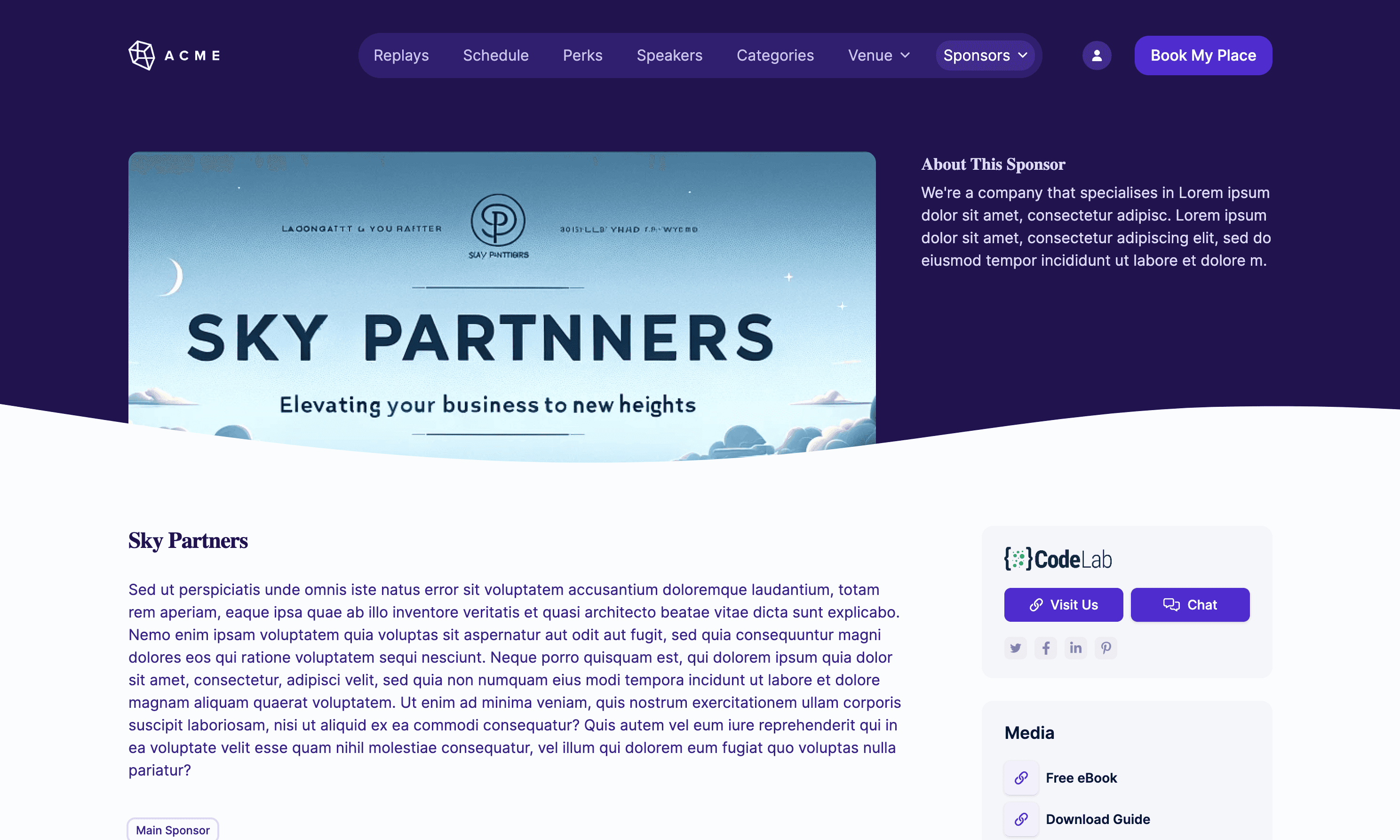
- Dedicated sponsor booth or sponsor profile
- Booth placement in relevant event navigation
- Downloadable asset, offer, or contact link
- Optional chat, Q&A, or attendee prompt if your format supports it
- Screenshot and engagement recap after the event
Supporting sponsor
A supporting sponsor tier can work for smaller partners, local organizations, community supporters, or sponsors testing the event for the first time.
- Logo and short description on the sponsor page
- One relevant email or event-page mention
- Optional attendee giveaway or resource
- Simple post-event proof that the placement went live
A la carte add-ons
Add-ons let a sponsor customize the package without forcing every sponsor into the same bundle. For example, a sponsor might add a giveaway, replay placement, extra email mention, or sponsored resource. If you sell event tickets, memberships, or replay access, connect these choices to your event ticketing and event checkout workflow so the commercial path stays coherent.
What changes for virtual and hybrid events
Virtual event sponsorship packages are not weaker than in-person packages; they are just more dependent on thoughtful placement and measurement. A badge-lanyard package does not translate directly to an online summit. But digital placements can be easier to route, update, and recap when they are built into the event workflow.
For an online or hybrid package, think in terms of digital touchpoints:
- Event page and registration page visibility
- Topic or track placement
- Sponsored live or pre-recorded session
- Sponsor booth, page, media, or downloadable resource
- Email mentions before and during the event
- Replay or on-demand placement
- Post-event reporting and screenshots
Protect the attendee experience as you do this. More sponsor placements are not always better. A smaller package that feels relevant to the session or audience often performs better than a large package that interrupts every touchpoint.
How to price a package without pretending there is one formula
There is no universal sponsorship package price. Two events with the same registration count can have very different sponsor value because the audience, niche, trust, buying intent, and sponsor fit are different.
Use these factors to shape your pricing conversation:
- Audience quality and relevance to the sponsor category
- Event format, duration, and production effort
- Expected registration, attendance, and replay visibility, when you have credible historical data
- Category exclusivity or scarcity
- Number and complexity of deliverables
- Your ability to provide a clear post-event recap
- Whether the sponsor is buying one event or a longer partnership
If you do not have reliable historical data yet, say so. You can still sell a thoughtful first sponsorship package, but frame it around audience relevance, agreed deliverables, and learning. Avoid guaranteed lead volume, guaranteed revenue, or ROI claims unless you have evidence strong enough to stand behind them.
Build fulfillment into the package
The package is not finished when the sponsor signs. It is finished when the promised placements go live, the event team captures proof, and the sponsor receives a useful recap.
| Fulfillment item | Owner | Due date | Proof |
|---|---|---|---|
| Sponsor logo, description, and CTA collected | Sponsor lead | Before registration launch | Approved sponsor asset folder |
| Sponsor booth or page published | Event operations | Before attendee emails begin | Public page screenshot and URL |
| Email mention added | Marketing | Before scheduled send | Email preview and send record |
| Session mention or resource placed | Producer or host | Before live session | Run of show, slide, or session page |
| Post-event recap sent | Sponsor lead | Within agreed follow-up window | Recap document and renewal notes |
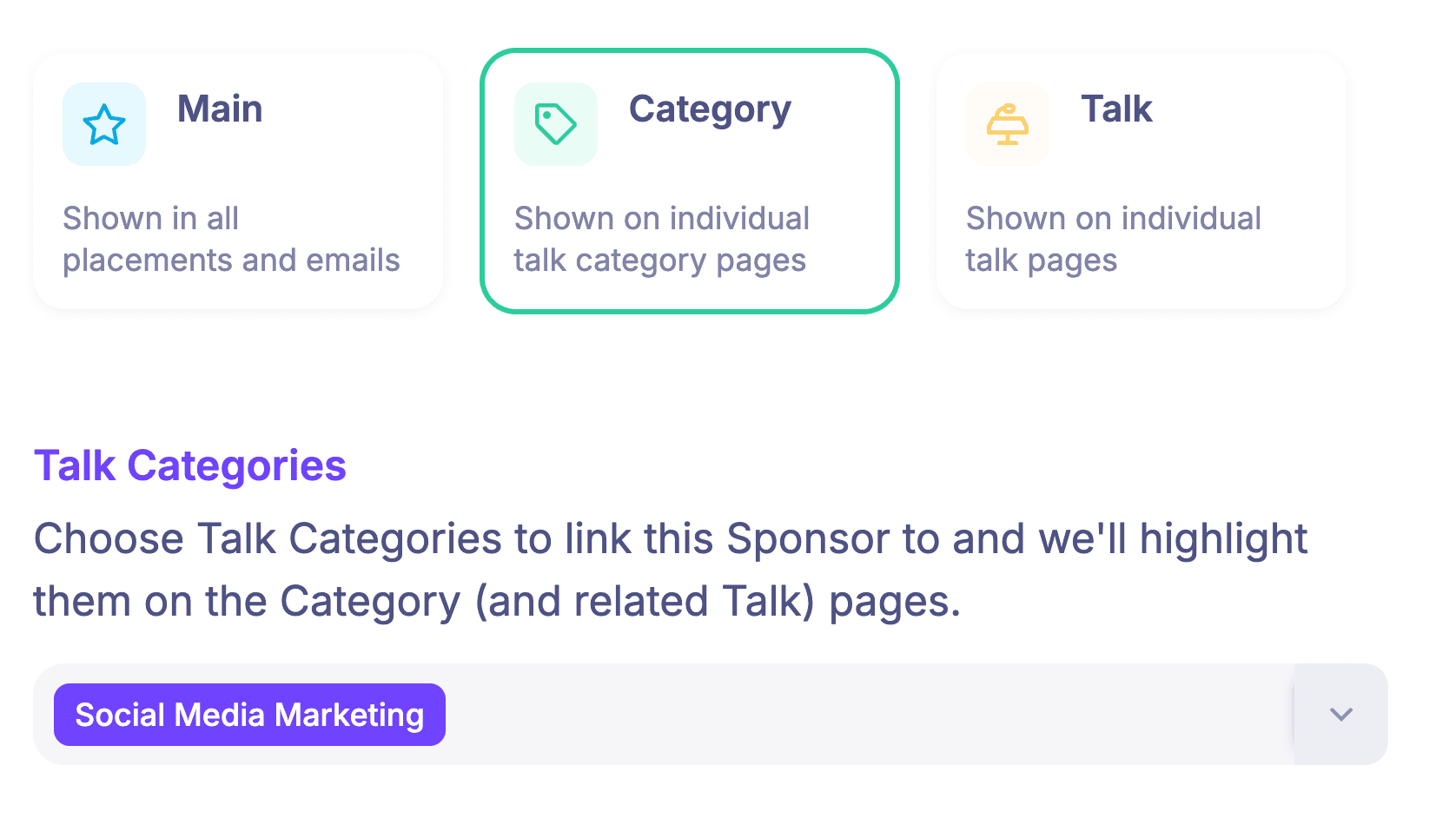
This is where a platform workflow helps. In HeySummit, sponsorship can sit alongside event pages, registration, ticketing, emails, offers, replay access, and reporting and analytics. That does not replace your sponsor relationship work, contracts, or CRM, but it does make the sponsor deliverables easier to organize around the event itself.
Prepare the sponsor recap before the event starts
Do not wait until the event is over to decide what proof you wish you had collected. The recap should match the package.
For a brand-visibility package, the recap might include screenshots of the event page, sponsor booth, emails, session placement, replay page, and any available traffic or engagement signals. For a session sponsor, the recap might focus on attendance, session views, Q&A themes, resource clicks, and follow-up opportunities. For a community sponsor, it might include scholarship use, attendee comments, or community outcomes that are safe and appropriate to share.
If you need a more detailed post-event structure, use a sponsor report template after the event. If you are still building your pitch, move from this package worksheet into an event sponsorship proposal once you know which sponsor you are approaching.
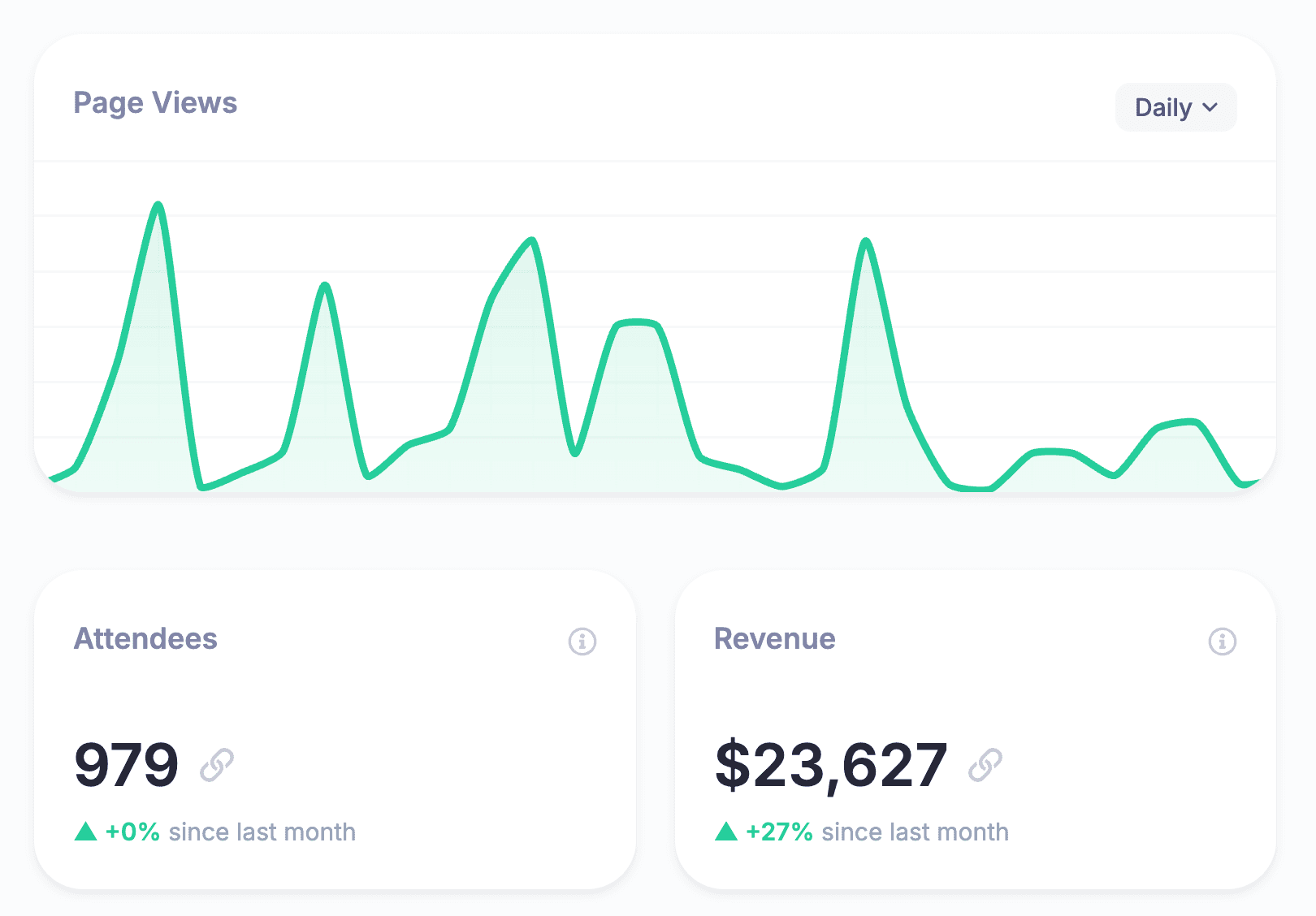
A simple package-builder flow
Use this sequence when you are turning the worksheet into a real offer:
- Define the audience: who attends, why they care, and what sponsor categories are genuinely relevant.
- Choose the sponsor objective: visibility, engagement, thought leadership, goodwill, or renewal.
- Select before, during, and after-event deliverables you can fulfill.
- Decide what proof you will collect for each deliverable.
- Bundle the assets into one to four clear packages.
- Price based on relevance, scarcity, effort, and evidence, not a copied formula.
- Turn the chosen package into a sponsor-specific proposal.
For more benefit ideas, keep a separate list of event sponsorship ideas. The package itself should stay focused. If every possible benefit appears in every tier, the sponsor cannot tell what they are actually buying.
Bring the package back to the event experience
The best sponsorship packages are practical. They do not ask sponsors to believe in vague exposure, and they do not ask your team to deliver benefits scattered across five tools and three spreadsheets.
If sponsorship is part of your online or hybrid event strategy, design the package around the event experience from the start: where attendees register, how tickets and access work, where sponsors appear, what happens during the live sessions, what lives on after the event, and what proof the sponsor receives.
See how HeySummit works if you want sponsor booths, event pages, ticketing, emails, replays, and reporting in one event workflow. If you are comparing monetization options now, you can also review HeySummit pricing before you build your next package.
Frequently asked questions
Table of Contents
Start with what the package has to proveUse this sponsorship inventory worksheetMap every package to a sponsor objectiveExample event sponsorship package tiersWhat changes for virtual and hybrid eventsHow to price a package without pretending there is one formulaBuild fulfillment into the packagePrepare the sponsor recap before the event startsA simple package-builder flowBring the package back to the event experienceFrequently Asked QuestionsTry HeySummit free
HeySummit is the easiest way for creators and educators to grow their audience, authority and revenue with professional online events created in minutes, not weeks.
Share this article on:
Recent Posts
Loading feed...