How to Host a Paid Webinar: Ticketing, Pricing, Access, Replays, and Revenue Models
-1690817315934-652794559.png&w=96&q=75)
Benjamin Dell
Founder, HeySummit
A paid webinar is not simply a webinar with a payment link in front of it. It is an attendee journey in which the offer, checkout, ticket, live access, reminders, replay and support rules all agree.
That journey can still use the webinar provider you already know. The important decision is which system owns each handoff, from the moment someone buys a ticket to the moment their replay access ends.
This guide shows you how to host a paid webinar without turning payment, registration and delivery into a fragile patchwork.
What makes a webinar a paid webinar?
A paid webinar is a live, recorded or replay-led online session that attendees purchase access to. The purchase should create the right registration, unlock the right content and trigger the right messages without asking the buyer to register again somewhere else.
The webinar itself may be a presentation, workshop, panel, training session or member programme. What makes the setup work is the connection between six decisions:
- The offer: what outcome or experience the buyer is paying for.
- The ticket: the price, access level and sales window.
- The payment: how the charge, receipt, refund and failed payment are handled.
- The live room: where the session is delivered and recorded.
- The access rules: who can join live, watch the replay or download resources.
- The follow-up: reminders, replay messages, support and the next useful action.
If one of these lives in a separate tool, name the owner and test the handoff. A separate tool is not automatically a problem; an unowned handoff is.
Define what the buyer receives before choosing tools
Start with the offer, not the software. A useful one-sentence promise should say who the session is for, what they will be able to do afterwards and what is included.
For example: “A live 90-minute workshop for community managers who want a complete member-event plan, including the planning worksheet, Q&A and seven days of replay access.”
That sentence gives you most of the setup requirements. You know the audience, format, resource, replay window and support expectation. If the promise is still vague, adding ticket tiers will only make the checkout more confusing.
Decide these points before opening sales:
- Who will get the clearest value, and who should not buy?
- Is the value in live access, guided practice, expert feedback, resources, replay access or a longer programme?
- What happens if someone cannot attend live?
- Where can buyers find the refund or cancellation terms?
- Who answers access questions before and during the session?
Choose a revenue and access model
There is no universal best price or ticket structure. Choose the simplest model that matches the promise, then test whether buyers understand it.
| Model | Useful when | Buyer receives | Check before launch |
|---|---|---|---|
| One-off live ticket | The live session is the main value | Live access, with any resources stated clearly | What happens if the buyer misses the session? |
| Live plus replay | Time zones or schedule conflicts matter | Live access and a defined replay window | When does replay access start and end? |
| Standard and VIP tiers | Extra support or resources justify a higher tier | Different access, resources or follow-up | Can a buyer see the difference without reading fine print? |
| Replay add-on | Some attendees need only live access | Replay or extended access added at checkout | Does the add-on unlock the right content automatically? |
| Fixed instalments | A larger programme is paid over a set period | Access tied to a fixed number of payments | What happens after a failed payment, refund or cancellation? |
| Recurring access | The offer is an ongoing series or content library | Continued access while the subscription remains active | Can attendees manage cancellation, and does access follow billing state? |
| Donation or pay-what-you-can | The event supports a cause or flexible contribution | The access promised for that contribution | Are minimums, receipts and access rules clear? |
Use a deeper event ticket pricing guide to work through price inputs and tier design. If you plan to sell extended viewing, decide how you will package replay access before you promise it on the sales page.
Map the four systems in your paid webinar stack
Most paid webinars use up to four system roles. One platform may cover several roles, but the responsibilities still need to be clear.
- Event layer: owns the public page, registration, tickets, access rules, event messages, partner tracking, replay and event-level reporting.
- Payment provider: processes the charge and payment events, and supports the receipt, refund and failed-payment workflow configured for the offer.
- Live provider: hosts the broadcast or meeting and controls room capacity, recording, engagement and captioning options.
- CRM, email or automation layer: handles any downstream segmentation, nurture or sales follow-up outside the event.
This distinction matters because the live room does not have to own the whole event. HeySummit can act as the event layer around your chosen webinar and streaming integrations, keeping checkout, tickets, access, messages and replay connected to the attendee record.
A simple payment page and webinar room may be enough for one session, one price and minimal follow-up. An event platform becomes more useful when you add multiple ticket types, speakers, partners, access windows, replays, add-ons or reporting requirements.
Build the paid webinar in eight steps
1. Create the event, session and owner
Set the public date, time zone, session details and named owner. The owner should know which information is authoritative if the sales page, calendar invitation and live-room settings disagree.
2. Choose the live provider
Choose the room based on the session format, audience size, recording needs, interaction and accessibility requirements. Confirm the connection method, host permissions, capacity and backup plan. Do not assume an integration replaces provider-side setup.
3. Create tickets and access rules
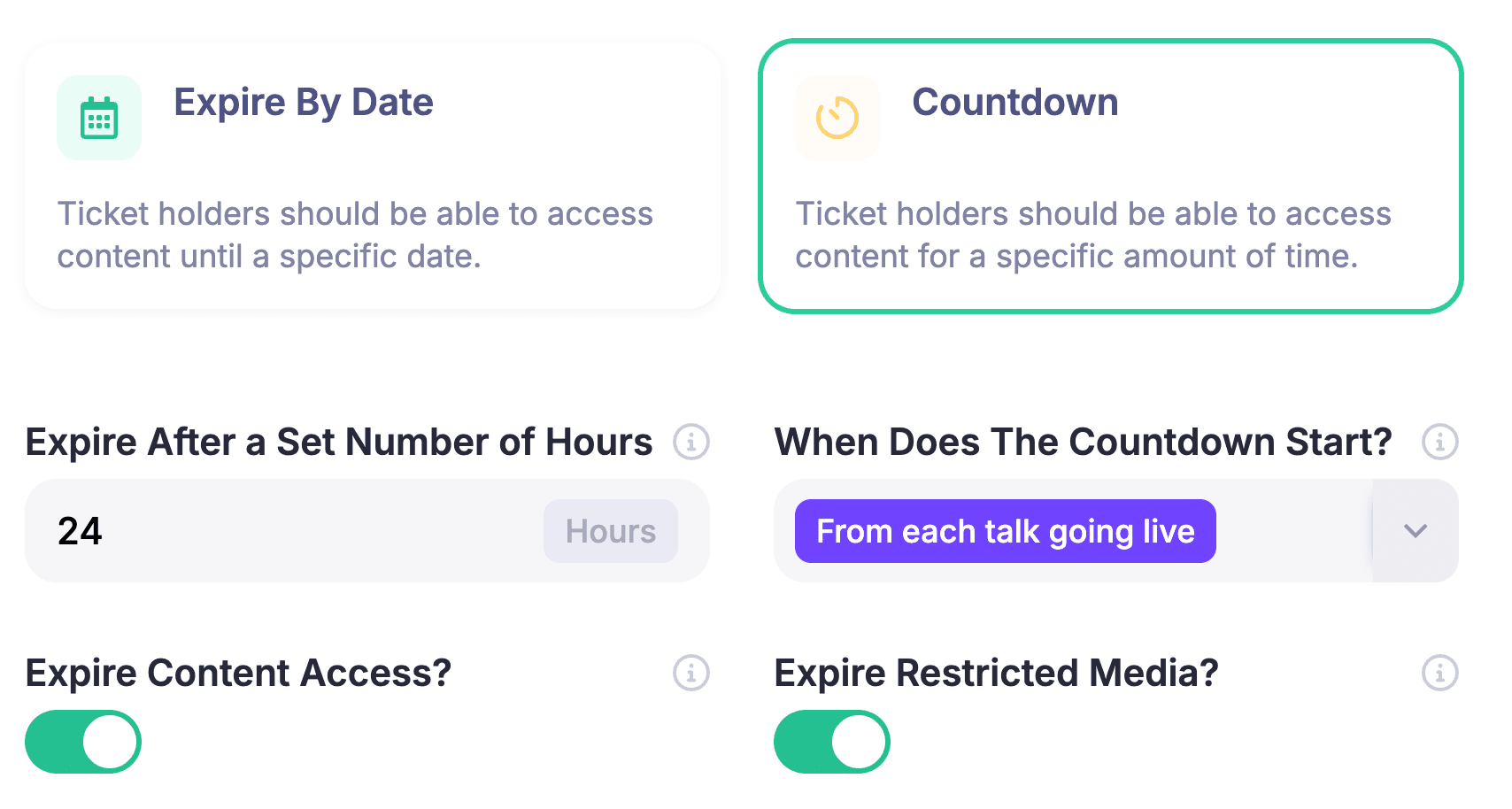
Set the ticket price, sales window, capacity and the exact live or replay content each ticket unlocks. HeySummit's paid event ticketing supports free and paid ticket types, tiered pricing, access controls and ticket expiry. Use only the controls your offer needs.
4. Connect payment and test the money flow
Connect the supported payment provider, choose the right currency and confirm what the buyer receives after payment. Check receipts or invoices, failed-payment behaviour and the team's refund process. If tax handling or invoice wording matters, verify it for the countries and provider involved instead of assuming one setup works everywhere.
For ongoing programmes, HeySummit's current recurring-payments guidance covers fixed instalments and ongoing subscriptions, and says the feature currently requires Stripe. Recheck that condition before each launch because payment support can change.
5. Build checkout and confirmation
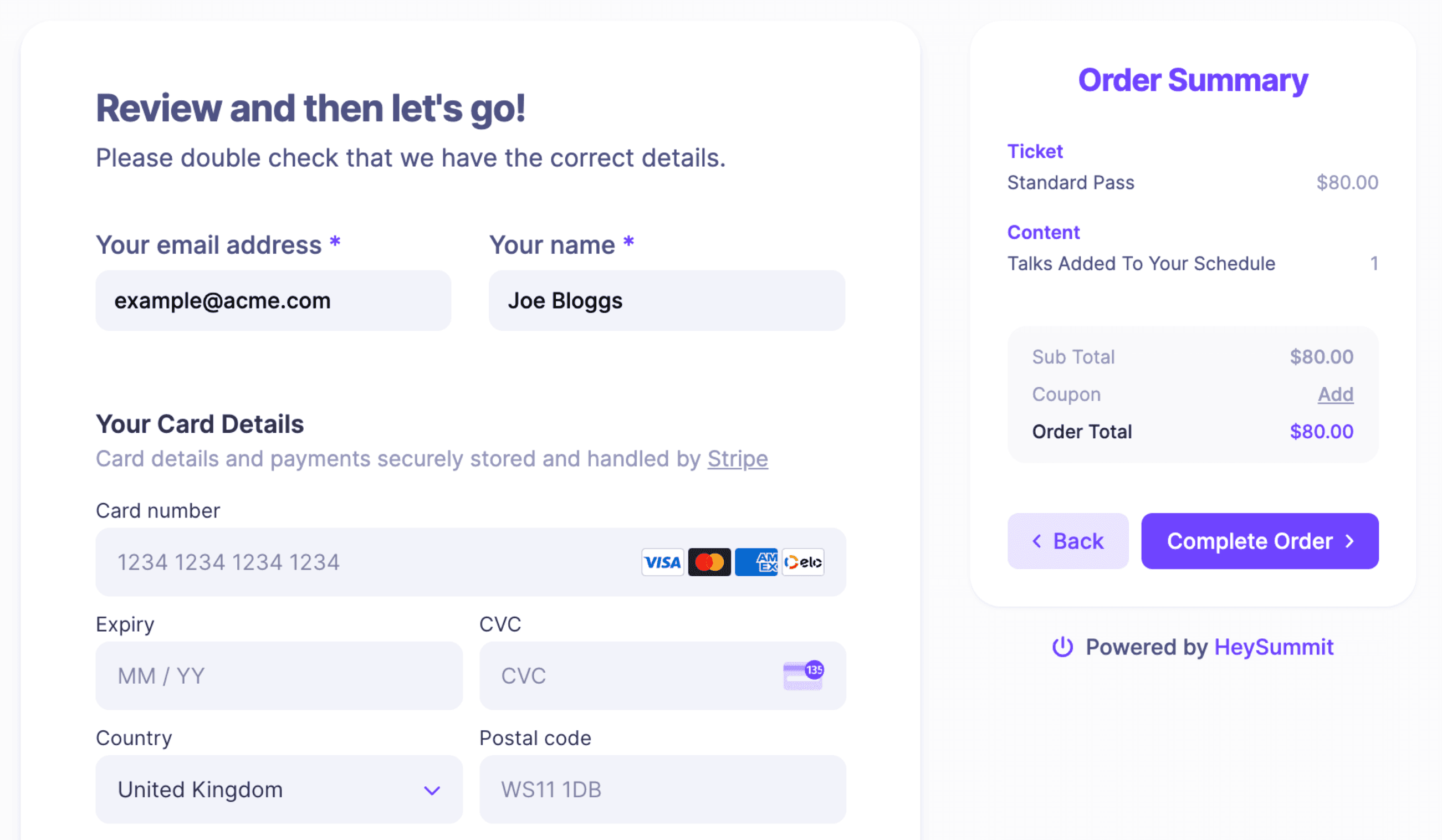
Keep checkout focused on the purchase. Show the ticket, price, included access and required buyer details without adding questions you will not use. Then make the confirmation page and email answer the immediate question: “What happens next?”
If you offer replay access, resources or another tier at checkout, use event checkout and add-ons to present the choice without changing the original ticket promise.
6. Add reminders and partner promotion
Write the confirmation, reminder and access messages as one sequence. Each message should use the correct time zone, explain where to join and provide a support route.
Give speakers and affiliates approved copy and trackable links, but make the commercial relationship visible. For US audiences, the FTC's endorsement guidance says a material connection that could affect how people evaluate an endorsement should be disclosed clearly and conspicuously. Other countries may apply different rules.
7. Set replay rules before the sale
Decide whether replay is included, time-limited, reserved for a higher tier, sold as an add-on or used in an ongoing library. Then align the ticket description, expiry setting, messages and support process.
If the webinar is part of a longer programme, an on-demand content experience may fit better than an indefinite link to one recording.
8. Configure reporting and support ownership
Choose the smallest scorecard that will help you decide what to repeat or change. Name the person who can locate a buyer, confirm their access, understand a refund and escalate a live-room issue.
Test the journey from purchase to replay
Run a demo purchase as an attendee, then inspect the result as the organizer. Do not stop after seeing a successful payment screen.
- The public page shows the correct ticket, price, currency, date, time zone and access promise.
- A successful payment creates the intended registration and ticket access.
- The confirmation page and email contain the correct next step.
- A buyer can reach the intended session without registering again.
- A different ticket cannot open content it should not include.
- The live room works on the devices your audience is likely to use.
- Refund, cancellation and failed-payment behaviour match the written policy.
- Replay access begins and expires when promised.
- Affiliate attribution and disclosures work as intended.
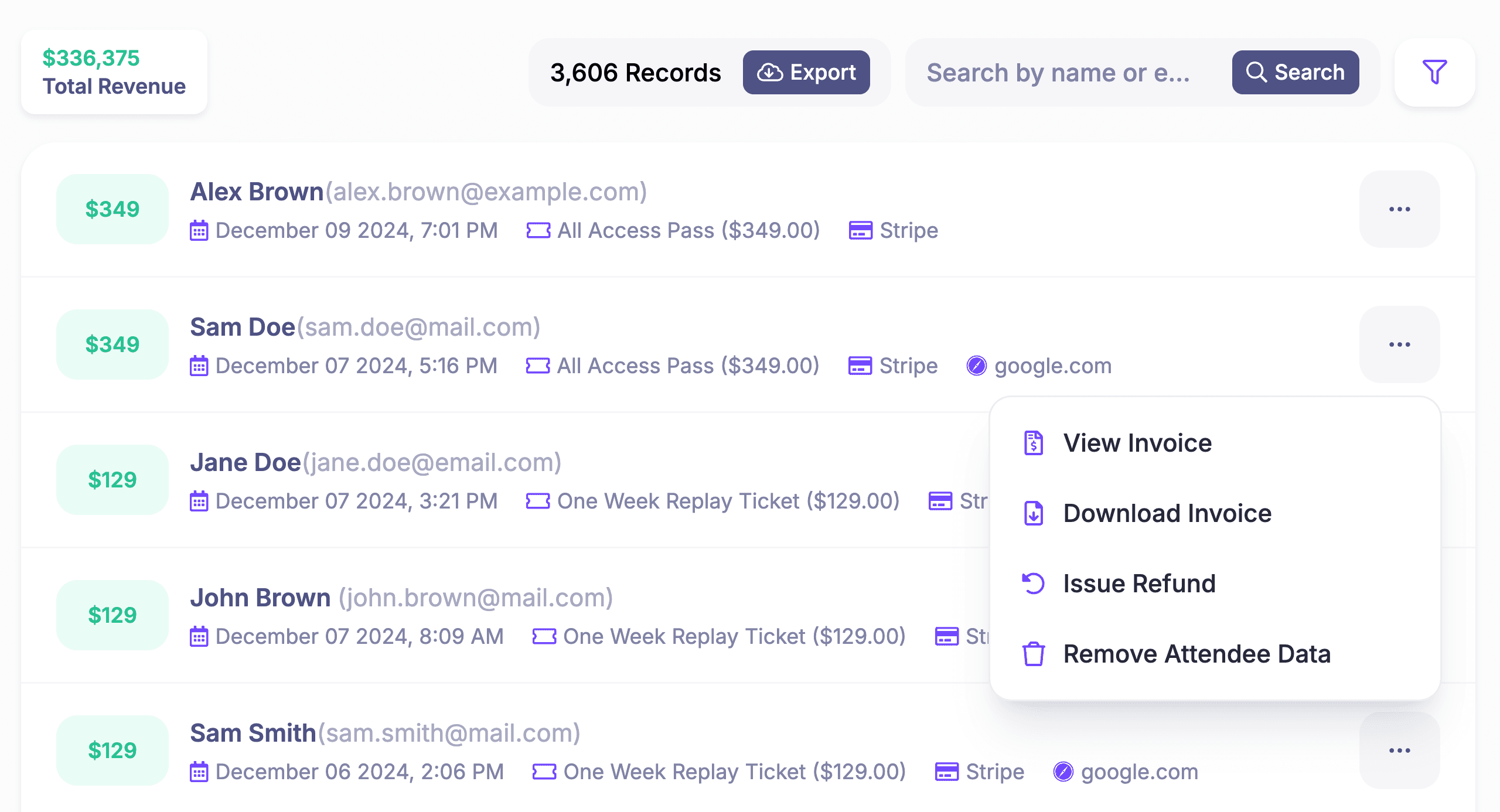
- The support owner can find the attendee, transaction and access state.
Test accessibility as part of delivery, not as a last-minute checkbox. For live synchronized media, the W3C Web Accessibility Initiative explains that real-time captions make audio information available to people who are deaf or hard of hearing. Check what your provider supports, who enables it and how attendees request help. Captions are one part of an accessible event, not the whole plan.
Promote the webinar without hiding the offer
A clear promotion message helps the right people buy and reduces support questions later. State the outcome, audience fit, price, live date, time zone, what is included, replay window and where buyers can find accessibility and refund information.
Keep organizer, speaker and affiliate promotion distinct. The organizer owns the canonical promise. Partners can adapt the message for their audience, but they should not invent bonuses, deadlines or results.
Avoid pressure that depends on hidden conditions. If a price rises, say when. If replay expires, state the date or duration. If space is limited, base the claim on a real capacity limit.
Deliver and protect the paid experience
Assign a host, presenter or moderator, and a support owner. For a small webinar, one person may fill more than one role, but everyone should know who handles late arrivals, missing links, payment questions and the backup message if the room changes.
Keep join links inside the intended attendee journey. A forwarded calendar invitation or shared room URL can bypass the access rules you carefully set at checkout. Test the experience as both an approved buyer and someone without the required ticket.
After the session, confirm the recording, edit or replace it if needed, publish it to the correct audience and send the replay message only after the access rule has been checked.
Treat replay as an access decision
Replay is not automatically free, permanent or passive income. It is another access promise with an owner.
A short replay window can help attendees across time zones. A higher tier can combine replay with resources or support. An ongoing library can serve a recurring programme. Each model changes the expiry, payment, cancellation, email and support workflow.
Write the replay rule in the ticket description and confirmation message. Then test it with a buyer account. The goal is not to create artificial scarcity; it is to make the access someone purchased predictable.
Measure a small, useful scorecard
Track numbers that lead to a decision. A practical first scorecard may include:
- Commerce: completed ticket sales, gross revenue, refunds, failed payments, add-ons and affiliate-attributed sales.
- Delivery: registrations, live attendance, access incidents and replay activity where available.
- Follow-up: replay engagement, support themes and the next action taken where you can measure it responsibly.
Keep the denominators clear. A registration rate, buyer attendance rate and replay-view rate answer different questions. Do not blend web analytics, event data and payment data into one confident “conversion rate” unless you can explain exactly how it was calculated.
When an event platform is the right fit
A simple stack may be enough when you have one session, one price, a small known audience and little follow-up. You still need to test it, but you may not need a full event workflow.
HeySummit is a stronger fit when the webinar has several ticket types or access rules, integrated delivery providers, speakers or affiliates, replay offers, add-ons, recurring or instalment use cases, event messages and reporting. It gives those moving parts a shared attendee and event layer without pretending to replace every specialist tool.
If the live room or procurement process is the hardest part of your event, a specialist product may need to lead the stack. If the hard part is connecting the public page, payment, ticket, attendee access, promotion and replay, explore the HeySummit product tour.
Ready to build the complete buyer journey? Start your free HeySummit trial. No credit card is required.
Frequently asked questions
Table of Contents
What makes a webinar a paid webinar?Define what the buyer receives before choosing toolsChoose a revenue and access modelMap the four systems in your paid webinar stackBuild the paid webinar in eight stepsTest the journey from purchase to replayPromote the webinar without hiding the offerDeliver and protect the paid experienceTreat replay as an access decisionMeasure a small, useful scorecardWhen an event platform is the right fitFrequently Asked QuestionsTry HeySummit free
HeySummit is the easiest way for creators and educators to grow their audience, authority and revenue with professional online events created in minutes, not weeks.
Share this article on:
Recent Posts
Loading feed...