Virtual Event Replay Access: How to Package Replays, Upsells, and On-Demand Revenue
-1690817315934-652794559.png&w=96&q=75)
Benjamin Dell
Founder, HeySummit
Event recordings do not become valuable just because they exist. Replay access only works when attendees understand what they get, when they can watch it, who qualifies, and what they should do next.
That is why virtual event replay access should be designed as an offer, not treated as a folder of videos. The right package might be a free attendee benefit, a limited-time replay window, a paid add-on, a VIP or all-access pass, or an evergreen content library. The best choice depends on your event goal and the promise you made before the live event.
This is a low-volume, high-fit long-tail topic rather than broad event-marketing advice, but the workflow matters for paid events, summits, webinars, courses, communities, and educational events where recordings can support audience growth or post-event revenue. Use the framework below to choose the replay model, set access rules, write the follow-up sequence, and connect the replay offer to the rest of your event workflow.
What virtual event replay access means
Virtual event replay access is the post-event experience that lets attendees, ticket holders, or new buyers watch recorded sessions after the live event has ended. It usually includes an access window, eligibility rules, replay links or pages, session labels, emails, support instructions, and sometimes an upgrade path.
For a simple lead-generation webinar, replay access might mean sending the recording to every registrant for seven days. For a paid summit, it might mean free live attendance, a short replay window for registered attendees, and a paid all-access pass for people who want the recordings permanently. For a course or community launch, it might become part of a longer-lived on-demand content library.
The important shift is to make access intentional. Decide who gets the replay, how long they get it, what it includes, and whether the replay should drive a sale, a renewal, a membership, a demo request, or the next event.
Replay-offer decision matrix
Start by choosing the replay model that matches the event's business goal. This table gives you a practical starting point.
| Offer model | Best for | Access window | Pricing or bundle | Follow-up CTA | HeySummit workflow |
|---|---|---|---|---|---|
| Free registrant replay | Lead generation, customer education, community events | Usually a few days to a few weeks | Included with registration | Watch the recording, share with a teammate, join the next event | Registration, attendee access, replay emails, event pages |
| Limited-time replay | Events where urgency matters but attendee convenience still matters | 24 hours, 72 hours, one week, or another clear deadline | Included, then closed or upgraded later | Watch before the deadline or upgrade for longer access | Ticket rules, custom emails, deadline reminders |
| Paid replay add-on | Paid workshops, summits, premium education, creator events | Longer than the free window | Sold during checkout or after the event | Upgrade for replay access or bonus resources | Event upsells, checkout, payments, ticket access |
| VIP or all-access pass | Multi-session events where the recordings have standalone value | Extended or ongoing | Bundled with bonus sessions, resources, community access, or premium support | Upgrade to VIP or all-access | Event ticketing, add-ons, access tiers, payments |
| Evergreen or on-demand library | Course launches, ongoing education, communities, content hubs | Ongoing or membership-based | Sold as a product, membership benefit, or content library | Start the on-demand experience or join the next cohort | On-demand content, replay pages, emails, integrations |
| Sponsor or partner content bundle | Events where sponsor value depends on post-event distribution | Defined by sponsor package and attendee consent | Bundled with sponsor visibility, reports, or lead follow-up | Watch sponsored sessions, download resources, book a partner conversation | Sponsor pages, custom emails, reporting, attendee segmentation |
The table is not a rulebook. It is a way to avoid the most common mistake: offering every attendee the same replay experience even when your event has different audience segments, ticket types, and revenue goals.
Choose the replay model based on the event goal
If the event is mainly for lead generation, free replay access often makes sense. The recording helps people who registered but could not attend live, gives your sales or community team another reason to follow up, and keeps the event useful after the live room closes.
If the event is paid, replay access becomes part of the value proposition. You can include it in every paid ticket, reserve longer access for premium tickets, or sell it as a separate add-on. The right choice depends on what the audience expected when they registered and whether the recordings are valuable enough to stand on their own.
If the event supports a course, membership, coaching offer, or community, replay access can become a bridge. The recordings give people a taste of the deeper experience, but the follow-up should point toward the next step rather than leaving them with a passive video library.
Showcare's guide to charging for on-demand event content frames the decision around the audience, the event purpose, and whether access is included or sold separately. That is a useful lens: do not charge for the sake of charging, and do not give away high-value recordings by default if they are central to the paid offer.
What every replay offer needs
Before you write the replay email or publish the replay page, define the offer in plain language. If your team cannot explain the access rules in two sentences, attendees will probably be confused too.
- Who gets access: all registrants, attendees only, paid ticket holders, VIP ticket holders, sponsors, members, or new buyers.
- What is included: all sessions, selected sessions, bonus resources, transcripts, slides, chat notes, sponsor resources, or Q&A clips.
- How long access lasts: a fixed deadline, a rolling window, lifetime access, or membership-based access.
- Where people watch: a replay page, session page, private content hub, ticket-holder area, or external video library.
- What action comes next: upgrade, book a demo, join the next event, buy the course, apply for membership, or share the recording with a team.
- What support path exists: who to contact if a link fails, a ticket does not unlock, captions are missing, or a payment upgrade does not apply.
This is also where you decide whether replay access is part of the event promise or an optional upgrade. The more clearly you define it before registration opens, the easier it is to sell the right ticket and avoid disappointment later.
How to turn replay access into an upsell without annoying attendees
Replay upsells work best when they solve a real attendee problem. They fall flat when they feel like a surprise paywall after people already believed recordings were included.
A clean replay upsell usually follows one of these patterns:
- Pre-event checkout add-on: offer extended replay access while someone is registering, so the choice is clear before the event begins.
- Ticket-tier upgrade: include live access in the base ticket and replays, bonus resources, or all-access content in the premium ticket.
- Post-event replay extension: give registered attendees a short free window, then offer longer access for people who need more time.
- VIP bundle: combine replays with workshops, templates, office hours, community access, or premium resources.
- Evergreen content product: turn the event recordings into an on-demand library for people who missed the live event entirely.
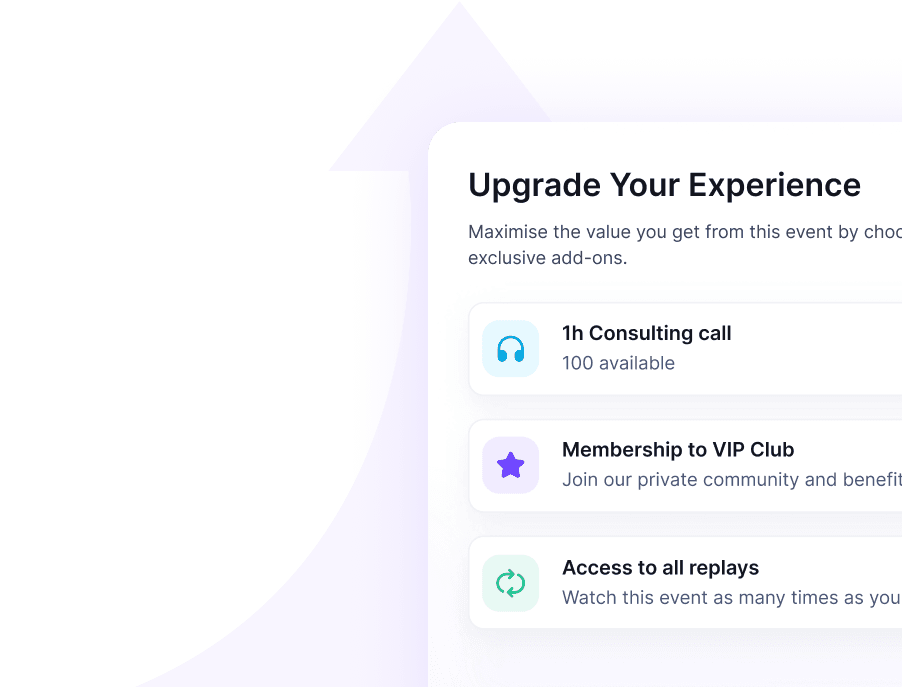
With HeySummit, this kind of offer can connect to tickets, add-ons, checkout, event pages, and payment workflows instead of being managed as a separate spreadsheet and manual email sequence.
Replay email sequence
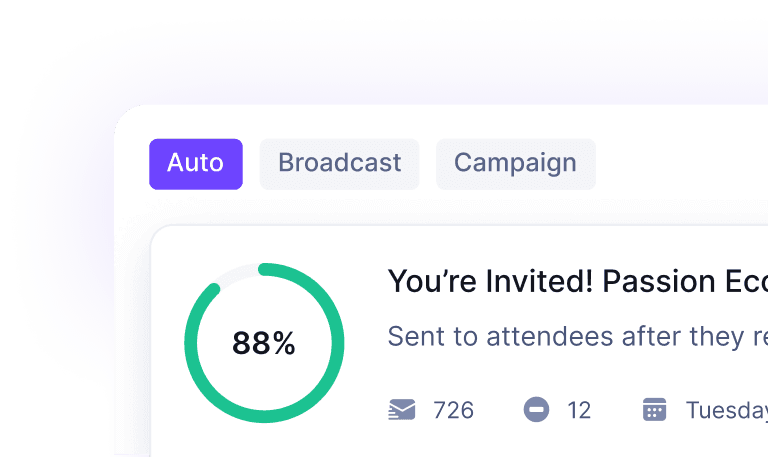
The replay email sequence should make the next step obvious without sending the same message five times. Each email needs a job.
Live event ends → Replay ready → Replay announcement → Best-session highlight → Deadline reminder → Upgrade or next-event CTA
1. Replay is coming
Send this soon after the live event ends. Thank people for joining, tell them when the replay will be available, and explain who will receive access.
2. Replay is available
Send the replay link, access window, support instructions, and a short guide to what to watch first. If there are multiple sessions, highlight two or three paths instead of dumping a long list.
3. Best sessions or key moments
Remind people why the replay is worth watching. Pull out the most useful sessions, quotes, demonstrations, or resources. This email should help people choose, not just remind them that videos exist.
4. Deadline reminder
If access expires, say so clearly. Include the date, timezone, and what happens after the deadline. If there is an upgrade option, explain it as extra value rather than pressure.
5. Next-step CTA
Point the reader toward the next meaningful action: join the next event, buy extended access, start the course, book a demo, explore the product, or share the recording with a colleague.
Accessibility and quality checks
Replay access is not just an upload task. Viewers need recordings they can actually use.
W3C's guidance on captions and subtitles explains that captions help make audio and video media accessible. For event replays, that means captions, transcripts, clear labels, and quality checks should be part of the replay plan rather than a last-minute afterthought.
Before publishing replays, check:
- Video playback works on desktop and mobile.
- Captions or transcripts are available where needed.
- Session titles, speakers, and descriptions are clear.
- Private chat, customer data, or internal content has not been accidentally included.
- Speaker agreements allow the recording to be reused in the planned way.
- Replay links, ticket gates, and upgrade links work for the right audience segments.
- Support instructions are visible if someone cannot access a session.
If you plan to reuse the content for months, make the quality bar higher. Evergreen replays need better titles, thumbnails, descriptions, captions, and navigation than a short-lived post-event replay window.
How HeySummit helps with replay access
Replay access touches more than video hosting. It affects registration, tickets, checkout, emails, event pages, access rules, payments, and reporting.
HeySummit is built around that broader event workflow. You can use ticketing to define access levels, upsells and checkout to offer paid replay access or VIP bundles, custom event emails to communicate replay windows, and on-demand content workflows to keep valuable sessions working after the live event ends.
If you are planning a paid replay pass or on-demand event library, the most important question is not only "Where will the video live?" It is "How will the replay offer fit the attendee journey?" See how HeySummit works if you want the replay workflow connected to the rest of your event setup.
Replay access checklist
Use this checklist before you publish replay access or promote an upgrade.
- Choose one primary replay model: free, limited-time, paid add-on, VIP pass, evergreen library, or sponsor bundle.
- Define who qualifies for access and how that eligibility is enforced.
- Set the replay window, including date, time, timezone, and what happens after access ends.
- Decide whether replay access is included, sold separately, or bundled into a premium ticket.
- Write the replay announcement, highlight email, deadline reminder, and next-step CTA.
- Check captions, transcripts, playback quality, mobile experience, and speaker permissions.
- Verify every replay link, ticket rule, checkout upgrade, and support path.
- Choose the conversion path: next event, product tour, demo, course, community, membership, or on-demand library.
- Review the live replay page as a real attendee, not just as an admin.
Final takeaway
A replay is a recording. Replay access is the offer around that recording.
When you define the access window, eligibility rules, email sequence, upgrade path, and quality requirements, replays become more than a post-event archive. They become a way to serve attendees who missed the live session, extend the value of your speakers, and connect the event to the next step in your business.
Frequently asked questions
Table of Contents
What virtual event replay access meansReplay-offer decision matrixChoose the replay model based on the event goalWhat every replay offer needsHow to turn replay access into an upsell without annoying attendeesReplay email sequenceAccessibility and quality checksHow HeySummit helps with replay accessReplay access checklistFinal takeawayFrequently Asked QuestionsTry HeySummit free
HeySummit is the easiest way for creators and educators to grow their audience, authority and revenue with professional online events created in minutes, not weeks.
Share this article on:
Recent Posts
Loading feed...