WordPress Event Plugins vs Event Platform: When Is a Plugin Stack Enough?
-1690817315934-652794559.png&w=96&q=75)
Benjamin Dell
Founder, HeySummit
A WordPress event plugin can be exactly the right tool when the event job is narrow: publish a calendar, collect registrations, sell a ticket, or accept RSVPs inside a site your team already knows. The decision gets harder when the event also needs speakers, session schedules, access rules, reminders, video providers, CRM handoffs, reporting, and replays.
At that point, the question is not “Can WordPress run an event?” It can. The useful question is: which system should own each event job, and how many handoffs is your team prepared to operate?
This guide compares three valid architectures—a WordPress plugin, a dedicated event platform, and a hybrid setup—without assuming that the platform must always win.
The short answer: plugin, platform, or hybrid?
| Option | Best fit | Primary owner | Main advantage | Main tradeoff |
|---|---|---|---|---|
| WordPress event plugin | A calendar, directory, RSVP flow, simple registration, or repeatable event with limited operational complexity | The team or partner that owns the WordPress site | CMS control, familiar publishing, and flexible site-level customisation | Your team owns updates, testing, integrations, data boundaries, and support across the stack |
| Dedicated event platform | Multi-session, paid, speaker-led, access-controlled, replay-led, or recurring programmes | The event operations team inside one event-specific system | More of the event lifecycle can share one operating model | Less CMS-level control, plus a new product, subscription, and migration boundary |
| Hybrid | WordPress should remain the main marketing and content site, but not the event back office | WordPress owns discovery; the event platform owns the scoped event journey | Preserves the website while reducing event-lifecycle handoffs | Navigation, brand, data, payments, analytics, and support boundaries must be explicit |
Complexity—not company size or event prestige—should drive the choice. A large organisation may only need a simple calendar. A solo creator can still have a demanding paid summit with dozens of speakers, several access tiers, multiple video providers, and a replay library.
Start with event jobs, not tool names
List the jobs your event requires before comparing products. This keeps a familiar plugin, a polished demo, or an “all-in-one” label from deciding the architecture for you.
Give every job one accountable owner. That does not mean one vendor must own everything. It means your team can say which system holds the authoritative record, where data moves next, and who recovers a failed handoff. For a deeper architecture exercise, use this guide to an online event tech stack alongside the map below.
| Event job | Possible system of record | Handoff to test | Recovery owner |
|---|---|---|---|
| Marketing page and calendar | WordPress or event platform | Dates, URLs, branding, SEO metadata, and registration links | Website owner |
| Registration and attendee profile | Event platform or registration system | Consent, custom answers, duplicate records, and CRM sync | Registration owner |
| Checkout and payment | Payment provider plus ticketing system | Successful and failed payments, refunds, taxes, and invoices | Finance or ticketing owner |
| Ticket and content access | Event platform or access plugin | Free and paid tiers, expiry, live access, talk restrictions, and replays | Attendee support owner |
| Speakers and sessions | Event platform or project system | Profiles, schedules, media, join links, changes, and approvals | Speaker manager |
| Confirmations and reminders | Event platform or email platform | Trigger ownership, suppression, sender identity, and schedule changes | Communications owner |
| Live video or webinar delivery | Video provider | Session creation, registration sync, host links, attendee access, and fallback links | Broadcast owner |
| CRM and marketing data | CRM or email platform | Identity matching, fields, source data, consent, retries, and deletion | Revenue operations owner |
| Event reporting | Event platform plus analytics or finance systems | Definitions for registration, attendance, revenue, and content activity | Reporting owner |
| Recordings and replays | Video host or event platform | Upload, availability, access period, captions, packaging, and removal | Content owner |
Do not leave “the integration” as the owner. A connector moves data; it does not decide which record is authoritative or who fixes the exceptions.
When a WordPress event plugin is enough
A plugin is a strong long-term choice when the event job is close to the website job. That may be a public events calendar, a directory, a basic RSVP flow, a local class schedule, or a simple paid event whose registration and content rules do not change much.
Capable plugins can go well beyond a calendar. The current WP Event Manager listing on WordPress.org describes event listings, registrations, recurring events, ticket sales, WooCommerce payments, and a family of optional add-ons. That is a useful reminder not to compare a sophisticated plugin family with the weakest possible plugin example.
A WordPress-first architecture is most credible when:
- the team already owns WordPress administration, staging, backups, updates, performance, and support;
- the event has limited speaker, session, access, reminder, video, CRM, and replay complexity;
- bespoke site presentation or CMS behaviour matters more than a unified event back office;
- the plugin or plugin family clearly owns registration, tickets, and any event data you rely on; and
- the team has documented what happens when payment, email, video, or CRM handoffs fail.
A sensible plugin-first setup might use WordPress for pages and content, one established event plugin family for listings and registration, WooCommerce and a payment provider for checkout, an email platform for campaigns, and a webinar provider for delivery. It can work well when each boundary is stable and someone genuinely owns it.
When a plugin becomes a stack
A stack is not automatically bad. The change happens when the event depends on several independently configured systems rather than one plugin family doing a defined job.
Look for handoffs such as form to payment, payment to ticket access, registration to email, page to video, speaker to session, attendance to CRM, and recording to replay. Each handoff adds a mapping, credential, version, test path, support boundary, and recovery decision.
WordPress itself makes that ownership visible. Its current plugin-management documentation tells site owners to keep plugins updated, make a current backup before updates, review compatibility, and troubleshoot conflicts when plugins do not work as expected. That is normal platform ownership, not evidence that plugins are inherently unsafe or unreliable.
Automation reduces some manual work without removing that responsibility. WordPress's auto-update guidance explains that updates are enabled plugin by plugin, notifications can report successful or failed updates, rollback readiness is still advisable, and the schedule depends on WordPress Cron.
Ask one practical question: if registration succeeds but access, email, or CRM sync does not, can your team find the failed record and recover it before the attendee asks for help?
Seven signals a dedicated event platform may be safer operationally
“Safer” here means clearer operational ownership. It is not a blanket security or uptime promise.
- You coordinate several sessions or speakers. Profiles, talk details, schedules, join links, media, reminders, and last-minute changes need one working context.
- You sell more than one kind of access. Paid tiers, restricted talks, expiring access, instalments, add-ons, and replay packages create rules that attendee support must be able to inspect.
- The event needs its own pages, messages, and support journey. A calendar entry is no longer enough to explain the programme and move people from discovery to attendance.
- You use multiple video or session providers. The event layer must keep session details, attendee access, and provider responsibilities understandable.
- Speakers, sponsors, or affiliates are part of growth. Contributor operations and referral workflows have become event jobs rather than ad hoc spreadsheets.
- You need event-level reporting. Registrations, tickets, revenue, schedules, attendance, content activity, and replays need to be interpreted together.
- A nontechnical team needs one operational home. The organiser should not have to diagnose five products before answering an attendee or correcting a session.
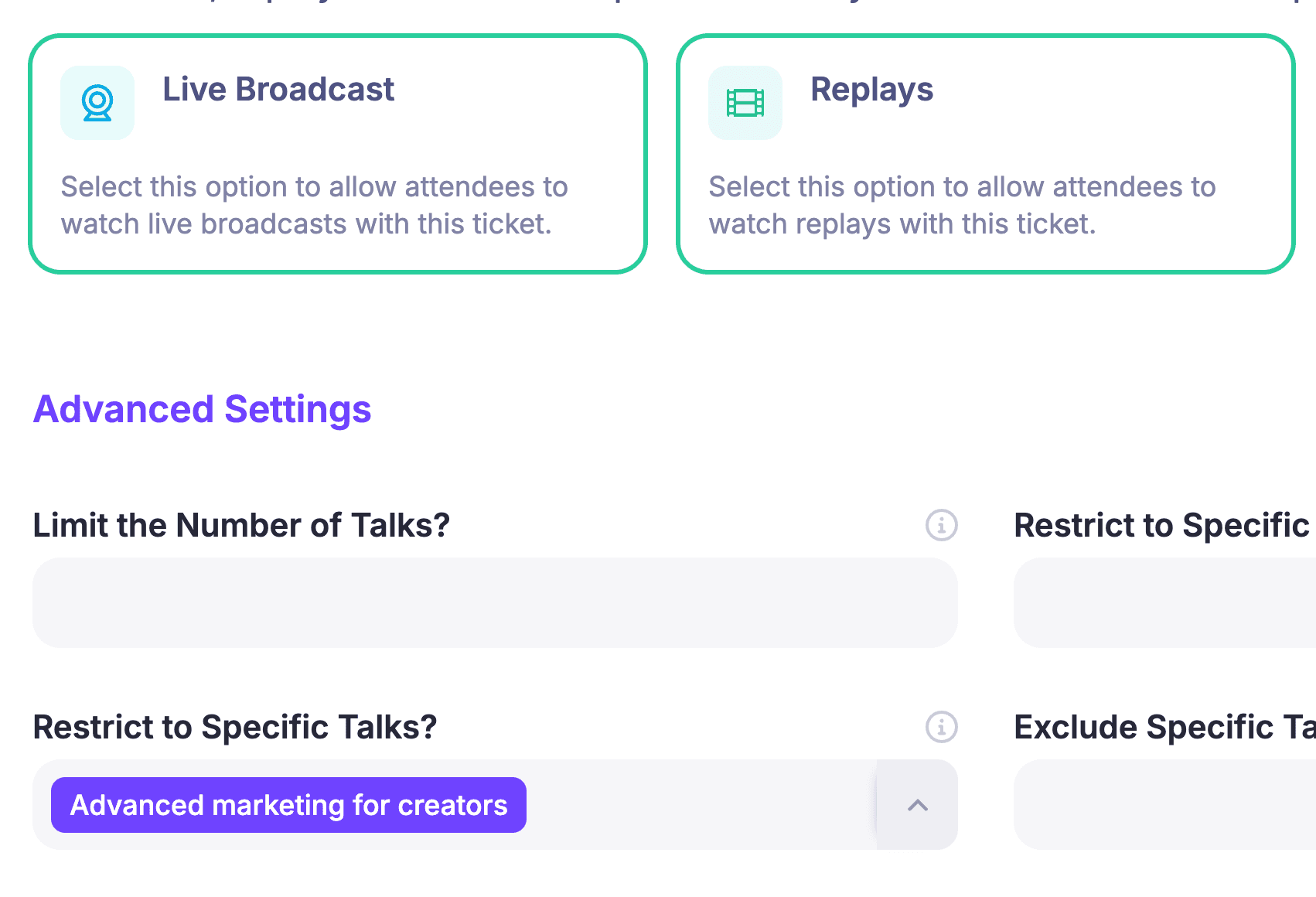
HeySummit's current event ticketing and access control surface supports ticket types, pricing tiers, live and replay access, talk-level restrictions, expiration, invoices, add-ons, and connected Stripe or PayPal payments. Plan allowances and payment requirements can change, so verify the exact fit for your event before committing.
The hybrid model: keep WordPress, move the event back office
Using an event platform does not require abandoning WordPress. In a hybrid architecture, WordPress remains the main website, content hub, SEO surface, and brand home. A dedicated online event platform owns the scoped event journey.
The boundary can be simple:
- WordPress attracts and educates. Publish evergreen content, campaign pages, navigation, and supporting resources there.
- The event platform converts and operates. Let it own event pages where appropriate, registration, tickets, access, sessions, speakers, messages, delivery connections, reporting, and replays.
- Specialist systems keep specialist records. The payment provider owns payment state; the video provider owns the broadcast; the CRM owns the long-term relationship record.
- Named handoffs join the systems. Document URL ownership, identity matching, payment and refund flow, CRM sync, analytics, consent, support, and recovery.
This model works best when the move feels coherent to the attendee. Keep navigation, naming, event context, and support instructions consistent across both surfaces. Do not assume an embed, custom domain, or invisible handoff is available until you have verified it in the chosen plan and configuration.
WordPress plugin vs event platform: a detailed comparison
| Decision area | WordPress plugin | Dedicated event platform | Hybrid |
|---|---|---|---|
| CMS and design control | Strongest when your team wants WordPress-native templates, fields, and code | Uses the event product's page and branding model | WordPress keeps the main site; event pages follow a defined handoff |
| Registration | Can be simple or sophisticated, depending on the plugin family and add-ons | Usually tied directly to event records, tickets, communications, and reporting | Marketing begins on WordPress; the event system owns registration |
| Tickets and payments | Often depends on WooCommerce or another checkout layer | Ticket rules sit closer to attendee access and event reporting | Event platform owns tickets while the payment provider keeps payment state |
| Access rules | Depends on the event, membership, and content plugins selected | Designed around event sessions, live access, and replays | WordPress stays public; protected event access lives in the event platform |
| Speakers and sessions | May require forms, custom content types, email, and project tools | More likely to provide event-specific speaker and schedule workflows | Speaker operations move to the event platform; public editorial content can remain in WordPress |
| Reminders and changes | Your team decides which plugin or email system sends each message | Event messages can use the same registration, ticket, and schedule context | Campaign email and operational email have separate, documented owners |
| Video delivery | Typically embedded or linked from an external provider | May connect provider sessions to event access and schedules | The video provider delivers; the event platform manages context and access |
| CRM and integrations | Flexible, but mappings and connector ownership sit with your stack | Event-specific data can leave from one operating context | CRM remains authoritative; event records sync through a named path |
| Reporting | May require combining website, commerce, email, video, and CRM data | Can connect event pages, registrations, sales, schedules, attendance, and replays | Event reporting stays in the platform; site and CRM analytics remain separate but reconcilable |
| Replays | Usually a content, membership, or course workflow assembled in WordPress | Can reuse event access and content records for post-event delivery | WordPress promotes the library; the event platform packages protected access |
| Testing owner | Your WordPress owner tests core, theme, plugins, checkout, email, and integrations together | The event team tests configured event journeys and connected providers | Each system owner tests their surface, with one end-to-end event owner |
| Support boundary | May cross hosting, theme, plugin, payment, email, video, and integration vendors | More event workflows begin with one platform support path | The boundary is deliberate and documented rather than accidental |
If registration is the main decision, compare the event architecture with the separate guide to event registration software. If the uncertainty is about live delivery, use the webinar tool vs event platform framework to separate the broadcast layer from the event business layer.
A practical migration sequence
Do not migrate every event, record, and integration at once. Use one bounded event or programme to prove the new boundary.
- Inventory the current stack and data. Include WordPress pages, forms, plugins, orders, registrants, consent, email, sessions, speakers, video links, recordings, CRM records, reports, and exports.
- Name each system of record. Decide where attendee identity, payment state, ticket access, speakers, sessions, and replay access will live after the move.
- Choose one boundary to migrate first. A new event is usually easier than moving a live registration flow midway through its campaign.
- Rebuild rules before importing data. Configure registration, tickets, access, messages, sessions, and replay behaviour before loading real attendees.
- Test with demo data. Run free and paid registration, failed payment, refund or cancellation, confirmation, reminders, speaker changes, live access, replay access, CRM sync, export, and recovery.
- Keep rollback and export paths. Record what happens if the new journey fails, who can restore access, and how data leaves each system.
- Confirm privacy and retention ownership. Know which system stores each field, why it is needed, who can remove it, and what must remain for finance or legal purposes.
Keep the old WordPress path available until the test event meets its acceptance criteria. A migration is complete when the team can run and support the new workflow, not when the data import finishes.
How HeySummit fits the hybrid or platform route
HeySummit is designed to keep more of an event's operating context together: event pages, registration, tickets and access, speakers and sessions, custom emails, video and streaming integrations, sponsors, affiliates, reporting, and replay or on-demand access. WordPress can remain the content and marketing layer.
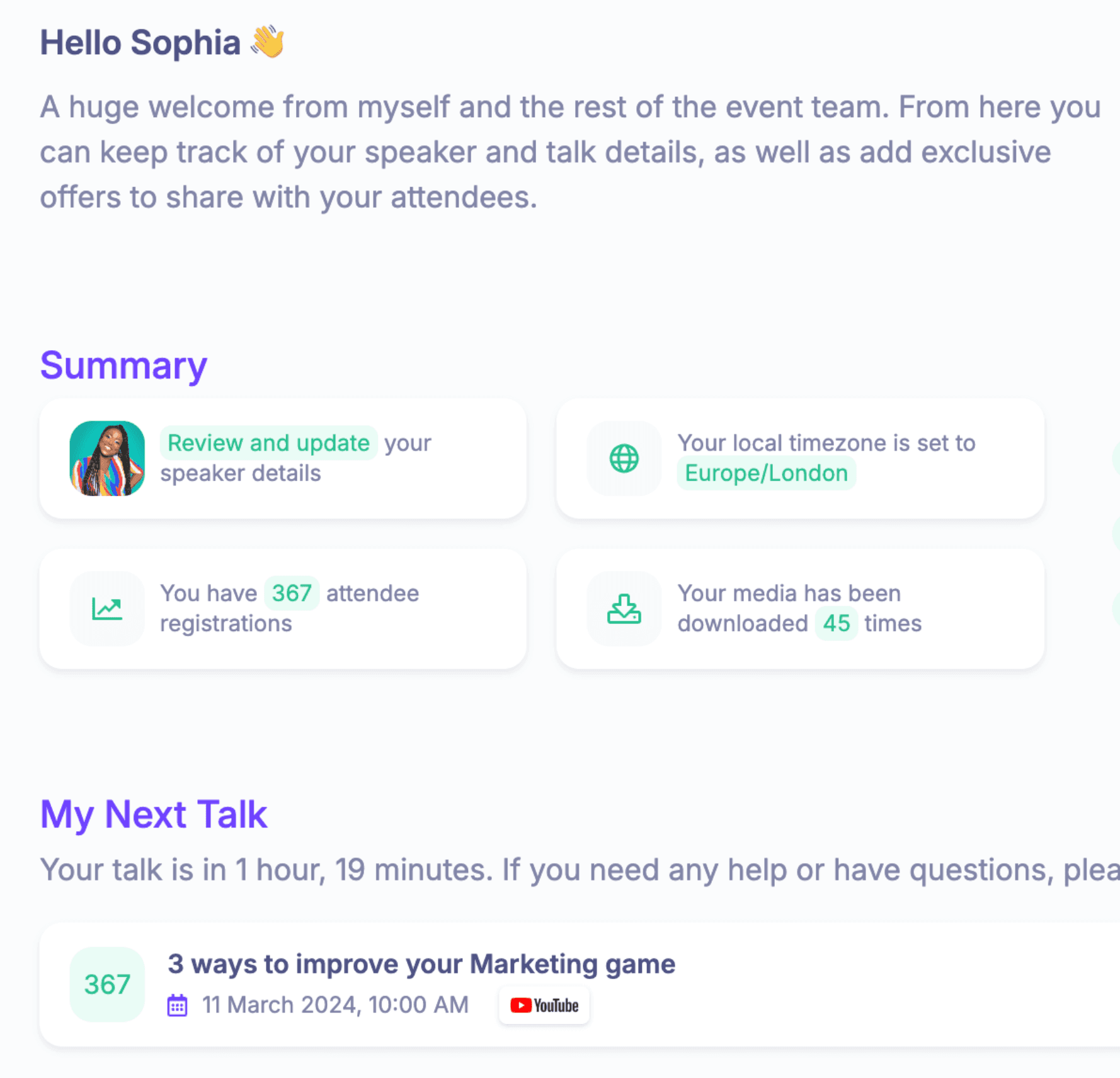
The current reporting and analytics surface covers event dashboards, attendees, schedules, sales and revenue, registration data, live attendance, and replay insights. For content that should keep working beyond the live date, HeySummit also supports packaging and delivering on-demand event content. Delivery can still connect to external video and streaming integrations; HeySummit should not be described as replacing every video provider, CRM, payment system, or CMS.
HeySummit is worth testing for creators, educators, communities, associations, nonprofits, and event teams whose complexity sits in tickets, access, speakers, sessions, email, delivery connections, partner workflows, reporting, and replays.
It may not be the right fit if you only need a calendar or RSVP form, require a completely bespoke self-hosted application, or depend on specialist onsite hardware, floor plans, venue operations, exhibitor lead retrieval, or another workflow that has not been verified in the current product.
Decision checklist
Answer these questions for one representative event:
- Does the event need more than a page, calendar, RSVP, or simple ticket?
- Do several systems edit the same attendee, payment, access, or session state?
- Can staff identify the owner of every confirmation, reminder, and schedule change?
- Can support inspect why a specific attendee cannot access a live session or replay?
- Do speakers or sponsors need their own repeatable workflow?
- Are live delivery, registration, access, and replay rules connected?
- Can the team recover failed CRM, email, payment, or video handoffs?
- Can reporting connect registrations, revenue, attendance, and content activity?
- Does the team have the time and expertise to test WordPress, plugins, and integrations together?
- Would WordPress still add more value as the marketing site than as the event back office?
If the answers stay close to the website and your team owns WordPress confidently, keep the plugin and document the operating model. If the complexity sits across the event lifecycle, see how HeySummit works and test the same representative event in the product. If the workflow fits, you can then start a free trial without replacing WordPress as your main website.
Frequently asked questions
Table of Contents
The short answer: plugin, platform, or hybrid?Start with event jobs, not tool namesWhen a WordPress event plugin is enoughWhen a plugin becomes a stackSeven signals a dedicated event platform may be safer operationallyThe hybrid model: keep WordPress, move the event back officeWordPress plugin vs event platform: a detailed comparisonA practical migration sequenceHow HeySummit fits the hybrid or platform routeDecision checklistFrequently Asked QuestionsTry HeySummit free
HeySummit is the easiest way for creators and educators to grow their audience, authority and revenue with professional online events created in minutes, not weeks.
Share this article on:
Recent Posts
Loading feed...