Event Communication Plan Template: Audiences, Owners, Channels, and Timing
-1690817315934-652794559.png&w=96&q=75)
Benjamin Dell
Founder, HeySummit
Event communications rarely fail because nobody remembered to send an email. They fail because the audience changed, the access link moved, the speaker missed a deadline, or two people assumed the other person owned the update.
This event communication plan template gives you one place to map every important message across attendees, speakers, sponsors, partners, vendors, and your internal team. It is broader than a promotion calendar, but you can prune it down to five rows for a simple webinar.
What is an event communication plan?
An event communication plan is an operating map for who needs each message, what triggers it, which channel carries it, who owns and approves it, where the source information lives, and what should happen if the plan changes.
That last part matters. A date in a calendar tells you when you hoped to send something. A communication plan tells you whether the message is still correct, who can approve it, and how to reach the audience if the first channel fails.
Copy this event communication plan template
Duplicate the table into your spreadsheet or project tool, remove audiences that do not apply, and add dates only after you have mapped the real triggers and dependencies. The starter rows show the messages most events need; add or delete rows rather than forcing your event into a fixed cadence.
On a phone? Swipe sideways to see every column in the template.
| Audience | Phase | Trigger or deadline | Purpose | Message or asset | Required action | Channel | Owner | Approver | Source of truth | Personalization inputs | Dependencies | Permission and accessibility check | Fallback or escalation | Status | Measurement or evidence | Follow-up owner |
|---|---|---|---|---|---|---|---|---|---|---|---|---|---|---|---|---|
| Internal event team | Planning | Go/no-go decision | Confirm launch readiness | Launch approval | Approve or list blockers | Project tool and team chat | [Event lead] | [Decision maker] | Approved event brief | Owner and workstream | Page, tickets, schedule, support plan | Use clear blocker language | Escalate unresolved blocker | Awaiting approval | Decision recorded | [Workstream owner] |
| Registrants or ticket holders | Registration | Registration or purchase completes | Confirm booking and access | Registration confirmation | Save event details | Event email and confirmation page | [Event operations] | [Email owner] | Registration and ticket record | Name, ticket, time zone | Ticket rules and access links | Plain purpose, accurate time zone, service-message review | Support route on event page | Ready | Delivery, bounce, support issues | [Support owner] |
| Speakers and moderators | Onboarding | Invitation accepted | Collect the details needed to publish the session | Speaker onboarding handoff | Complete profile and talk details | Speaker dashboard and email | [Speaker manager] | [Content lead] | Speaker record | Name, session, outstanding fields | Profile form and deadline | Instructions separated into clear steps | Personal follow-up from speaker manager | Awaiting input | Profile complete | [Speaker manager] |
| Sponsors and partners | Asset collection | Package agreed | Collect approved assets and links | Sponsor or partner asset request | Upload assets by deadline | Email and shared workspace | [Partnerships owner] | [Brand owner] | Signed package or agreement | Package, contact, placement | Asset specifications and approval route | Do not assume access to a partner's audience | Escalate missing critical asset | Awaiting input | Approved assets received | [Partnerships owner] |
| Hosts, speakers, and production | Rehearsal | Run-of-show approved | Confirm roles and live access | Readiness note | Check access and acknowledge role | Email and internal chat | [Producer] | [Event lead] | Approved run-of-show | Role, session, joining link | Final schedule and provider access | Separate instructions; identify time zone | Call or alternate joining route | Ready | Acknowledgement and rehearsal attendance | [Producer] |
| Registered attendees | Live delivery | 24 hours before start | Help people join successfully | Event reminder | Check schedule and access | Email and calendar | [Event operations] | [Email owner] | Final schedule and event page | Ticket, time zone, access state | Published sessions and joining route | Clear subject, time zone, link labels, support path | Event page notice and support | Scheduled | Delivery and access questions | [Support owner] |
| Affected attendees and contributors | Change or incident | Source-of-truth field changes | Replace obsolete information quickly | Schedule or access update | Use the corrected details | Event page first, then priority channels | [Incident lead] | [Named approver] | Incident log or approved schedule | Affected segment, old and new details | Confirmed correction and audience list | Plain change summary; do not hide the correction | Status page, SMS, support, or direct contact as appropriate | Ready/manual | Channels updated and obsolete sends cancelled | [Incident lead] |
| Attendees, no-shows, and replay viewers | Follow-up | Recording and access rules confirmed | Provide replay access and collect feedback | Replay and feedback handoff | Watch replay or submit feedback | Event email and replay page | [Event operations] | [Content owner] | Replay URL and ticket permissions | Attendance and access segment | Recording, captions, access window | Keep service access separate from optional promotion | Support route and corrected replay link | Awaiting input | Delivery, replay access, feedback | [Reporting owner] |
What each field means
- Audience: the smallest useful recipient group. “Attendees” is often too broad if VIP ticket holders, no-shows, or replay viewers need different instructions.
- Lifecycle phase: where the message sits in the event, such as registration, onboarding, rehearsal, live delivery, or follow-up.
- Trigger or decision deadline: the event that makes the message valid. Use “recording approved” or “schedule locked” before adding a calendar date.
- Purpose and required action: what the recipient should understand or do after reading.
- Channel: where the message will appear. One message can use more than one channel, but each channel still needs an owner.
- Owner and approver: the person who prepares or sends the message and the person who can confirm it is correct.
- Source of truth: the approved record that settles disagreements about the schedule, access rule, ticket, link, or status.
- Inputs and dependencies: the data and assets that must exist before the message can be sent safely.
- Permission and accessibility check: the consent, purpose, clarity, formatting, and access review appropriate to that audience and channel.
- Fallback or escalation: the second route when the first sender, link, owner, or channel fails.
- Status: use a small controlled list: draft, awaiting input, awaiting approval, scheduled, ready/manual, sent, superseded, blocked, or complete.
- Measurement and follow-up: the evidence that the message worked and the person who owns the next action.
Do not mark a message “scheduled” unless a real sender or automation owns delivery. A date in a project board is not a sending system.
Build the plan in six passes
- List the audiences. Start with internal teams, prospects, registrants, ticket segments, speakers, sponsors, partners, vendors, production, and support. Remove groups your event does not have.
- Map phases and triggers. Work from decisions and dependencies, then add dates. Tie this back to your wider event planning timeline so a schedule change updates both plans.
- Name the source of truth. Decide whether the event page, ticket record, approved run-of-show, speaker record, provider link, or incident log wins when tools disagree.
- Assign one owner and one approver. A team can contribute, but one person must know the message is ready and one person must be able to approve it.
- Choose the channel and fallback. Use the channel the audience can reasonably access, then name a second route for urgent or high-risk messages.
- Define evidence and the next owner. Delivery is not always the finish line. Access questions, missing assets, failed links, and unresolved handoffs need somewhere to go.
Cover the event before, during, and after
A complete plan usually spans eight phases:
- Planning and approvals
- Launch and public registration
- Contributor and partner onboarding
- Registration nurture and reminders
- Rehearsal and readiness
- Live or day-of delivery
- Schedule changes and incidents
- Replay, feedback, reporting, and the next-event handoff
The phases are stable; the dates are not. A one-off webinar might move from registration to live delivery in seven days. A paid summit might spend months collecting speaker and sponsor assets. The same framework works because it follows dependencies instead of prescribing a universal countdown.
Map each audience to a clear owner
Attendees and access segments
Separate prospects, registrants, ticket holders, VIP or access groups, no-shows, live attendees, and replay viewers when their instructions differ. A paid ticket holder may need a receipt and access rule that a free registrant does not. A no-show needs a replay handoff, not a “thanks for joining live” message.
Speakers, hosts, and moderators
Assign one speaker manager to profile details, talk information, deadlines, rehearsals, promotional assets, and final live access. A speaker onboarding checklist can hold the tasks; the communication plan records when and how each handoff reaches the speaker.
Sponsors, affiliates, and partners
Keep asset collection, approval, referral links, promotional handoffs, live-day contacts, and post-event reporting as separate rows. Do not assume that a partner relationship gives you permission to market directly to the partner's list.
Vendors, production, and support
Name the people who own the venue, broadcast provider, payment flow, incident response, and attendee support. These contacts often sit outside the event platform, which makes the source-of-truth and escalation columns especially important.
Choose the channel and system of record
Use email for detailed instructions and durable confirmations, the event page for current public information, calendar updates for time changes, and direct or real-time channels for urgent issues. A CRM or support desk may own the downstream conversation; a video provider may own the joining experience; internal chat may own the production response.
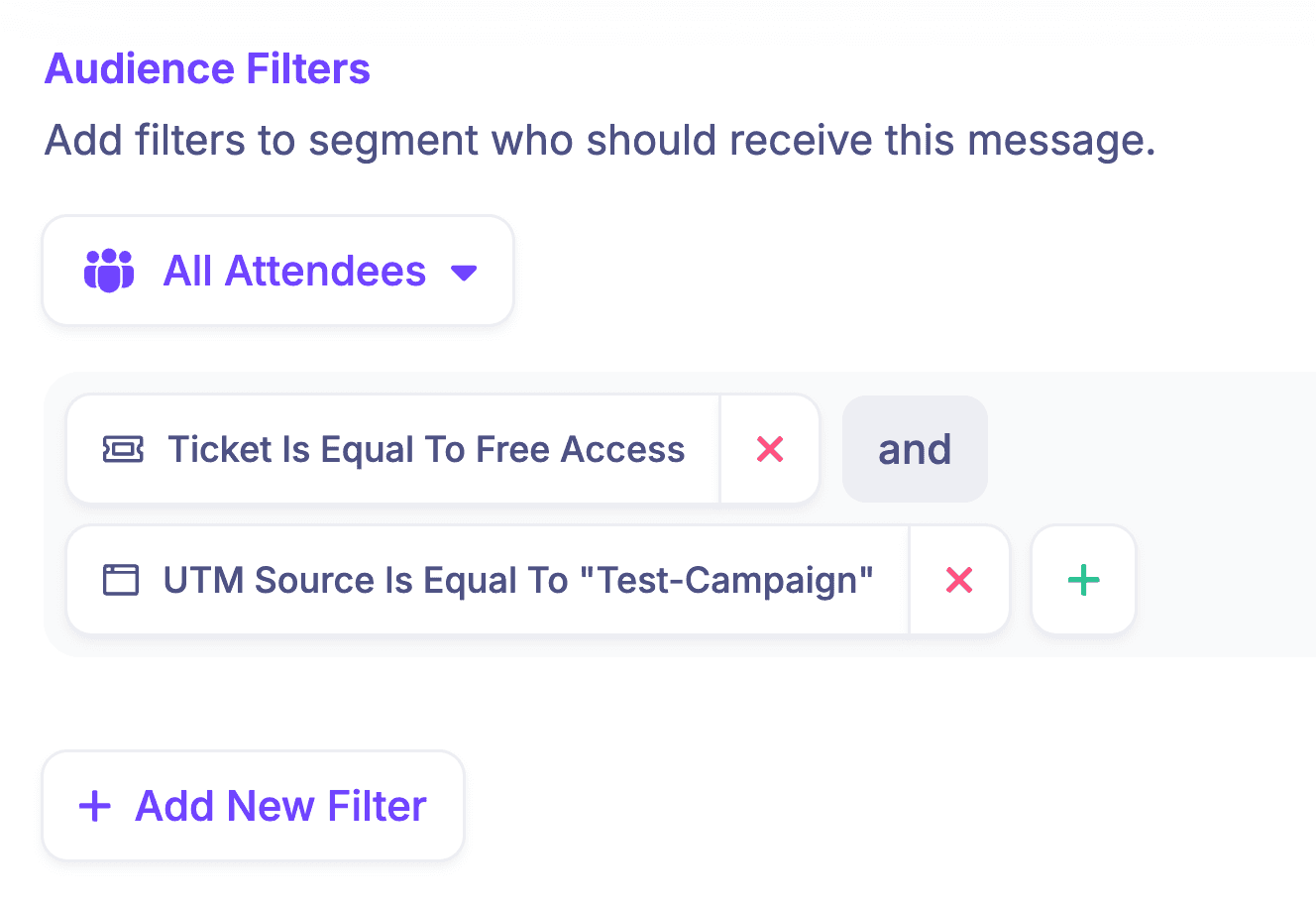
The important decision is not “Which single tool should send everything?” It is “Which system owns this message, and where can the recipient find the current truth?” HeySummit can manage custom event emails and audience segments inside the event workflow, while CRM and revenue integrations help pass data to adjacent systems when they own the next step.
Separate service messages from marketing
A registration confirmation, receipt, access link, schedule correction, or safety notice serves a different purpose from an invitation, upgrade offer, or next-event promotion. Keep that purpose visible in the plan instead of quietly adding promotional copy to an operational message.
The UK Information Commissioner's Office explains in its current electronic mail marketing guidance that purely administrative or customer-service messages are not direct marketing when they only provide administrative information, but adding advertising or marketing material changes how the message is treated. That is UK guidance, not universal legal advice, so review the recipient, channel, content, and relevant jurisdiction.
Clarity is also an access requirement, not just an editing preference. W3C's cognitive accessibility guidance recommends understandable words, short sentences, unambiguous content, clear layout, and separating instructions. Put the time, time zone, required action, and support route where people can find them quickly.
Example: a lean one-off webinar
A small webinar does not need the full matrix. Start with these five rows and add more only when the format creates a real handoff.
On a phone? Swipe sideways to see each owner, source, and fallback.
| Message | Trigger | Audience | Owner | Source of truth | Channel | Fallback | Evidence and next action |
|---|---|---|---|---|---|---|---|
| Registration confirmation | Registration completes | Registrant | Event operations | Registration record | Email and confirmation page | Support link on event page | Check delivery, bounce, and access questions |
| Event reminder | Final schedule and access link approved | Registered attendees | Event operations | Published event page | Email and calendar | Event-page notice | Use the event reminder email sequence for copy and timing detail |
| Host readiness note | Rehearsal completes | Host and producer | Producer | Approved run-of-show | Email and team chat | Direct call | Record acknowledgement and any blocker |
| Schedule or access change | Approved source changes | Affected attendees and host | Incident lead | Incident log | Event page, then email | Support or alternate real-time channel | Cancel obsolete sends and confirm every public surface |
| Replay and follow-up | Recording and access rules approved | Attendees and no-shows by access segment | Event operations | Replay page and ticket permissions | Corrected replay link via support | Track access issues and hand feedback to reporting owner |
We deliberately removed sponsor, affiliate, vendor, and multi-speaker rows. A lean plan is complete when every real dependency has an owner—not when every row in a template is filled.
Example: a paid multi-speaker summit
A larger summit adds audiences and dependencies rather than simply sending more attendee emails.
On a phone? Swipe sideways to inspect the cross-audience handoffs.
| Audience | Message or handoff | Trigger | Owner | Dependency or source | Fallback or control |
|---|---|---|---|---|---|
| Speaker | Invitation and acceptance | Session offer approved | Speaker manager | Approved speaker and session record | Personal follow-up for no response |
| Speaker | Profile, talk details, and asset deadline | Invitation accepted | Speaker manager | Speaker dashboard and content requirements | Escalate missing launch-critical assets |
| Speaker and production | Rehearsal and final live access | Run-of-show approved | Producer | Final schedule and provider link | Alternate joining route and direct contact |
| Sponsor | Asset deadline and placement approval | Package confirmed | Partnerships owner | Signed package and brand requirements | Named approver; reject stale or unapproved assets |
| Affiliate or partner | Tracking link and approved promotion kit | Partner terms accepted | Growth owner | Partner record and approved assets | Partner owns permission for its audience |
| Ticket holder | Receipt, access, and schedule | Purchase completes | Event operations | Ticket and payment records | State whether the event or payment provider owns the receipt |
| Affected audiences | Live change and resolution | Approved incident state changes | Incident lead | Incident log and corrected event data | One owner, channel priority, fallback, and resolution update |
| Attendee segments | Replay and survey | Recording and access window approved | Event operations | Replay URL, captions, and ticket rules | Separate service access from optional promotion |
| Sponsor and internal team | Delivery and report handoff | Reporting data reconciled | Partnerships owner | Approved sponsor deliverables and reporting data | Document caveats and unresolved data |
| CRM and finance owners | Follow-up, revenue, and reconciliation | Event data and payments settle | Named downstream owners | CRM, ticket, affiliate, and payment records | Resolve mismatches before next-event decisions |
Map the plan to HeySummit and adjacent tools
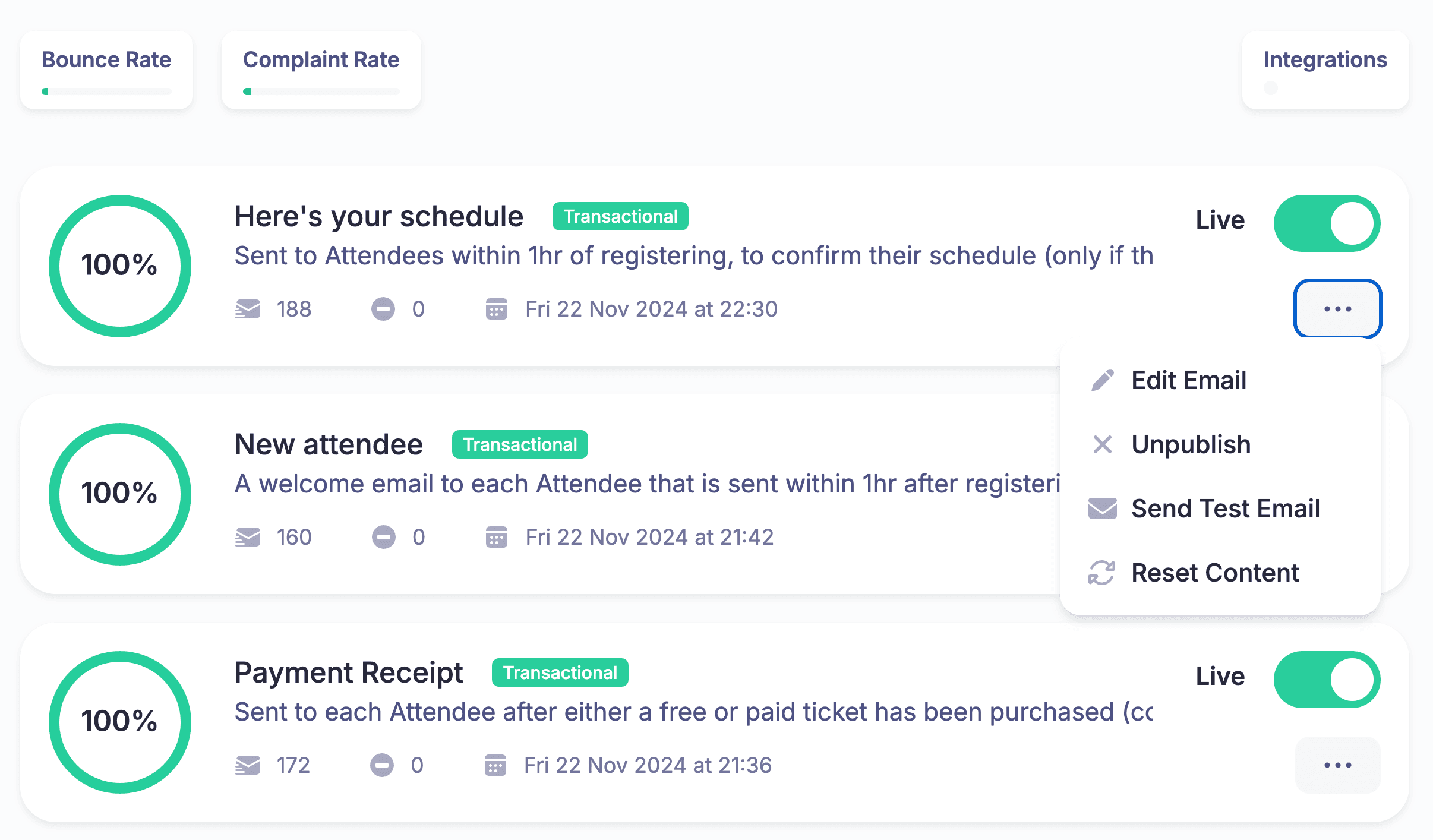
The matrix remains your operating document. HeySummit can centralize the event-specific parts of that plan: public event information, registration, ticket access, attendee emails, speaker workflows, affiliates and sponsors, video integrations, replays, and reporting. Your CRM, payment provider, support desk, internal chat, or broadcast tool may still own other rows.
For example, attendees can receive different event emails from one central list while your speaker dashboard handles contributor profiles and talk details. Video and streaming integrations can connect the delivery workflow without turning the event platform into your incident-management system.
Use the plan to decide where each row belongs before you automate it. Automating an unclear owner or stale source of truth only makes the wrong message travel faster.
Run a pre-send and change-control check
- Is this the correct audience and access segment?
- Does the message use the current schedule, link, ticket rule, and source-of-truth data?
- Are the time zone, required action, link labels, and support route clear?
- Is the sender named and the approval recorded?
- Have you reviewed the purpose, permission, opt-out, and jurisdiction requirements for the channel?
- Have links, calendar files, access rules, and personalization fields been tested?
- Does an urgent message have a fallback or escalation route?
- If something changed, were obsolete scheduled messages cancelled or superseded?
Review the plan after the event
Record delivery failures, unclear instructions, repeated support questions, missing assets, last-minute approvals, and handoffs that never found an owner. Then carry those lessons into your post-event report template and the next event plan.
A useful communication plan gets smaller and sharper over time. Keep the rows that prevented confusion, rewrite the rows that created support work, and remove the rows nobody needed.
Start with the smallest plan that covers the risk
If you are running a one-off webinar, copy the five-row example and assign the owners today. If you are coordinating a paid summit, begin with the audience map and source-of-truth decisions before building the full schedule.
When you are ready to centralize the event-specific workflows behind the plan, see how HeySummit works or start a free trial.
Frequently asked questions
Table of Contents
What is an event communication plan?Copy this event communication plan templateWhat each field meansBuild the plan in six passesCover the event before, during, and afterMap each audience to a clear ownerChoose the channel and system of recordSeparate service messages from marketingExample: a lean one-off webinarExample: a paid multi-speaker summitMap the plan to HeySummit and adjacent toolsRun a pre-send and change-control checkReview the plan after the eventStart with the smallest plan that covers the riskFrequently Asked QuestionsTry HeySummit free
HeySummit is the easiest way for creators and educators to grow their audience, authority and revenue with professional online events created in minutes, not weeks.
Share this article on:
Recent Posts
Loading feed...