Event CRM Integration Checklist: Registration, Consent, Follow-Up, and Reporting
-1690817315934-652794559.png&w=96&q=75)
Benjamin Dell
Founder, HeySummit
An event registration is only the start of a data journey. The same person may move through checkout, choose a ticket, answer custom questions, attend a session, change an email preference, and appear in several reports. If nobody has written down which system owns each state, the CRM handoff becomes guesswork.
This event CRM integration checklist helps you define that handoff before launch. You will map the systems, choose a connection method, document the minimum fields, test realistic attendee states, and leave a recovery path for anything that fails. If you need the short definition first, start with our event CRM glossary.
The readiness test: every important event state needs an owner, a destination, an update rule, a permission rule, a test case, and a recovery owner. If one of those is blank, the integration is not ready.
1. Decide what each system owns
“CRM integration” can describe several different jobs. A venue-sales CRM may manage enquiries, contracts, rooms, and account pipelines. An event-marketing workflow usually connects registration, ticket access, attendee activity, follow-up, and campaign reporting. This checklist focuses on the second job.
Start by assigning ownership by data family instead of declaring one platform the universal source of truth. Your registration software should usually own event access and registration state. Your CRM should usually own the durable contact record and the long-term commercial relationship. Your email or automation platform owns nurture delivery, while analytics tools explain acquisition and on-site behaviour.
| Data family | Typical owner | Downstream use | Decision to record |
|---|---|---|---|
| Event, ticket, and access | Event platform | Registration, checkout, attendee access | Which state means the person is fully registered? |
| Contact identity and relationship | CRM | Account history, ownership, sales workflow | Which identifier matches an existing contact? |
| Custom registration answers | Event platform at collection; CRM where useful | Segmentation and relevant follow-up | Which answers deserve durable CRM fields? |
| Communication preferences | System where the choice is collected, with a defined suppression rule | Service messages and marketing controls | Which system wins when preferences conflict? |
| Attribution | Analytics and event platform | Campaign and referral reporting | Which values must survive into the CRM? |
| Attendance and content activity | Event platform or delivery provider | Event reporting and carefully qualified follow-up | Which activities are reliable enough to use? |
Write the conflict rule now. For example: a CRM opt-out must never be replaced by a less restrictive event-platform value, and a blank custom answer must not erase a populated CRM field unless the team explicitly wants that behaviour.
2. Draw the one-page data flow
A useful architecture diagram can fit on one line:
Acquisition source → registration or checkout → attendee and ticket state → CRM contact, campaign, or list → follow-up → event and revenue reporting.
Under each arrow, add five labels: direction, timing, method, expected result, and failure owner. That turns a vague stack diagram into an operating plan. The exercise also exposes where the team is expecting one connection to do several unrelated jobs.
If your setup has grown organically, compare it with a broader event tech stack map. Remove duplicate routes where possible. Two automations writing to the same CRM field can be more dangerous than no automation because the final value depends on timing.
3. Choose the connection method by workflow
There is no universally best integration method. Pick the simplest route that exposes the states and fields you actually need, then give somebody ownership of failures.
| Method | Best fit | Strength | Watch for | Recovery path |
|---|---|---|---|---|
| Native integration | A supported CRM with standard attendee mapping | Fast setup and product-owned connection flow | Field, state, cadence, and plan limits | Resync or export, when supported |
| No-code automation | Cross-tool routing without a custom build | Flexible branching across common apps | Trigger coverage, task failures, duplicate steps | Replay failed runs or import a checked export |
| Event dashboard webhook | A small set of event-scoped actions | Direct POST when a documented action happens | Available actions, endpoint health, response handling | Log the payload and provide a replay process |
| API or API-created subscription | Bespoke objects, account-level workflows, engineering-owned integrations | More control over data and behaviour | Authentication, versioning, retries, monitoring, plan access | Persist event IDs and build an idempotent backfill |
| Scheduled or manual export | Batch handoffs, audit, backfill, and reconciliation | Inspectable and easy to compare | Stale data, formatting drift, manual errors | Correct the file and rerun the import |
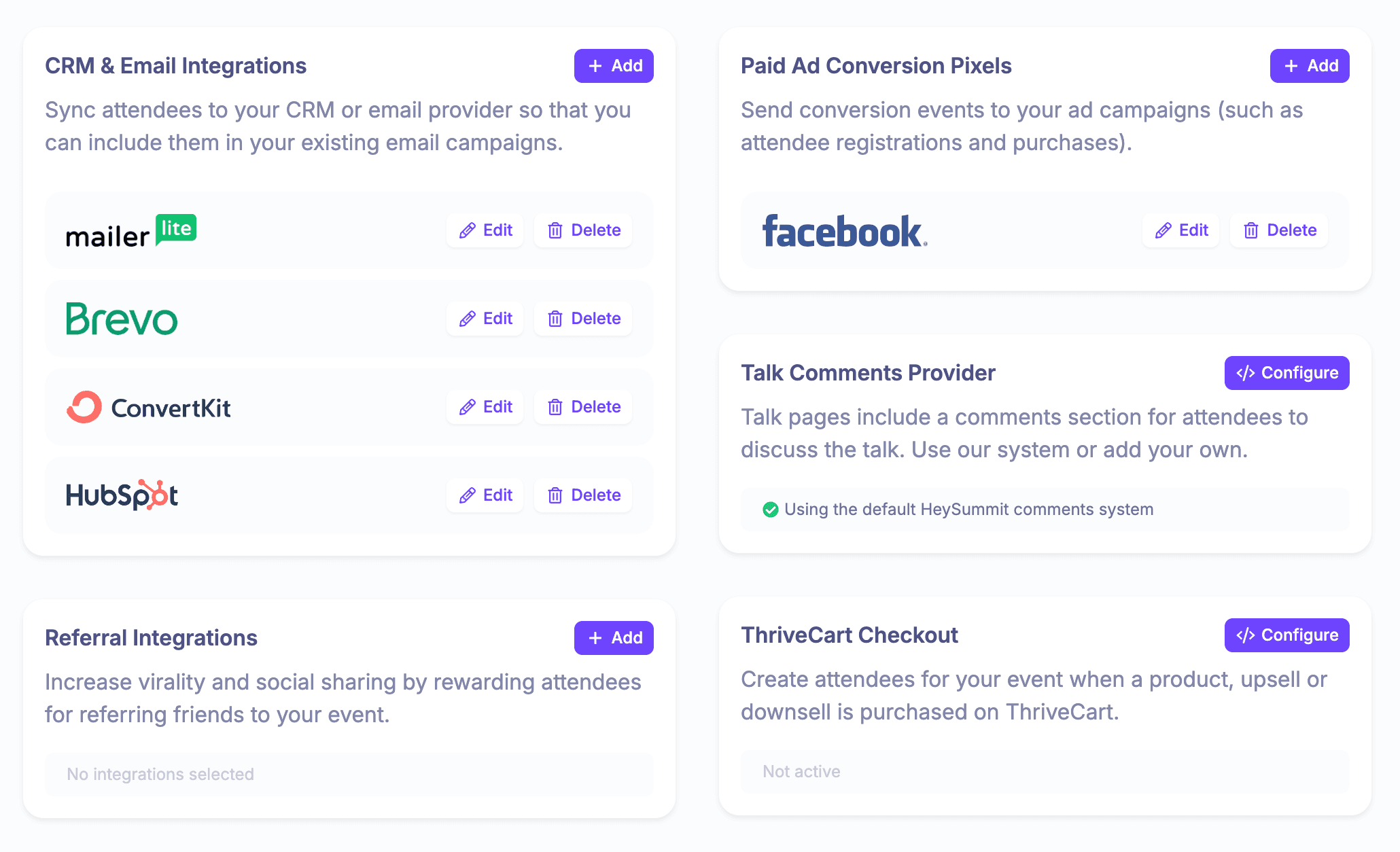
For a concrete native example, HeySummit’s HubSpot CRM integration guide explains that new attendees can sync into HubSpot contacts, that registration questions and attendee fields can be mapped, and that eligible existing attendees can be queued for resync. Treat that as a documented HubSpot workflow, not a promise that every connector behaves the same way.
For no-code routing, connecting HeySummit to Zapier can bridge the event to other apps without a bespoke build. Confirm the current triggers and actions against your exact workflow before relying on it. For technical work, separate event-scoped dashboard webhooks from account-level subscriptions: HeySummit’s webhook documentation describes dashboard actions such as registration started and checkout complete, then lists API-created subscriptions as a distinct integration path.
4. Build the field map before configuring the connector
Copy the worksheet below and replace the examples with demo values. Keep the first version deliberately small. Every extra field increases the chance of a collision, an unexpected blank, or personal data being stored without a clear use.
| Source field | Example | Owner | Destination | Write rule | Permission class | Test and recovery |
|---|---|---|---|---|---|---|
| alex@example.test | CRM after match | Contact email | Normalize, then create or match | Identity | Test case and duplicates; quarantine rejected rows | |
| Event ID and name | EVT-2026-07 | Event platform | Campaign, list, or event object | Set per registration | Operational | Confirm the right event relationship |
| Registration status | Complete | Event platform | Campaign status | Update only from mapped states | Operational | Compare event and CRM state counts |
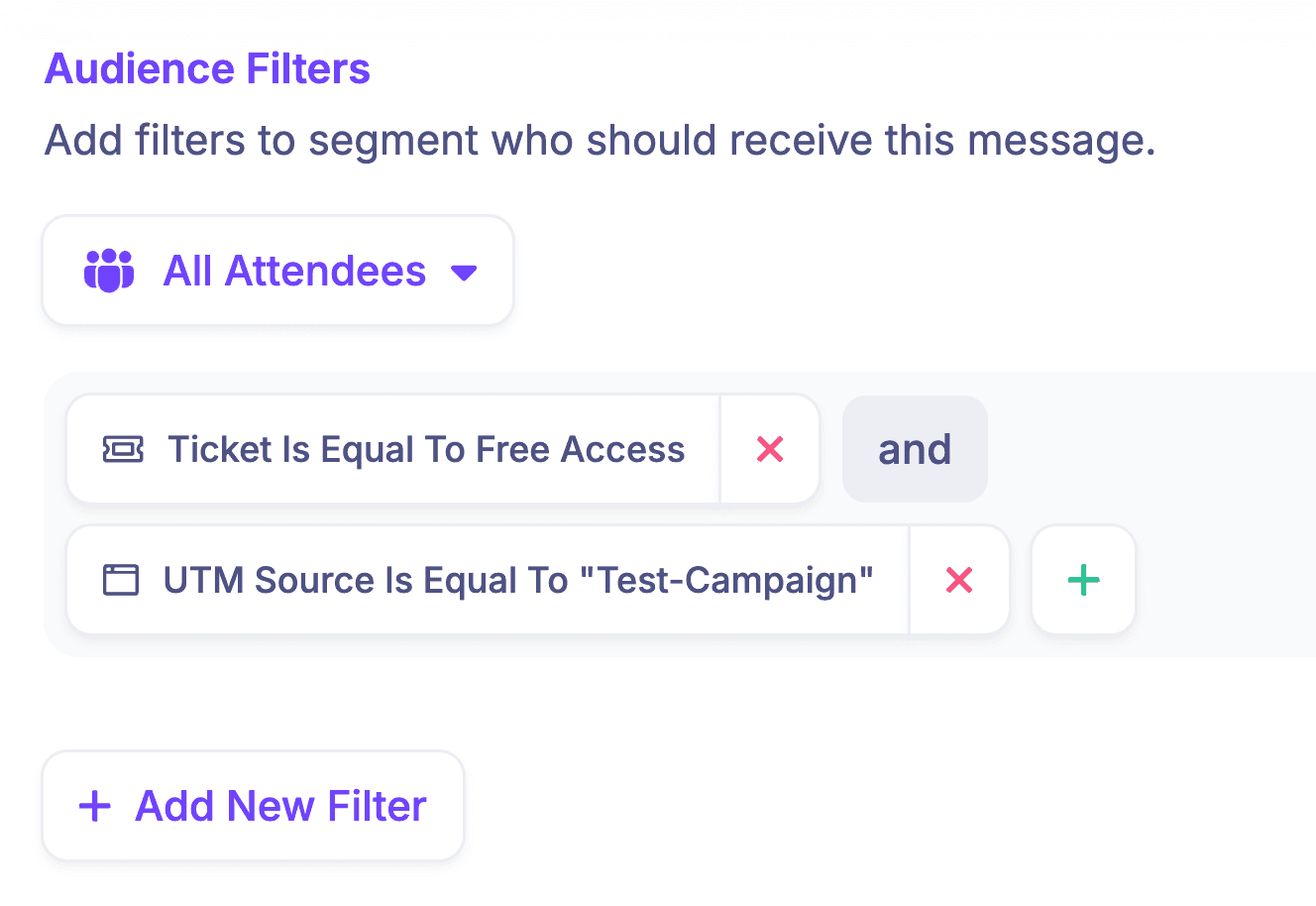
| Ticket | Free Access | Event platform | Ticket or segment field | Replace when access changes | Operational | Test free and paid examples |
| Custom answer | Marketing Ops | Event platform at collection | Approved CRM field | Do not erase with blank unless intended | Purpose-limited | Test blank and changed answers |
| UTM source, medium, campaign | partner / referral / crm-checklist | Analytics and event platform | Attribution fields | Preserve original or latest by written rule | Attribution | Use a tagged test URL and inspect every system |
| Marketing preference | Opted out | System collecting the latest valid choice | CRM suppression or preference field | Never loosen a stricter opt-out automatically | Marketing | Test withdrawal and verify downstream suppression |
| Attendance or replay state | Attended session A | Event or delivery platform | Activity or event object | Write only when documented and reliable | Engagement | Compare a known demo attendee; do not infer intent |
Use stable, consistent campaign names. Google Analytics’ campaign URL guidance recommends consistent source, medium, and campaign parameters so one campaign does not fragment across several reporting rows. That tells you how to tag acquisition links; it does not prove that every downstream connector preserves every UTM value.
5. Map lifecycle states to actions
A field map is not enough. The same contact can move through several states, and each state needs an explicit CRM action. Use “do nothing” where the data is unavailable or would trigger premature follow-up.
Before you automate those actions, write the event lead generation plan that defines fit, intent, permission, owner, and the next step for each lifecycle state.
| Event state | Possible CRM action | Follow-up rule | Verification question |
|---|---|---|---|
| Registration started | Create a provisional activity only if supported and useful | Avoid treating it as completed registration | Does the connector expose this state distinctly? |
| Checkout complete | Create or update contact and confirmed event relationship | Send the appropriate confirmation or customer journey | Does this mean payment and access are complete for this setup? |
| Existing contact registers | Update the existing contact; attach event context | Keep ownership and durable history | Which matching key prevents a duplicate? |
| Incomplete checkout | Update only when the state is available and the use is approved | Use a deliberate recovery journey, not a registration confirmation | Can the system distinguish an abandoned flow? |
| Cancellation or refund | Change the event relationship when supported | Suppress access and irrelevant reminders | Is this state actually exposed by the chosen method? |
| Preference changed | Update the relevant suppression or consent record | Stop affected marketing promptly | Which system wins if records disagree? |
| Attendance or replay activity | Record a qualified activity when reliable | Apply your own lead criteria | Is the activity complete, attributable, and useful? |
Do not turn attendance, a replay view, or a scheduled talk into purchase intent by default. Those are event activities. Your team still needs a qualification rule before sales automation uses them.
6. Separate event delivery from marketing permission
Registration and marketing permission are not interchangeable. An attendee may need operational messages to receive access, schedule changes, receipts, or event updates without agreeing to unrelated promotional email.
For UK audiences, the ICO’s direct-marketing guidance says consent used for direct marketing must be freely given, specific, informed, and unambiguous, with a clear route to withdraw it. It also explains that confirming someone has read a privacy policy is not, by itself, valid marketing consent. Laws and lawful bases vary by audience, channel, and jurisdiction, so use the rules that apply to your organisation and obtain legal advice when needed.
Your integration plan should therefore:
- store operational and marketing preferences separately;
- record the source, time, scope, and wording of a permission where required;
- avoid copying unnecessary personal data into the CRM;
- preserve the stricter opt-out when systems disagree;
- test preference withdrawal as a first-class lifecycle state; and
- name the person responsible for resolving failed preference updates.
7. Run ten tests with demo records
Do not wait for a real attendee to reveal the edge cases. Use test-only names and email addresses, and record the expected event state, expected CRM result, actual result, timestamp, owner, and remediation for every test.
- New contact: confirm the contact and event relationship are created once.
- Existing contact: confirm the integration updates or relates the right record without erasing useful CRM history.
- Email normalization: test case, leading spaces, and the matching rule your CRM actually uses.
- Required and optional answers: verify mapped custom fields and an intentionally blank optional field.
- Changed and blank values: confirm whether the connector overwrites, ignores, or clears each destination.
- Free registration: confirm the registration state, ticket, and confirmation path.
- Paid checkout: verify the state only after the payment and access rules for your stack are satisfied.
- Incomplete checkout: confirm it is not mistaken for a completed registration.
- Preference change: withdraw a marketing permission and verify downstream suppression.
- Failure: deliberately use a rejected field value or disabled test endpoint, then prove the alert and recovery process work.
A test only passes when somebody has checked both sides. A green automation log is not enough if the CRM contact contains the wrong event, a blank field erased useful data, or the attendee is placed into the wrong sequence.
8. Monitor, reconcile, and recover
Once the event is live, monitor the states that change decisions. Total row counts are useful, but matched counts are better: completed registrations in the event platform versus confirmed event relationships in the CRM, preference changes versus suppressions, and paid orders versus the commercial records your workflow is meant to create.
| Check | Signal | Owner action |
|---|---|---|
| Connection health | Expired auth, failed tasks, non-200 webhook responses | Restore access, then replay or backfill safely |
| State counts | Registrations and CRM relationships diverge | Identify the first missing state and affected time window |
| Duplicates | Several CRM contacts represent one attendee | Pause creation, fix the matching rule, merge under CRM policy |
| Field completeness | Important fields are blank or unexpectedly overwritten | Correct mapping and reprocess only affected records |
| Preferences | Opt-outs or withdrawals do not match | Apply the stricter state and investigate immediately |
| Post-event reconciliation | CRM, event, and revenue reports disagree | Export the source records, document adjustments, and preserve the audit trail |
HeySummit’s attendee export guide documents filtered CSV exports that can include registration status, tickets, marketing and communication preferences, referral and UTM fields, custom-question answers, and registered talks. That makes an export useful as a batch handoff or reconciliation source when the connected workflow needs checking.
After the event, use a structured post-event report to explain any differences rather than silently editing figures until they match. The recovery note should say what failed, which records were affected, how the backfill worked, and what will prevent the same gap next time.
For event technology providers building analytics into their own platforms, white label analytics software can present reporting within a branded interface.
9. Put the checklist into practice with HeySummit
HeySummit can own the event-specific part of the workflow: event pages, registration, tickets and access, attendee records, custom questions, event communications, referral and UTM context, and event reporting and analytics. It can then pass appropriate data to the rest of your stack through the method that fits the job.
- Use HeySummit’s HubSpot integration when the documented native attendee sync and field mapping fit your CRM workflow.
- Use Zapier when a current supported trigger and action can route the data without a bespoke build.
- Use dashboard webhooks for documented event-scoped actions.
- Use the HeySummit API or API-created subscriptions when the integration needs engineering ownership and a custom data model.
- Use filtered exports for inspection, reconciliation, and controlled backfills.
HeySummit is the event system in this architecture; it is not a replacement for every CRM, marketing automation, or analytics function. That boundary is useful. It lets each system do the job it understands while the checklist makes the handoff explicit.
Explore HeySummit’s CRM, email, and revenue integrations, then run this checklist against the exact event states your team needs. If you are planning a custom API or webhook workflow, include the engineer who will own monitoring and recovery before the event opens for registration.
Frequently asked questions
Table of Contents
1. Decide what each system owns2. Draw the one-page data flow3. Choose the connection method by workflow4. Build the field map before configuring the connector5. Map lifecycle states to actions6. Separate event delivery from marketing permission7. Run ten tests with demo records8. Monitor, reconcile, and recover9. Put the checklist into practice with HeySummitFrequently Asked QuestionsTry HeySummit free
HeySummit is the easiest way for creators and educators to grow their audience, authority and revenue with professional online events created in minutes, not weeks.
Share this article on:
Recent Posts
Loading feed...