Event Debrief Template: Turn Event Results Into Clear Next Actions
-1690817315934-652794559.png&w=96&q=75)
Benjamin Dell
Founder, HeySummit
The event is over, but the useful work is not. Your team may have dashboard numbers, survey comments, support notes, speaker feedback, and a dozen opinions about what should change. An event debrief turns that scattered evidence into a small set of decisions people can actually carry into the next event.
Use the copyable event debrief template below to prepare the evidence, run a constructive review, and leave with named owners and follow-up dates. Start with a post-event report template as the evidence pack; use the debrief to interpret what happened and decide what comes next.
Copyable event debrief template
Copy these fields and tables into your document, project tool, or spreadsheet. Remove sections that do not fit your event, but keep the connection between evidence, decisions, ownership, and follow-up.
Event and meeting details
- Event: name and edition
- Event date and format: online, hybrid, in person, on demand, or a combination
- Event goal: the outcome the event was designed to produce
- Debrief date: when the review will happen
- Facilitator: the person who keeps evidence, discussion, and decisions separate
- Decision owner: the person who can confirm priorities and trade-offs
- Participants: the smallest useful cross-functional group
- Evidence owner: the person who assembles the source pack
- Next-event or decision deadline: when agreed changes must be ready
Evidence pack checklist
- Original event brief, goals, audiences, and success measures
- Post-event report with definitions, denominators, reporting periods, and known gaps
- Registration, ticket, attendance, revenue, and cost context
- Session, live-viewing, replay, content, and engagement data
- Survey, support, community, accessibility, and attendee feedback themes
- Speaker, sponsor, partner, affiliate, and delivery-provider feedback
- Incident, change, support, and escalation logs
- Marketing, referral, affiliate, CRM, and follow-up notes
Core review worksheet
| Area | Expected or goal | What happened | Evidence and source | Why or contributing factors | Continue, change, or stop | Decision | Owner and due date | Success check |
|---|---|---|---|---|---|---|---|---|
| Promotion and registration | What did the plan expect? | Record the comparable actual result. | Name the system, denominator, period, and any gap. | List supported contributing factors and unknowns. | Choose one. | State the change or the reason for keeping the approach. | One person; one date. | What evidence will show progress? |
| Content and speakers | Planned audience outcome | Observed session and feedback pattern | Session, replay, survey, and team sources | Programming, briefing, schedule, or delivery factors | Continue, change, or stop | Specific programming or workflow decision | Owner; deadline | Measure for the next comparable event |
| Delivery and attendee experience | Intended access and experience | What attendees and the team experienced | Support, incident, provider, and survey evidence | Handoff, configuration, staffing, or communication factors | Continue, change, or stop | Runbook, tool, or ownership change | Owner; deadline | Test or operational proof before launch |
Illustrative filled example
The figures below are fictional. They show how to record a useful decision, not what “good” event performance looks like.
| Observation | Evidence | Interpretation | Decision | Owner and check |
|---|---|---|---|---|
| 1,200 people registered; the delivery provider recorded 540 unique live viewers. | Registration export and provider attendance export for the same event window. Viewer identity matching is incomplete. | The gap may involve reminder timing, access instructions, time zones, or changed intent. These totals alone do not prove which factor caused it. | Rewrite the 24-hour reminder, add an explicit access check, and tag the revised version for the next comparable event. | Jamie; 15 August. Compare delivered, clicked, and matched attendance data at the next debrief. |
| One session had 170 live viewers and 410 replay views during the reporting period. | Provider live report and replay report, using the same session and stated date range. | The topic appears useful after the live window, but views do not prove satisfaction or business impact. | Create one follow-up clip and test the topic in the next programme rather than adding more sessions immediately. | Priya; 22 August. Record clip completion and qualified follow-up response. |
Action log
| Priority | Action | Owner | Due date | Dependency | First proof of progress | Follow-up date | Status |
|---|---|---|---|---|---|---|---|
| 1 | Write one clear, testable change. | One named person | Date | Person, decision, or asset needed | Earliest visible evidence | Date | Not started |
| 2 | Record the next committed change. | One named person | Date | Dependency or none | Earliest visible evidence | Date | Not started |
What an event debrief is—and what it is not
An event debrief is a structured team review that uses results, feedback, and operational notes to decide what worked, why outcomes differed from the plan, and what should change before the next event. You may also hear it called a post-event review, retrospective, or post-mortem. “Debrief” is often the better default because it keeps the emphasis on learning rather than blame.
| Tool | Primary job | Finished output |
|---|---|---|
| Post-event report | Organise evidence and communicate results to stakeholders. | A defined evidence pack with outcomes, context, and limitations. |
| Event debrief | Interpret the evidence, examine contributing factors, and make decisions. | A short list of choices, unresolved questions, and priorities. |
| Action log | Carry the decisions into implementation. | Named owners, dates, dependencies, success checks, and follow-up. |
Do not spend the meeting reading every number aloud or drafting a stakeholder report together. Pre-fill the evidence, flag the limitations, and reserve the conversation for interpretation and decisions.
Prepare before the meeting
- Choose a facilitator and decision owner. The facilitator protects the process; the decision owner confirms which changes the team will make.
- Invite the smallest useful group. Include people who can explain the event and commit to changes. Gather async input when a larger meeting would create more noise than insight.
- Share the worksheet and evidence pack in advance. Link every source and pre-fill goals and actuals so the meeting does not become an export hunt.
- Separate facts, interpretations, and proposals. “The provider recorded 540 viewers” is evidence. “The reminder failed” is an interpretation. “Test a revised reminder” is a proposal.
- Set a no-blame rule. Examine systems, handoffs, decisions, and constraints. Do not turn an operational review into a public performance assessment.
- Schedule early for recurring events. Put the debrief on the calendar before launch and collect notes throughout the event. Update longer-tail results later when they affect a decision.
A facilitator should also define the decisions the meeting needs to make. If sponsor delivery, financial performance, and technical incidents each require different owners or evidence, split them into focused reviews rather than forcing everything into one call.
A practical 60-minute event debrief agenda
This agenda is a starting point, not a universal rule. Shorten it for a solo review or split it when a complex hybrid event needs a separate evidence session.
| Time | Focus | Useful output |
|---|---|---|
| 0–5 minutes | Purpose, no-blame rule, and decisions needed | Shared scope |
| 5–15 minutes | Goals, actuals, definitions, and data limitations | Agreed evidence base |
| 15–30 minutes | What worked and should continue | Practices worth preserving |
| 30–45 minutes | Misses, friction, and contributing factors | Supported causes and explicit unknowns |
| 45–55 minutes | Prioritise actions and assign owners, dates, and checks | Committed action log |
| 55–60 minutes | Confirm decisions, communication, unresolved questions, and follow-up | Clear handoff |
A solo organiser can turn the agenda into a 20-minute written review: five minutes on evidence, ten on the most important continue/change/stop decisions, and five on ownership and follow-up. A multi-day hybrid or sponsor-heavy event may need an evidence review first and a decision meeting later, with specialist inputs collected between them.
Event debrief questions by lifecycle
Choose the questions that can change a decision. You do not need to answer every prompt for every event.
Goals and measurement
- Were the event goals explicit enough to guide decisions?
- Did the tracking match what we now need to learn?
- Which results are comparable, and which use different sources, identities, periods, or denominators?
- Which apparent explanation is still only a hypothesis?
- What must we instrument differently next time?
Promotion and registration
- Which source, audience, message, partner, affiliate, or ticket path produced useful registrations?
- Where did the landing page, checkout, consent, reminder, or access journey create friction?
- Were registrations, completed ticket checkouts, attendees, and live viewers defined separately?
- Which campaign change should we test rather than treating correlation as proof?
Speakers, content, and schedule
- Which topics and sessions helped which audience, and what evidence supports that view?
- Which briefing, onboarding, moderation, or schedule decisions helped?
- Where did titles, promises, formats, lengths, or transitions work against the audience need?
- What should become replay, follow-up, or repurposed content?
Use webinar analytics to choose metrics that fit the question, but keep live attendance, replay activity, duration, questions, and downstream outcomes separate. A strong number in one measure does not explain the others.
Delivery and attendee experience
- What changed during the live event, and who had the information needed to respond?
- Which runbook steps, handoffs, access rules, check-in flows, staffing choices, or escalation paths worked?
- Which themes repeat across surveys, support, questions, chat, drop-off, live and replay use, and accessibility feedback?
- Did the online and in-person parts of a hybrid event receive equivalent attention?
Sponsors, partners, revenue, and follow-up
- What was promised, delivered, measured, missed, or still unclear for each partner?
- Which sponsor-facing findings belong in a separate recap rather than the internal debrief?
- What did tickets, add-ons, sponsorships, offers, donations, or replays contribute?
- Which costs, refunds, attribution gaps, or downstream results sit in another system?
- Which follow-up action is time-sensitive?
If the event had a financial objective, use an event ROI calculator to structure the cost and outcome discussion. Do not force community, education, or relationship goals into a financial model that cannot represent them.
Improvement and ownership
- What should we continue, stop, change, test, document, or instrument?
- Which one to three actions matter most before the next event?
- What can we change directly, and what depends on a provider, partner, venue, budget, or product decision?
- Who owns each action, when is it due, and what will count as progress?
Move from symptoms to useful causes
Use a simple four-question loop for each important result:
- What did we expect? Name the goal, assumption, or planned experience.
- What happened? State the comparable result and its limits.
- What evidence supports the explanation? Look for more than one contributing factor and record what remains unknown.
- What controllable change follows? Choose an immediate fix, a next-event experiment, a tracking improvement, or a longer-term process or product decision.
“Improve reminders” is too vague to survive the meeting. “Jamie will rewrite the 24-hour reminder, add an access check, tag the revised version, and compare delivered, clicked, and matched attendance data at the next debrief” gives the team a change, an owner, and a way to learn.
Unknowns are legitimate outputs. If the data cannot distinguish message quality from timing, audience intent, deliverability, or access friction, create a tracking action instead of choosing the most dramatic explanation.
Build an action plan that survives the meeting
Limit the committed list. A debrief with 25 unranked suggestions is less useful than three decisions that have owners, due dates, dependencies, success checks, and follow-up dates. Park the rest with a reason so the team can revisit them without pretending they are in progress.
Action and follow-up are part of the review itself. FEMA’s after-action guidance includes recommendations, implementation assignments, a timetable, documentation, and follow-up in the final report. The context is emergency management, but the process principle adapts well: a lesson becomes operational only when someone is responsible for carrying it forward.
Likewise, Atlassian’s retrospective play closes by assigning owners to next steps and scheduling a follow-up. Before the meeting ends, decide where the action log lives, who will close completed items, and when the team will check progress.
Build the evidence pack with HeySummit and connected tools
The HeySummit event dashboard can supply inputs such as page views, unique visitors, registrations, attendees, revenue, traffic sources, engagement actions, and top-session signals. Reporting holds more detailed attendee, email, sales, and content reports, while Revenue covers financial reporting and payment-related workflows.
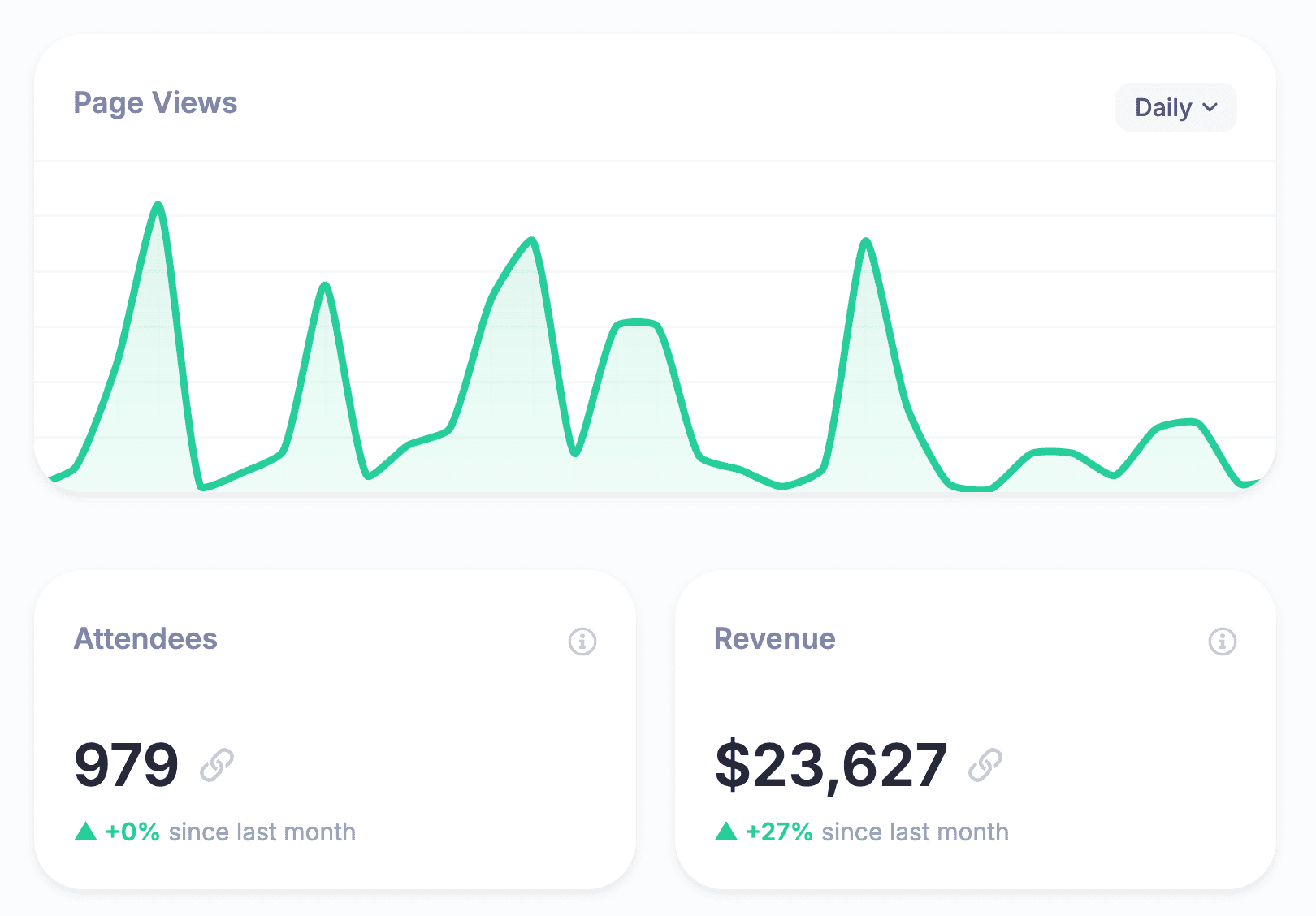
Use event reporting and analytics to gather the event-level evidence HeySummit holds. Then add the sources that remain outside the platform.
| Source | Useful debrief inputs | Boundary to record |
|---|---|---|
| HeySummit | Event-site traffic, registrations, ticket and revenue context, referrals or affiliates, attendees, content and replay signals, and configured event workflows | Availability depends on event settings, permissions, integrations, and the report used. |
| Webinar or streaming provider | Live-room attendance, watch time, polls, chat, and provider-specific engagement | Identity, session, and time-window definitions may differ from event-platform reports. |
| Survey, support, or community tools | Qualitative feedback, questions, accessibility needs, and issue themes | Responses are partial and should not be presented as every attendee’s view. |
| CRM, email, analytics, payment, or finance systems | External campaigns, downstream pipeline, costs, refunds, attribution, and net outcomes | Document attribution rules, reporting lag, identity matching, and excluded activity. |
| Venue or check-in tools | Onsite flow, room counts, staffing notes, check-in, and incidents | Name manual estimates, duplicate scans, missing connectivity, and external ownership. |
For every important number, name the source, denominator, reporting period, and known gap. Registrations are not attendance. Page views are not people. Replay views are not proof of satisfaction. Revenue collected is not necessarily net event profit. The debrief becomes more trustworthy when those boundaries are visible.
Adapt the template to your event type
Small team or solo creator
Use a written review and commit to the top three decisions. Ask collaborators for async observations, then keep one owner for the evidence, decision log, and next-event handoff.
Recurring webinar or workshop
Keep a decision log across runs and compare like with like. Record changes to the audience, topic, promotion, delivery, access, and reporting window before calling a movement meaningful. Treat each event as a chance to test one or two changes, not rebuild the entire format.
Multi-day online summit
Review speaker operations, schedule, registration, live and replay behaviour, ticket access, support, affiliates, sponsors, and content reuse. Split the work into lifecycle areas so the team can see where a handoff created friction.
Hybrid or in-person event
Add venue, room transitions, staffing, signage, check-in, accessibility, safety, streaming, and onsite-system sources. If check-in is part of the evidence, document the setup and limitations alongside the event check-in software workflow rather than treating scans as a complete attendance story.
Sponsor-heavy event
Keep the sponsor-facing recap separate from internal operational critique. Use the debrief to decide what to improve; use a carefully defined report to communicate what was delivered and measured.
Common event debrief mistakes
- Starting with opinions before facts. Share the evidence pack first and name its limitations.
- Re-reading every metric. Focus the meeting on decisions that the evidence can inform.
- Confusing the report with the debrief. The report organises evidence; the debrief interprets it.
- Inviting everyone without clear roles. Gather broad input asynchronously and keep the decision group focused.
- Turning process critique into personal blame. Examine systems, choices, constraints, and handoffs.
- Treating correlation as causation. Record alternative explanations and improve the next test.
- Creating actions without owners or follow-up. Every committed action needs a person, date, success check, and review point.
- Using the same template for every event. Adapt the questions and sources to the goal, format, and audience.
- Leaving decisions outside the next plan. Carry completed actions and unresolved risks into the next brief, runbook, or setup checklist.
Turn event evidence into action
A useful event debrief has a simple shape: assemble the evidence, discuss what it can and cannot explain, make a small number of decisions, and give each decision an owner and follow-up date. Copy the template now, schedule the review, and protect the time for decisions rather than data hunting.
When you want event-site, registration, attendee, revenue, content, and replay signals in a connected workflow, explore HeySummit’s Reporting and Analytics. To see how the wider event workflow fits together, take the HeySummit product tour.
Frequently asked questions
Table of Contents
Copyable event debrief templateWhat an event debrief is—and what it is notPrepare before the meetingA practical 60-minute event debrief agendaEvent debrief questions by lifecycleMove from symptoms to useful causesBuild an action plan that survives the meetingBuild the evidence pack with HeySummit and connected toolsAdapt the template to your event typeCommon event debrief mistakesTurn event evidence into actionFrequently Asked QuestionsTry HeySummit free
HeySummit is the easiest way for creators and educators to grow their audience, authority and revenue with professional online events created in minutes, not weeks.
Share this article on:
Recent Posts
Loading feed...