Event ROI Calculator for Online Events and Webinars
-1690817315934-652794559.png&w=96&q=75)
Benjamin Dell
Founder, HeySummit
Event ROI is simple in theory: compare what your event returned with what it cost. In practice, the useful numbers are scattered across registration data, ticket sales, Stripe or payment reports, sponsor commitments, affiliate payouts, webinar attendance, replay views, staff time, and follow-up sales.
This event ROI calculator gives you a practical worksheet for online events, webinars, summits, workshops, hybrid events, and replay-based events. Use it to estimate direct cash ROI first, then model influenced value separately so stakeholders can see what is proven, what is assumed, and what needs better tracking next time.
Event ROI calculator
Use this worksheet before launch to forecast ROI, after the event to report results, or both. Replace the example notes with your own assumptions. If a line does not apply to your event, leave it at zero rather than forcing a value.
Revenue and return inputs
| Input | What to enter | Why it matters |
|---|---|---|
| Ticket revenue | Total paid registrations, paid passes, or workshop seats sold. | Shows direct cash return from attendance. |
| Add-ons and upgrades | VIP passes, all-access passes, replay access, bundles, donations, subscriptions, or post-registration offers. | Captures monetization beyond the base ticket. |
| Sponsor and exhibitor revenue | Confirmed sponsorship fees, booth fees, promotional packages, or partner placements. | Shows revenue that may not be tied to individual ticket sales. |
| Replay or on-demand revenue | Paid replay access, evergreen content sales, or post-event pass upgrades. | Separates live-event revenue from longer-tail content value. |
| Direct follow-up sales | Purchases, donations, booked calls, memberships, or product sales you can reasonably attribute to the event. | Connects the event to measurable post-event outcomes. |
| Optional influenced value | Pipeline, qualified leads, opportunities, partner value, or expected future revenue. | Useful for planning, but should be reported separately from direct cash ROI. |
Cost inputs
| Input | What to enter | Why it matters |
|---|---|---|
| Platform and tool costs | Event platform, webinar provider, landing page tools, email tools, CRM tools, add-on software, and integration costs. | Shows the real cost of the event stack. |
| Payment and transaction fees | Processor fees, platform transaction fees, refunds, chargebacks, and currency costs. | Prevents gross revenue from overstating profit. |
| Production and creative costs | Design, editing, captioning, video production, speaker support, VA work, contractor fees, and copywriting. | Captures the work required to make the event happen. |
| Promotion costs | Ads, sponsored newsletter placements, influencer fees, community sponsorships, affiliate commissions, and referral incentives. | Connects acquisition spend to event returns. |
| Staff time | Hours spent by organizers, marketers, support, operations, speakers, and internal reviewers multiplied by a loaded hourly cost. | Makes internal effort visible instead of treating it as free. |
| In-person or hybrid costs | Venue, food, travel, signage, equipment, insurance, staffing, shipping, and check-in costs. | Needed when a hybrid or in-person component changes the economics. |
Outputs to calculate
| Output | Formula | How to use it |
|---|---|---|
| Gross revenue | Ticket revenue + add-ons + sponsors + replay revenue + direct follow-up sales | Use this to see the event's total direct return before costs. |
| Total direct costs | Platform + payment fees + production + promotion + staff time + in-person costs | Use this as the investment side of the ROI calculation. |
| Net profit | Gross revenue - total direct costs | Use this to show whether the event made or lost money directly. |
| Direct ROI percentage | ((Gross revenue - total direct costs) / total direct costs) x 100 | Use this as the primary event ROI number when returns are cash-based. |
| Break-even revenue | Total direct costs | Use this to see how much revenue the event needs before profit starts. |
| Cost per registrant | Total direct costs / registrations | Use this to compare acquisition efficiency across events. |
| Cost per attendee | Total direct costs / live attendees | Use this when live attendance is the main success metric. |
| Influenced-value ROI | ((Gross revenue + influenced value - total costs) / total costs) x 100 | Use this as a separate scenario, not as the same number as direct ROI. |
Event ROI formula
The standard event ROI formula is:
Event ROI (%) = ((total returns - total costs) / total costs) x 100
Whova's event ROI guide uses the same returns-minus-costs structure, and Livestorm's webinar ROI calculator guide applies it to webinar value and webinar costs. For an online event, the formula is only useful if the inputs are honest. Ticket sales, sponsor revenue, replay sales, and direct purchases are easier to defend than brand awareness or long-tail pipeline, so calculate direct ROI first.
Here is a simple hypothetical example:
| Ticket revenue | $8,000 |
| All-access pass and replay revenue | $2,000 |
| Sponsor revenue | $3,000 |
| Total returns | $13,000 |
| Total costs | $7,500 |
| Net profit | $5,500 |
| Direct ROI | 73.3% |
The math is useful, but the assumptions matter more than the spreadsheet. If you leave out staff time, payment fees, affiliate commissions, or replay production work, the event may look more profitable than it really was.
Direct ROI vs influenced event value
Direct ROI is the safest number to report because it is based on returns you can see clearly: ticket sales, sponsor fees, replay purchases, add-ons, donations, paid upgrades, or purchases that happened because of a specific event offer.
Influenced event value is still useful, but it needs a different label. It can include pipeline, CRM opportunities, sales conversations, future memberships, partner relationships, audience growth, content reuse, survey insights, and community trust. Cvent's event ROI guide separates event value factors such as revenue, leads, pipeline, attendance, sponsorships, brand recognition, and marketing content from the costs that go into the event. That is a helpful reminder: ROI is not one magic field. It is a model you choose and explain.
For stakeholder reporting, use two scenarios:
- Direct cash ROI: only confirmed direct revenue and direct costs.
- Influenced-value scenario: direct revenue plus attributed pipeline, sales, donations, subscriptions, or partner value.
This keeps the report credible. It also lets you show what needs better tracking before the next event.
If the KPI set is not yet clear, start with a goal, target, denominator, source system, and decision window. This guide to measure event marketing success shows how to build that plan before you choose which numbers belong in the ROI model.
What to include for online events, webinars, and summits
Online events have a different ROI shape from a one-room in-person event. You may have ticket tiers, speaker referrals, sponsor packages, replay access, add-ons, payment fees, webinar tools, email automations, and CRM follow-up all contributing to the final result.
Registration and attendance
Track registrations, live attendees, replay viewers, attendance rate, no-show rate, ticket type, registration source, and attendee segment. If the event is a webinar, Livestorm's webinar ROI guidance highlights cost-per-attendee metrics as part of ROI analysis, which is useful when live attendance is the primary outcome.
Monetization
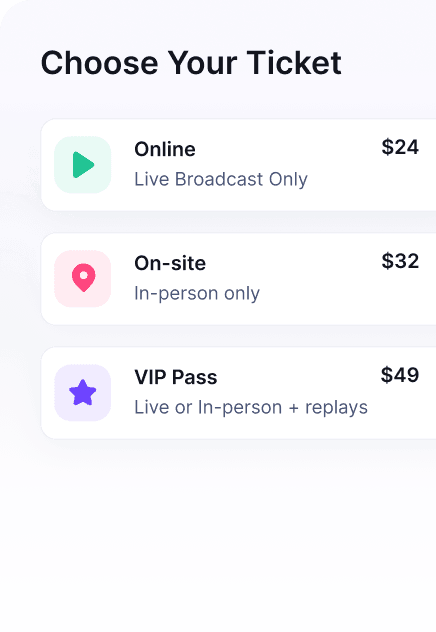
Track ticket sales, paid access, VIP passes, all-access passes, replay sales, donations, subscriptions, sponsors, exhibitor packages, product offers, and partner promotions. If you sell multiple access levels, link your ROI report back to your online summit ticket pricing assumptions so you can see whether the pricing model worked.
Partner and speaker activity
For summits and expert-led events, speaker and partner promotion can be a major part of revenue. Track referral links, partner-driven registrations, affiliate commissions, payout rules, and attributed sales. If you use referrals as a growth channel, an event affiliate program gives you a clearer way to connect partner promotion with registrations and revenue.
Costs
Track your event platform, webinar provider, payment fees, production, design, email tools, captioning, speaker costs, contractor support, staff time, ads, sponsor fulfillment, and support load. If you are still planning, start with a virtual event budget so the ROI calculator is built from realistic costs rather than memory.
Follow-up value
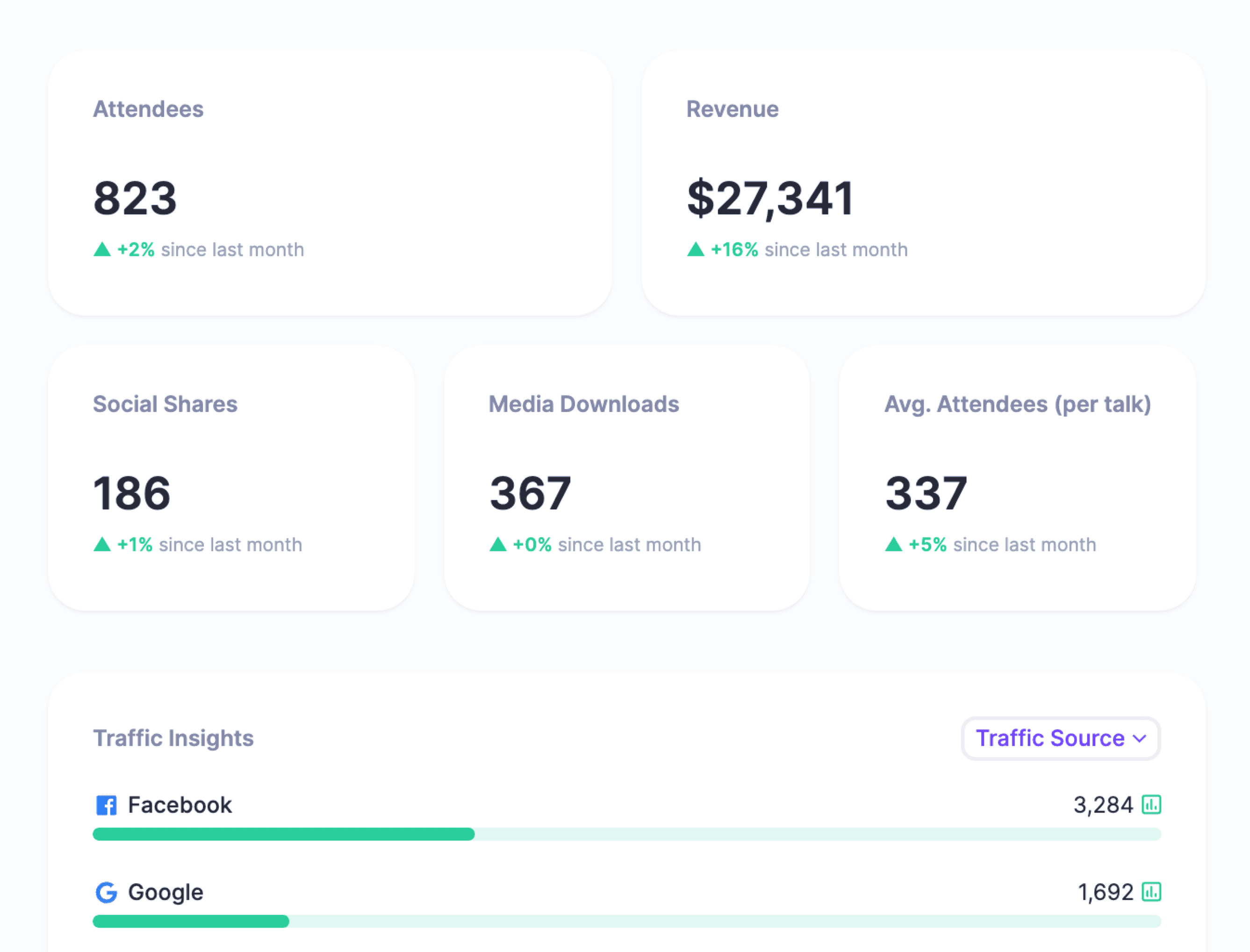
Track booked calls, CRM opportunities, email engagement, offer clicks, purchases, donations, membership upgrades, survey responses, and replay engagement. Use a fixed attribution window, such as 14, 30, or 60 days after the event, and state that window in the report.
Example event ROI scenarios
Use these scenarios as patterns, not benchmarks. Your event economics will depend on audience, offer, pricing, promotion, costs, and follow-up quality.
Paid online workshop
A paid workshop might have simple direct ROI. You count ticket revenue, add-on sales, platform costs, payment fees, contractor support, and staff time. The most important inputs are price, conversion rate, refunds, and the cost of delivery. If the workshop also sells a course or membership afterward, add that as a separate influenced-value scenario unless you can tie purchases directly to the event offer.
Free webinar with downstream sales
A free webinar usually has zero ticket revenue, so the direct ROI may look negative. That does not mean the webinar failed. It means the ROI model depends on qualified leads, booked calls, purchases, demos, donations, or pipeline after the live session. Keep those assumptions visible. The more your webinar depends on downstream sales, the more important it is to connect registrations, attendance, engagement, and CRM outcomes.
Online summit with sponsors and replay revenue
An online summit often has multiple revenue streams: sponsor packages, ticket tiers, VIP passes, replay or all-access sales, affiliate-driven registrations, and post-event offers. It also has more costs: speaker coordination, design, production, support, email, affiliate commissions, and sponsor fulfillment. Calculate the event in layers: direct event revenue, direct costs, partner payouts, and then optional follow-up value.
How to improve event ROI before the event starts
The best time to improve event ROI is before the event goes live. Once the event is over, you can only interpret the result. Before launch, you can still change the model.
- Choose the ROI model first. Decide whether the event is designed for direct revenue, lead generation, sponsorship, audience growth, customer education, community engagement, or content creation.
- Track source data from the start. Use UTMs, registration source, ticket type, referral links, speaker links, sponsor placements, offer clicks, and payment data.
- Design monetization intentionally. Consider ticket tiers, early-bird pricing, VIP access, replay access, all-access passes, add-ons, donations, sponsor packages, and affiliate incentives.
- Reduce tool sprawl. The more systems you stitch together manually, the harder it becomes to trust the final report.
- Plan the post-event report before the event. Decide which numbers stakeholders will need, then make sure the event setup captures them.
After the event, turn the inputs into a concise post-event report template that explains revenue, costs, ROI, engagement, sponsor outcomes, replay performance, and next steps.
How HeySummit helps with event ROI tracking and monetization
HeySummit helps organizers keep the event business layer in one workflow: event pages, registration, tickets, checkout, add-ons, sponsors, affiliates, emails, webinar and video integrations, analytics, replays, exports, webhooks, Zapier, and CRM workflows.
That matters for ROI because the calculation depends on clean inputs. If ticket sales live in one system, attendance in another, sponsor commitments in a spreadsheet, replay access in a third tool, and affiliate referrals somewhere else, the final ROI report becomes a reconciliation project.
For direct revenue, HeySummit's ticketing, upselling and checkout, and Stripe integration help organizers sell access and collect payment data. For partner-driven events, the affiliate platform and sponsor booth features support referral and sponsorship workflows. For measurement, reporting and analytics helps organizers review event performance and audience behavior.
HeySummit will not make every event profitable automatically, and no platform can replace a clear offer, useful content, or a relevant audience. What it can do is reduce the operational drag between the event you planned, the revenue you created, and the report you need afterward.
Turn ROI into a better next event
The point of an event ROI calculator is not only to prove whether one event worked. It is to make the next event easier to plan. Once you know which revenue streams, costs, channels, speakers, sponsors, and follow-up motions affected ROI, you can make sharper decisions about pricing, promotion, format, staffing, and reporting.
Start with direct cash ROI. Add influenced value only when you can explain the attribution. Then use the gaps in the calculation as your tracking checklist for the next launch. If you want to see how HeySummit supports ticketing, checkout, sponsors, affiliates, analytics, and replays in one event workflow, review HeySummit pricing or start a free trial.
Frequently asked questions
Table of Contents
Event ROI calculatorEvent ROI formulaDirect ROI vs influenced event valueWhat to include for online events, webinars, and summitsExample event ROI scenariosHow to improve event ROI before the event startsHow HeySummit helps with event ROI tracking and monetizationTurn ROI into a better next eventFrequently Asked QuestionsTry HeySummit free
HeySummit is the easiest way for creators and educators to grow their audience, authority and revenue with professional online events created in minutes, not weeks.
Share this article on:
Recent Posts
Loading feed...