How to Plan a Hybrid Event: 14-Step Planning Checklist

Nina Lelidou
Content Contributor, HeySummit
A hybrid event is deliberately designed for connected in-person and remote participation. It is more than pointing a camera at a stage: the organizer plans two attendee journeys, a venue and broadcast setup that connects them, and clear ways for both audiences to access the content, participate, get help, and follow up.
The 14-step plan below covers strategy, timeline, roles, venue and AV, registration, accessibility, rehearsals, event-day operations, contingencies, follow-up, and measurement. Adapt the timing and team size to your event, but keep a named owner, a realistic test, and a fallback for every critical handoff.
What is a hybrid event?
A hybrid event combines an in-person experience with a connected online experience around the same event. That can mean a conference with a venue audience and remote viewers, a workshop with local and online participants contributing to the same exercises, or a multi-day program with different sessions designed for each attendance mode. For a fuller definition, format comparison, types, and benefits, see this guide to what a hybrid event is.
A livestream is one delivery method; it is not automatically a hybrid experience. Remote attendees need an intentional route through registration, joining, participation, support, and follow-up. In-room attendees need venue, access, and interaction plans that acknowledge the online audience. The goal is comparable value, not identical treatment: each audience may need different mechanics to reach the same event promise.
If you want examples before choosing a model, review these hybrid event examples and note which parts of the experience are shared, audience-specific, live, and available afterward.
Is hybrid the right format?
Choose hybrid because it serves the audience and event goal, not because it sounds more flexible. It adds a second delivery environment, more handoffs, and more failure modes. A well-run online-only or in-person-only event is better than an under-resourced hybrid one.
| Decision factor | Hybrid | Online-only | In-person-only |
|---|---|---|---|
| Audience location | Useful when important attendees are split between local and remote participation. | Useful when reach and location flexibility matter most. | Useful when the audience can travel and the physical setting is central. |
| Interaction | Needs separate mechanics and facilitators that deliberately connect both audiences. | Can use one digital participation system for everyone. | Can prioritize room-based discussion, demonstrations, and networking. |
| Content reuse | Can create recordings and replays, but permissions, capture, editing, and access must be planned. | Recording is often simpler because the content already travels through a digital provider. | Requires a separate capture plan if recordings matter. |
| Venue and AV capacity | Needs reliable room audio, cameras, lighting, presentation feeds, connectivity, and a broadcast workflow. | Does not need a venue, but still needs reliable speaker and producer setups. | Can be simpler when no broadcast or remote speaker feed is required. |
| Staffing | Needs owners for the room, broadcast, virtual audience, speakers, support, and accessibility. | Needs a host or producer plus online support appropriate to the event. | Needs venue operations, attendee support, and production appropriate to the room. |
| Accessibility | Must plan accommodations and accessible journeys across both the venue and online experience. | Removes travel for some people but still requires accessible media, materials, and tools. | Can serve some needs well, but travel, venue access, and physical accommodations matter. |
| Budget and contingency | Must fund and test both venue operations and remote delivery. It is not automatically cheaper. | Shifts spend toward digital production, speakers, accessibility, promotion, and support. | Concentrates spend on the venue, travel, staffing, hospitality, and room production. |
Example hybrid event planning timeline
The right lead time depends on event size, venue procurement, speaker count, production complexity, ticket model, and approval requirements. Treat this as an adaptable sequence rather than a universal calendar.
| Phase | Example timing | What should be decided | Exit test |
|---|---|---|---|
| 1. Strategy and venue | 12–20 weeks before | Goal, audience, format, budget ranges, venue, team, accessibility owner, and success measures. | The team can explain why hybrid is the right format and what each audience should gain. |
| 2. Platform and production design | 8–16 weeks before | Venue AV, broadcast provider, event platform, connectivity, audio and video flow, recording, access, and fallbacks. | A site survey and end-to-end technical design have named owners. |
| 3. Registration and promotion | 6–12 weeks before | Pages, ticket types, audience-specific instructions, speakers, schedule, promotion, consent, and support routes. | Test attendees can register into each mode and receive the correct information. |
| 4. Speaker and crew rehearsals | 1–4 weeks before | Run of show, speaker handoffs, captions, content playback, audience interaction, incident decisions, and communications. | A realistic dress rehearsal has tested the primary setup and key failure modes. |
| 5. Event day | Live delivery | Room and virtual openings, monitoring, moderation, support, recording, incident response, and close. | Both audiences receive the promised content, participation route, help, and next step. |
| 6. Follow-up and measurement | Same day to 2 weeks after | Recordings, transcripts, follow-up, attendee support, reporting, feedback, conversions, and lessons. | Promised assets are delivered and the team has recorded results and improvements. |
The breadth matters. The EIFL hybrid event checklist spans planning, technical infrastructure, speaker and participant communication, moderation, engagement, accessibility, and follow-up. Your timeline should connect those areas rather than treating production as a last-week task.
How to plan a hybrid event in 14 steps
1. Set one event goal and audience-specific measures
Start with the change the event should create: teach a skill, generate qualified conversations, sell tickets, educate customers, grow a community, support partners, or launch a new program. Write one primary outcome that is specific enough to shape the agenda and the attendee journey.
Then map the outcome to measures for each attendance mode. Relevant signals may include registrations by ticket and mode, registration-page conversion, live attendance, session bookings, replay consumption, ticket revenue, sponsor activity, questions or polls captured by the selected provider, support incidents, accessibility feedback, and follow-up actions. Do not bundle every signal into one vague “engagement” score.
2. Design two audience journeys around one promise
Write the in-person and virtual journey side by side: discovery, registration, confirmation, reminders, arrival or login, session access, participation, support, recordings, and follow-up. Mark which moments are shared and which need different instructions or tools.
Comparable value does not require identical activities. An in-room networking break may be paired with a facilitated online discussion rather than a video feed of people drinking coffee. A venue demonstration may need a tighter camera view, verbal explanation, and downloadable material for remote attendees. Decide what value each moment creates, then choose mechanics that deliver it in each environment.
3. Build the resource and contingency budget
Budget by responsibility, not by a single “hybrid platform” line. Include venue, staging, audio, cameras, lighting, presentation capture, connectivity, power, broadcast production, event management, captions or interpretation, speakers, design, promotion, support, recordings, editing, insurance, and contingency. Some costs will not apply to a small event; others will be supplied by the venue or a production partner.
Separate must-haves from enhancements. Clear room audio, reliable delivery, accessible participation, attendee support, and a tested fallback protect the event promise. Extra camera angles or elaborate networking features should not displace those foundations.
4. Assign the team and decision rights
Stanford's virtual and hybrid event guidance highlights platform security and accessibility as well as event-team and troubleshooting roles. Translate those concerns into named owners before detailed production work begins.
| Role | Primary responsibility | Live decision |
|---|---|---|
| Event lead | Goal, budget, audience promise, approvals, schedule, and final accountability. | Can change scope, delay a start, or approve the incident response. |
| Venue/AV lead | Room layout, audio, cameras, lighting, presentation feed, connectivity, power, and onsite crew. | Can switch equipment or change the in-room production setup. |
| Broadcast producer | Remote speakers, live feed, scenes, media playback, recording, and provider health. | Can switch to a backup feed, holding slide, or recording. |
| In-room host | Welcomes the venue audience, explains participation, manages stage handoffs, and protects timing. | Can pause the room or reset expectations. |
| Virtual host or moderator | Welcomes remote attendees, watches chat or questions, voices online participation, and shares updates. | Can change the virtual activity or escalate audience issues. |
| Speaker manager | Speaker details, content, permissions, rehearsals, arrival, green room, and handoffs. | Can reorder or replace a session with the event lead. |
| Attendee support | Venue arrival, login, ticket access, technical questions, and incident messages. | Can send approved help or fallback instructions. |
| Accessibility owner | Accommodation requests, captions, interpreters, accessible materials, player checks, and support. | Can stop or adjust delivery when an agreed accommodation is missing. |
| Analytics and follow-up owner | Tracking plan, recordings, surveys, reports, follow-up segments, and lessons. | Can protect data capture and trigger the post-event handoff. |
A small event can combine roles, but it cannot make the responsibilities disappear. Avoid asking one person to host the room, mix the broadcast, moderate online questions, troubleshoot attendees, and make incident decisions at the same time. If the team is small, simplify the format and interaction plan until the remaining workload is safe.
Use a speaker management workflow to keep speaker profiles, talk information, and preparation tasks organized, while the production team separately owns technical rehearsals and live cues.
5. Survey the venue and design the AV path
Complete a site survey with the venue and production lead. Test upload capacity under realistic load, not only on an empty network. Plan a hard-wired primary connection where possible, backup connectivity, backup power for critical equipment, room-audio capture, audience microphones, camera sightlines, lighting, presentation feeds, remote-speaker return audio, recording, and crew positions.
Walk through common failure modes: the presentation laptop stops, a microphone fails, the primary connection drops, the remote speaker cannot hear the room, the stream continues without audio, or the venue audience cannot see the remote contributor. Decide which problems can be fixed silently, which require a holding message, and when the event should switch to a backup or recording.
Avoid publishing generic bandwidth or equipment specifications. The right requirements depend on the selected broadcast provider, resolution, number of feeds, redundancy, venue network, and production design. Get current specifications from the provider and validate them in the venue.
6. Choose the event, broadcast, and interaction stack
Separate the jobs in the stack:
- Venue production captures room audio, cameras, lighting, slides, and in-room participation.
- Broadcast provider mixes or delivers the live feed, remote speakers, recording, and provider-specific interaction.
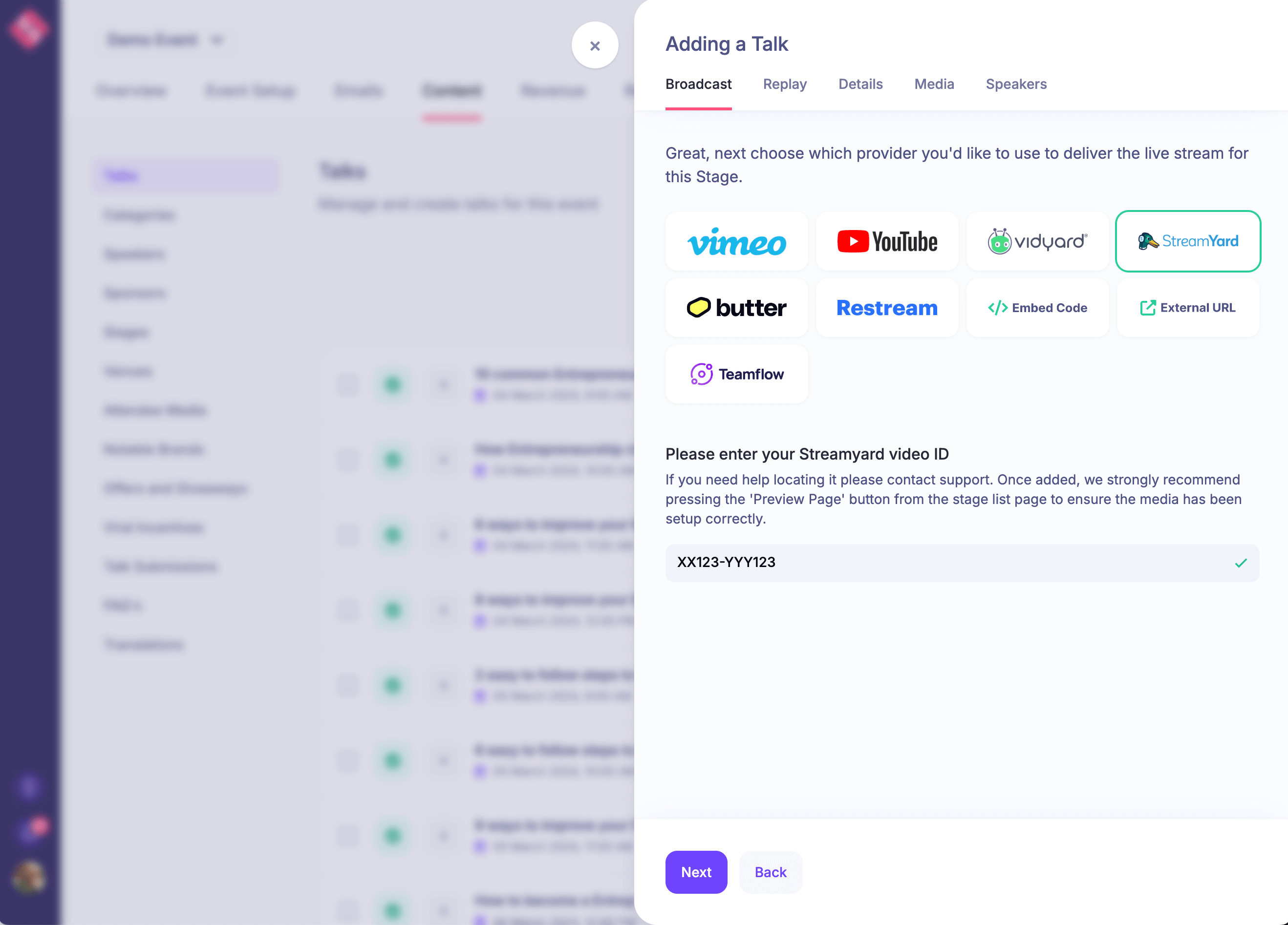
- Event management platform organizes pages, registration, tickets and access, schedules, speakers, emails, connected or embedded sessions, replays, and reporting.
- Audience tools handle the chosen Q&A, polls, chat, networking, documents, or community activity.
HeySummit coordinates the event journey around your selected delivery setup. Its video and streaming integrations connect event content with providers such as Zoom, BigMarker, YouTube Live, and Vimeo Live. It does not replace the venue's cameras, microphones, network, crew, or the production responsibilities of the broadcast provider.
| Flow point | Owns | Hands off to | Fallback question |
|---|---|---|---|
| In-person attendee | Registration, ticket, venue arrival, room participation, onsite help. | Venue and event team. | How will an attendee enter or continue if check-in systems fail? |
| Venue AV | Room audio, cameras, lighting, slides, audience microphones, return feeds. | Broadcast producer/provider and the in-room audience. | What is the backup for each critical input and the primary connection? |
| Broadcast provider | Remote speakers, live mix or stream, recording, and provider-specific interaction. | Connected event pages and remote attendees. | Can the team switch to a backup link, feed, holding message, or recording? |
| HeySummit event workflow | Event pages, registration, ticket/access rules, schedules, speakers, emails, session access, replays, and reporting. | Both attendee journeys before, during, and after the live production. | How will attendees receive the correct alternate instructions if the delivery route changes? |
| Virtual attendee | Login, session access, accessible media, participation, online help, replay, and follow-up. | Virtual host, support team, and the event's next step. | Where can the attendee get help if the event player or primary contact route is unavailable? |
7. Plan accessibility and inclusion from registration onward
Hybrid does not automatically mean accessible. Ask about accommodation needs during registration, provide a clear contact route, and confirm what support is available. Plan captions, transcripts, accessible slides and documents, readable on-screen text, verbal descriptions of important visual information, keyboard checks for the selected player, time-zone-aware scheduling, breaks, and a remote support route.
The W3C's audio and video accessibility guidance covers captions, transcripts, descriptions of visual information, accessible media players, and planning accessibility from the start. Apply those checks to the live session and the replay. Also test registration, ticket access, emails, schedules, downloads, interaction tools, and support—not only the video itself.
Recording consent, privacy requirements, accessibility obligations, and venue rules vary. Confirm the requirements that apply to your audience, location, organization, and tools rather than copying a generic legal checklist.
8. Build registration, ticketing, and audience-specific communications
Create distinct attendance modes or ticket types when they change access, price, instructions, capacity, or replay rights. Test event ticketing and attendee access from registration through the correct session and follow-up. Do not promise effortless switching between in-person and virtual attendance unless the ticket, capacity, access, and communication rules actually support it.
| Journey moment | In-person participant | Virtual participant |
|---|---|---|
| Registration | Selects venue access, supplies relevant onsite needs, and sees capacity or travel details. | Selects online access, supplies relevant accommodation needs, and sees device or provider guidance. |
| Confirmation | Receives venue, ticket, time-zone, arrival, accessibility, and contact information. | Receives login, session access, time-zone, accessibility, and contact information. |
| Reminders | Gets travel, doors, check-in, schedule, and venue change details. | Gets login, browser or app, schedule, captions, and help details. |
| Arrival or login | Uses a tested check-in route and can reach onsite support. | Uses a tested login/session route and can reach online support. |
| Session access | Can hear and see remote contributors and knows how to participate. | Can hear and see the room and knows how to participate. |
| Q&A and networking | Uses the room microphone, shared question route, or planned in-person activity. | Uses the online question route or a separately facilitated remote activity. |
| Recordings | Receives the access promised by the ticket and consent policy. | Receives the access promised by the ticket and consent policy. |
| Follow-up | Gets relevant resources, next steps, feedback route, and support. | Gets relevant resources, next steps, feedback route, and support. |
Use custom event emails when the audiences need different arrival, login, reminder, schedule-change, or replay instructions. Maintain one approved source of truth for dates, links, time zones, ticket rules, and support contacts.
9. Prepare speakers and content for both environments
Give each speaker an operating brief: audience, session outcome, format, time limit, rehearsal, check-in, room and remote setup, slide and media rules, captions, recording permission, participation plan, and private support contact. Ask speakers to acknowledge both audiences without repeatedly forcing identical interaction.
Check that slides remain readable on the remote feed and in the room. Ask speakers to verbalize important visual information, repeat or summarize in-room questions for the remote audience, and pause for the moderator to bring in online questions. Decide who advances slides, plays media, watches time, and moves to the next segment.
10. Promote the correct promise to each audience
Marketing should make the attendance choices clear: what is in person, what is online, what is shared, what is audience-specific, what is live, what is recorded, and what each ticket includes. Avoid implying that every activity is available in both modes when it is not.
Coordinate the landing page, speaker and partner promotion, email, social content, ticket deadlines, capacity, time zones, replay policy, and accommodation contact. Use a specialist hybrid event marketing checklist for the campaign details so the operational plan remains focused.
11. Run a full dress rehearsal
Rehearse the real handoffs, not only the microphones. Use the event venue or a realistic substitute, the actual provider configuration, a remote speaker, a virtual test attendee, the final slides or representative media, captions, audience questions, recording, and support channels.
Test the primary and backup connections, room microphones, presentation feed, camera framing, lighting, remote-speaker return audio, virtual host, session access, ticket restrictions, captions, accessible materials, question flow, holding message, alternate link, incident communications, and recording handoff. Log defects with an owner and retest them.
12. Write the run of show and incident plan
The run sheet should include timestamps, room and broadcast actions, speaker positions, remote check-in, slides and media, accessibility services, audience instructions, question windows, sponsor obligations, recording cues, breaks, and the closing next step. Add private contact routes and the person authorized to make each incident decision.
For each critical failure, write three things: the threshold for action, the fallback, and the message to attendees. A failure-mode plan might cover a missing speaker, lost venue connection, poor room audio, failed stream, inaccessible player, unavailable captions, delayed session, or corrupted recording. Prepare messages in advance so support can communicate even when the primary event surface is unavailable.
13. Operate the room and virtual experience as one production
Open the venue and virtual operations early. Confirm every operator, speaker, device, feed, caption route, recording, support channel, and backup. Give the in-room and virtual hosts the same incident summary and schedule, then let each host focus on their audience.
Use a shared question route when it helps, but do not depend on the room seeing a fast-moving online chat. The virtual moderator can group and voice remote questions; the in-room host can repeat room questions for the broadcast. Monitor technical health and support incidents separately from the speaker's view so the live session is not interrupted by every minor issue.
If the venue uses digital check-in, test its offline or fallback process and brief the door team. This guide to event check-in software explains the practical questions around arrival flow, devices, staffing, data, and failure handling.
14. Deliver recordings, follow up, and measure by audience
After the event, secure the recordings, verify permissions, complete any editing, captions, transcripts, and accessibility work, then publish only the access promised to each ticket. Send audience-specific follow-up: venue attendees may need digital resources; virtual attendees may need missed-session or support information; no-shows may need a concise route into the replay.
Review event analytics for page views, registration conversion, attendees, schedules, revenue, and live or replay attendance signals available in HeySummit. Combine those with provider-specific engagement, venue or check-in data, support incidents, accessibility feedback, sponsor reporting, and downstream conversion where relevant. Be explicit about which system produced each measure.
Close with a short retrospective: what helped each audience, what failed, what support questions repeated, which contingency was used, and what the next event should change. A hybrid event becomes easier to operate when the runbook and evidence improve after every delivery.
One-page hybrid event planning checklist
| Phase | Owner | In-person requirement | Virtual requirement | Proof or test | Fallback |
|---|---|---|---|---|---|
| Goals and KPIs | Event lead | Define the room outcome and measures. | Define the remote outcome and measures. | Each goal maps to a measurable signal and source. | Remove measures the team cannot collect responsibly. |
| Audience journeys | Event lead | Map registration, arrival, participation, support, and follow-up. | Map registration, login, participation, support, and follow-up. | Two test attendees complete both journeys. | Document manual access and communication routes. |
| Venue internet and power | Venue/AV lead | Test realistic load, hard-wired primary, backup connectivity and critical power. | Confirm that the remote feed remains stable under the planned production load. | Load test and connection/power failover rehearsal. | Backup connection, power, feed, or holding message. |
| Audio, cameras, lighting, slides | Venue/AV lead | Capture speakers, audience questions, room visuals, and presentation feed. | Provide intelligible audio, useful camera views, readable slides, and remote-speaker return audio. | Record and review a representative session from both perspectives. | Spare inputs, simplified camera plan, local slides, or alternate audio. |
| Broadcast provider | Broadcast producer | Send the venue mix and receive remote contributors. | Deliver the stream, remote speakers, provider interaction, and recording. | End-to-end rehearsal using the production configuration. | Backup link/feed, holding slide, local recording, or delayed replay. |
| Registration and access | Event lead | Correct venue ticket, capacity, arrival, and check-in information. | Correct online ticket, login, session, and replay access. | Complete registrations and purchases for every ticket type. | Manual lookup and approved alternate access process. |
| Captions, transcripts, and materials | Accessibility owner | Accessible venue support and readable materials. | Captions, accessible player, documents, transcripts, and described visual information. | User and keyboard checks plus service rehearsal. | Approved alternate format, human support, and post-event remediation plan. |
| Speakers | Speaker manager | Arrival, green room, stage, microphones, slides, and cues. | Remote setup, return audio, provider access, materials, and private support. | Each speaker completes the relevant rehearsal or check. | Backup speaker/content, reordered agenda, or moderated alternative. |
| Hosts and attendee support | In-room and virtual hosts | Opening, participation, room questions, venue help, and incident updates. | Opening, online questions, login help, and incident updates. | Support drills and one shared escalation route. | Backup host and communication channel. |
| Run sheet and communications | Event lead | Door time, stage cues, breaks, changes, and close. | Room opening, live cues, breaks, changes, and close. | Timed dress rehearsal and approved message templates. | Shortened agenda, delay plan, and multi-channel notices. |
| Recordings and consent | Producer and event lead | Room capture, notices, releases, and audience microphone policy. | Remote capture, notices, speaker permissions, and access rules. | Recording reviewed and permissions confirmed before release. | Remove affected material, provide an edited version, or withhold release. |
| Follow-up and reporting | Analytics/follow-up owner | Venue attendance, support, feedback, resources, and next action. | Online attendance, provider signals, replay, support, and next action. | Reports reconcile sources and promised follow-up is delivered. | Manual reconciliation and a clearly documented data gap. |
Plan the event workflow with HeySummit
HeySummit can organize the attendee journey around a hybrid production: event pages, registration, ticket and access rules, schedules, speakers, connected broadcasts, interaction, emails, replays, and reporting. Your venue and broadcast team still own the physical production, network, cameras, sound, lighting, live mix, and provider-specific delivery.
That separation is useful. Choose the venue and broadcast setup that fits the event, then use one event workflow to keep both audiences oriented before, during, and after it. Explore the hybrid events solution, take the HeySummit product tour, or start a free trial to build and test the attendee journey.
Frequently asked questions
Table of Contents
What is a hybrid event?Is hybrid the right format?Example hybrid event planning timelineHow to plan a hybrid event in 14 stepsOne-page hybrid event planning checklistPlan the event workflow with HeySummitFrequently Asked QuestionsTry HeySummit free
HeySummit is the easiest way for creators and educators to grow their audience, authority and revenue with professional online events created in minutes, not weeks.
Share this article on:
Recent Posts
Loading feed...